
Master Ansible idempotency to write playbooks that safely run multiple times without side effects. Learn how to build production-grade automation that prevents configuration drift and infrastructure chaos.

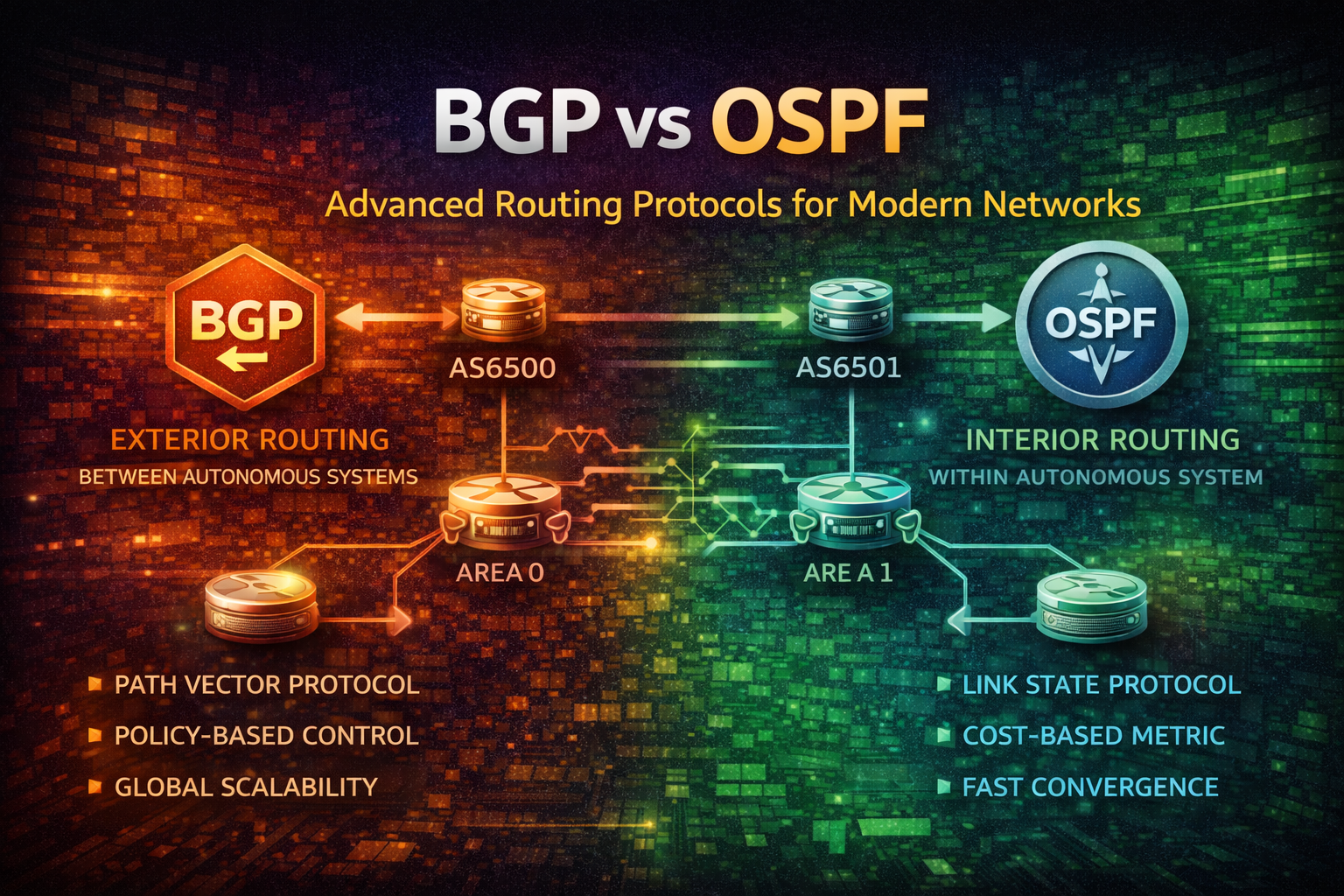
Master BGP and OSPF routing protocols. Learn when to use each, how they work, configuration best practices, and real-world deployment strategies for enterprise networks.
Routing is the backbone of modern networks. Every packet traveling across the internet relies on routing decisions made by network devices. While static routing works for simple topologies, enterprise networks demand dynamic routing protocols that adapt to network changes, failures, and growth.
BGP (Border Gateway Protocol) and OSPF (Open Shortest Path First) are the two dominant dynamic routing protocols in production networks today. Understanding their differences, strengths, and limitations is essential for network engineers, DevOps practitioners, and infrastructure architects.
This guide explores both protocols in depth, covering their mechanics, configuration, and real-world deployment patterns.
Before diving into BGP and OSPF specifics, let's establish core concepts.
Networks are organized into Autonomous Systems (AS) — administrative domains under single control. Routing protocols fall into two categories:
Think of it like postal systems. OSPF is your local postal service routing mail within a city. BGP is the international postal system routing packages between countries.
Different protocols use different metrics to determine optimal paths:
OSPF is a link-state routing protocol designed for large, complex internal networks.
OSPF routers maintain a complete map of the network topology. Each router:
This approach differs fundamentally from distance-vector protocols like RIP, which only share routing tables with neighbors.
OSPF uses areas to scale efficiently:
Area 0 (Backbone)
    |
    +-- Area 1 (Campus A)
    |
    +-- Area 2 (Campus B)
    |
+-- Area 3 (Data Center)This hierarchy prevents LSDB explosion in large networks.
router ospf 1
  router-id 10.0.0.1
  network 10.0.0.0 0.0.0.255 area 0
  network 10.1.0.0 0.0.0.255 area 1
  network 10.2.0.0 0.0.0.255 area 1
  default-information originate always metric 100

interface GigabitEthernet0/0
  ip ospf cost 10
  ip ospf hello-interval 10
  ip ospf dead-interval 40
Key parameters:
OSPF convergence speed depends on timer tuning:
interface GigabitEthernet0/0
  ip ospf hello-interval 1
  ip ospf dead-interval 4
ip ospf retransmit-interval 1Trade-off: Faster timers increase CPU and bandwidth usage. Balance based on network requirements.
BGP is a path-vector routing protocol designed for inter-AS routing and policy-based traffic engineering.
BGP routers establish TCP connections (port 179) and exchange routing information:
BGP doesn't calculate paths like OSPF. Instead, it trusts the AS Path attribute and applies policy rules.
When multiple routes exist for the same prefix, BGP selects the best path using this order:
This algorithm enables sophisticated traffic engineering.
iBGP (Internal BGP)
  Router A (AS 65000) ←→ Router B (AS 65000)

eBGP (External BGP)
Router A (AS 65000) ←→ Router C (AS 65001)router bgp 65000
bgp router-id 10.0.0.1
bgp log-neighbor-changes
neighbor 10.1.0.1 remote-as 65001
neighbor 10.1.0.1 description "ISP-Primary"
neighbor 10.1.0.1 timers 3 9
neighbor 10.2.0.1 remote-as 65001
neighbor 10.2.0.1 description "ISP-Backup"
neighbor 10.2.0.1 timers 3 9
address-family ipv4 unicast
neighbor 10.1.0.1 activate
neighbor 10.2.0.1 activate
neighbor 10.1.0.1 route-map PRIMARY-IN in
neighbor 10.1.0.1 route-map PRIMARY-OUT out
neighbor 10.2.0.1 route-map BACKUP-IN in
neighbor 10.2.0.1 route-map BACKUP-OUT out
exit-address-family
route-map PRIMARY-IN permit 10
set local-preference 200
route-map BACKUP-IN permit 10
set local-preference 100
route-map PRIMARY-OUT permit 10
match ip address prefix-list INTERNAL-ROUTES
set as-path prepend 65000 65000
route-map BACKUP-OUT permit 10
match ip address prefix-list INTERNAL-ROUTESKey concepts:
In large networks, full iBGP mesh becomes impractical. Route Reflectors solve this:
        Route Reflector (RR)
              /    \
             /      \
        Router A    Router B

Router A and B don't need direct iBGP connection.
RR reflects routes between them.
Route Reflectors reduce iBGP connections from O(n²) to O(n).
router bgp 65000
  bgp router-id 10.0.0.1

  neighbor 10.1.0.1 remote-as 65000
  neighbor 10.1.0.2 remote-as 65000
  neighbor 10.1.0.3 remote-as 65000

  address-family ipv4 unicast
    neighbor 10.1.0.1 activate
    neighbor 10.1.0.2 activate
    neighbor 10.1.0.3 activate

    bgp cluster-id 10.0.0.1
    neighbor 10.1.0.1 route-reflector-client
    neighbor 10.1.0.2 route-reflector-client
    neighbor 10.1.0.3 route-reflector-client
exit-address-family| Aspect | OSPF | BGP |
|---|---|---|
| Scope | Interior (within AS) | Exterior (between AS) |
| Algorithm | Link-state (Dijkstra) | Path-vector |
| Metric | Cost (bandwidth-based) | AS Path length + policies |
| Convergence | Fast (seconds) | Slower (minutes) |
| Scalability | Medium (thousands of routers) | Very large (millions of routes) |
| Complexity | Moderate | High |
| Policy Control | Limited | Extensive |
| Neighbor Discovery | Automatic (Hello) | Manual configuration |
| Bandwidth Usage | Moderate | Low (after convergence) |
| CPU Usage | Moderate | Low (after convergence) |
Use OSPF when:
Example: Campus network with multiple buildings, data center core network, or enterprise WAN.
Use BGP when:
Example: Enterprise with multiple ISP connections, cloud provider backbone, or content delivery network.
1. Incorrect Area Design
router ospf 1
  network 0.0.0.0 255.255.255.255 area 0
All interfaces in Area 0 causes LSDB explosion. Use hierarchical design with multiple areas.
2. Suboptimal Timer Settings
interface GigabitEthernet0/0
  ip ospf hello-interval 1
  ip ospf dead-interval 4
Applied to all interfaces increases CPU load unnecessarily. Use aggressive timers only where needed (core links).
3. Ignoring Cost Calculations
OSPF default cost = 100,000,000 / bandwidth (Mbps). Modern links may have incorrect costs.
interface GigabitEthernet0/0
  bandwidth 1000000
  ip ospf cost 1

interface GigabitEthernet0/1
  bandwidth 100000
ip ospf cost 101. Accepting All Routes Without Filtering
router bgp 65000
  neighbor 10.1.0.1 remote-as 65001
  address-family ipv4 unicast
    neighbor 10.1.0.1 activate
Malicious or misconfigured neighbors can inject unwanted routes. Always filter.
2. Incorrect Local Preference
route-map PRIMARY-IN permit 10
  set local-preference 50

route-map BACKUP-IN permit 10
  set local-preference 100
Higher local-preference wins. This configuration makes backup primary.
3. AS Path Prepending Without Limits
route-map DEPRIORITIZE permit 10
  set as-path prepend 65000 65000 65000 65000 65000 65000 65000 65000
Extreme prepending can make routes unreachable. Use 1-3 prepends maximum.
4. Forgetting BGP Synchronization
In networks mixing OSPF and BGP, ensure routes learned via iBGP are also in IGP before advertising externally. Otherwise, traffic may blackhole.
1. Implement Hierarchical Design
Area 0 (Backbone) - Core routers only
  ├── Area 1 (Campus A)
  ├── Area 2 (Campus B)
  └── Area 3 (Data Center)
Limit Area 0 to < 50 routers. Use ABRs to connect areas.
2. Monitor LSDB Size
show ip ospf database summary
show ip ospf statistics
Large LSDB indicates design problems. Implement stub areas or split into multiple OSPF processes.
3. Use Stub Areas for Leaf Networks
router ospf 1
  area 2 stub
  area 2 default-cost 1
Stub areas don't receive external routes, reducing LSDB by 30-50%.
4. Tune Timers Based on Link Type
interface GigabitEthernet0/0
  description "Core Link"
  ip ospf hello-interval 1
  ip ospf dead-interval 4

interface Serial0/0
  description "WAN Link"
  ip ospf hello-interval 30
  ip ospf dead-interval 120
Fast timers on reliable core links. Conservative timers on WAN links.
1. Implement Comprehensive Route Filtering
ip prefix-list CUSTOMER-ROUTES seq 10 permit 203.0.113.0/24
ip prefix-list CUSTOMER-ROUTES seq 20 permit 198.51.100.0/24
ip prefix-list CUSTOMER-ROUTES seq 30 deny 0.0.0.0/0 le 32

route-map CUSTOMER-IN permit 10
  match ip address prefix-list CUSTOMER-ROUTES
  set local-preference 150

route-map CUSTOMER-IN deny 20

router bgp 65000
  neighbor 10.1.0.1 remote-as 65001
  address-family ipv4 unicast
    neighbor 10.1.0.1 route-map CUSTOMER-IN in
  exit-address-family
Only accept expected prefixes. Deny everything else.
2. Use Route Reflectors for Scale
router bgp 65000
  bgp router-id 10.0.0.1
  bgp cluster-id 10.0.0.1

  neighbor 10.1.0.1 remote-as 65000
  neighbor 10.1.0.2 remote-as 65000
  neighbor 10.1.0.3 remote-as 65000

  address-family ipv4 unicast
    neighbor 10.1.0.1 route-reflector-client
    neighbor 10.1.0.2 route-reflector-client
    neighbor 10.1.0.3 route-reflector-client
  exit-address-family
Reduces iBGP mesh complexity. Use 2-3 RRs for redundancy.
3. Implement BGP Graceful Restart
router bgp 65000
  bgp graceful-restart
  bgp graceful-restart restart-time 120

  neighbor 10.1.0.1 remote-as 65001
  neighbor 10.1.0.1 graceful-restart
Allows router restart without dropping routes. Neighbors maintain routes for 120 seconds.
4. Monitor BGP Convergence
show ip bgp summary
show ip bgp neighbors 10.1.0.1
show ip bgp dampening flap-statistics
Watch for route flapping (rapid up/down cycles). Implement BGP dampening if needed.
5. Use Communities for Policy
route-map TAG-ROUTES permit 10
  set community 65000:100

route-map PREFER-TAGGED permit 10
  match community 100
  set local-preference 200

router bgp 65000
  address-family ipv4 unicast
    neighbor 10.1.0.1 route-map TAG-ROUTES out
    neighbor 10.2.0.1 route-map PREFER-TAGGED in
  exit-address-family
Communities enable flexible policy without modifying route-maps everywhere.
Many networks run both protocols:
┌─────────────────────────────────────┐
│         AS 65000 (Internal)         │
│  ┌──────────────────────────────┐   │
│  │   OSPF Area 0 (Backbone)     │   │
│  │  ┌────────────────────────┐  │   │
│  │  │ OSPF Area 1 (Campus A) │  │   │
│  │  └────────────────────────┘  │   │
│  │  ┌────────────────────────┐  │   │
│  │  │ OSPF Area 2 (Campus B) │  │   │
│  │  └────────────────────────┘  │   │
│  └──────────────────────────────┘   │
│           ↓ BGP ↓                    │
│  ┌──────────────────────────────┐   │
│  │   BGP to ISP (AS 65001)      │   │
│  └──────────────────────────────┘   │
└─────────────────────────────────────┘Architecture:
router ospf 1
  redistribute bgp 65000 subnets

router bgp 65000
  redistribute ospf 1 match internal external 1 external 2

  address-family ipv4 unicast
    redistribute ospf 1
exit-address-familyImportant: Redistribution can cause routing loops. Use route-maps to control what gets redistributed.
ip prefix-list INTERNAL-ROUTES seq 10 permit 10.0.0.0/8 le 24

route-map OSPF-TO-BGP permit 10
  match ip address prefix-list INTERNAL-ROUTES

router bgp 65000
  address-family ipv4 unicast
    redistribute ospf 1 route-map OSPF-TO-BGP
exit-address-familyBGP and OSPF serve different purposes in modern networks:
Most enterprise networks use both: OSPF internally for speed and simplicity, BGP externally for control and flexibility.
Start with OSPF for internal networks. Introduce BGP when connecting to external networks or requiring policy-based routing. Monitor convergence times, LSDB size, and route stability. Implement filtering and communities to prevent misconfigurations from cascading failures.
The key to production success is understanding each protocol's strengths, designing hierarchically, and implementing comprehensive monitoring and filtering policies.

