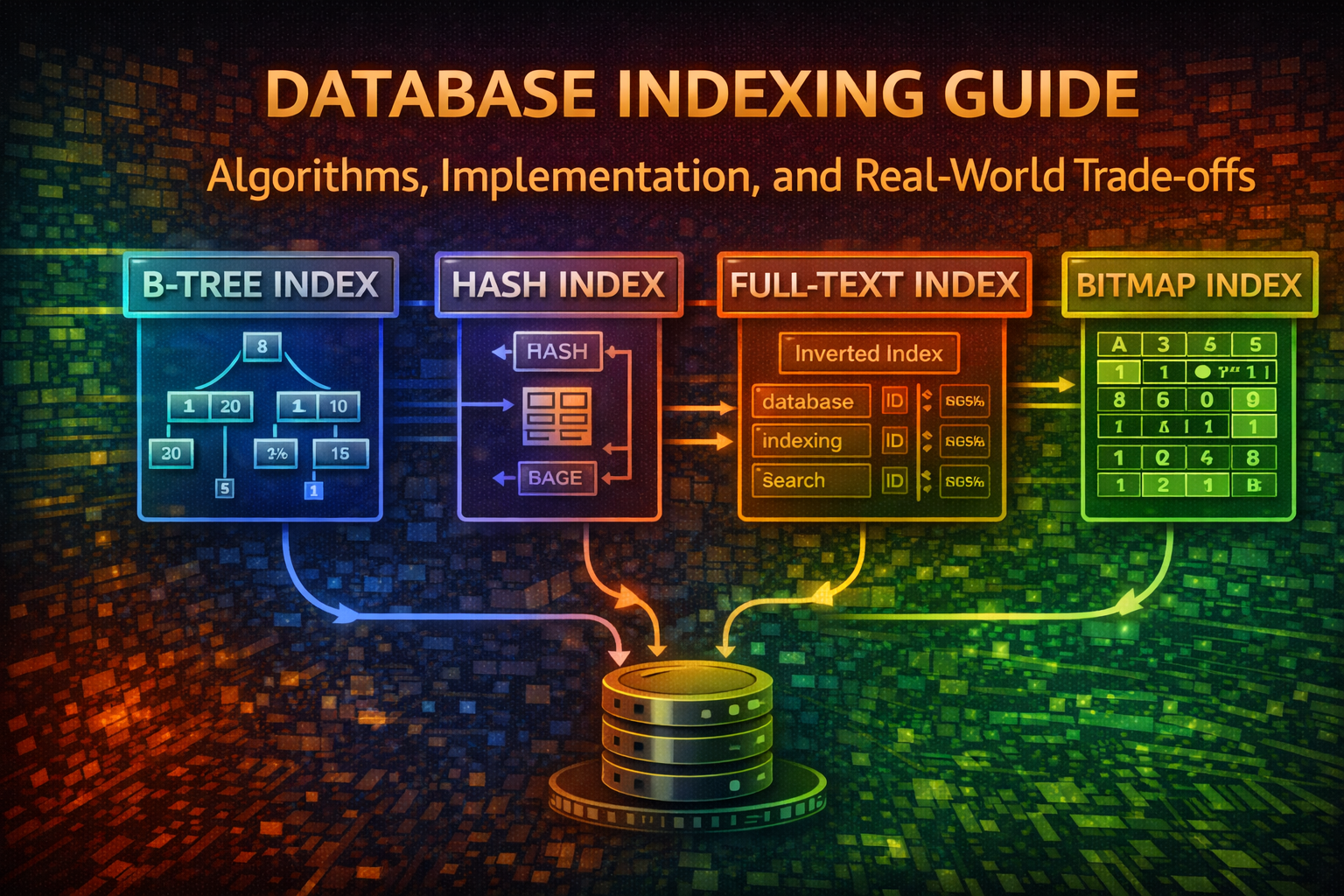
Database Indexing Guide - Algorithms, Implementation, and Real-World Trade-offs
Master database indexing from fundamentals to advanced algorithms. Learn how B-trees, hash indexes, and full-text search work under the hood, with practical SQL and ORM examples for production systems.
Every database engineer has experienced it: a query that should take milliseconds crawls at seconds. The culprit? Missing or poorly designed indexes.
Indexing is one of the most powerful yet misunderstood tools in database optimization. It's the difference between scanning millions of rows and pinpointing exactly what you need. Yet many developers treat indexes as an afterthought, adding them only when performance becomes critical.
In production systems, indexes aren't optional—they're foundational. A well-indexed database can handle 10x more traffic with the same hardware. A poorly indexed one will collapse under load regardless of how much you scale.
This guide walks you through everything: what indexes are, why they matter, how different algorithms work internally, and how to implement them correctly in your applications.
An index is a data structure that enables faster data retrieval. Think of it like a book's index—instead of reading every page to find mentions of "concurrency," you flip to the index, find the page numbers, and jump directly there.
Without indexes, databases perform full table scans. With indexes, they navigate directly to relevant data.
Consider a table with 10 million user records. A query like:
sql
SELECT * FROM users WHERE email = 'user@example.com'
Without an index, the database reads all 10 million rows sequentially until it finds the match. With an index on the email column, it locates the record in milliseconds.
The trade-off? Indexes consume disk space and slow down writes (INSERT, UPDATE, DELETE) because the index must be updated alongside the table. This is why indexing strategy matters—you're optimizing for your access patterns.
B-trees are the default index type in most databases (PostgreSQL, MySQL, SQL Server). They're balanced, self-organizing trees optimized for disk-based storage.
CREATE TABLE articles ( id SERIAL PRIMARY KEY, title TEXT, content TEXT, search_vector tsvector GENERATED ALWAYS AS ( to_tsvector('english', title || ' ' || content) ) STORED);CREATE INDEX idx_articles_search ON articles USING GIN (search_vector);SELECT * FROM articles WHERE search_vector @@ to_tsquery('english', 'database & indexing');
MySQL full-text search
CREATE TABLE articles ( id INT PRIMARY KEY AUTO_INCREMENT, title VARCHAR(255), content LONGTEXT, FULLTEXT INDEX idx_search (title, content));SELECT * FROM articles WHERE MATCH(title, content) AGAINST('database indexing' IN BOOLEAN MODE);
Partial indexes index only rows matching a condition, reducing size and improving performance.
Partial index example
-- Only index active usersCREATE INDEX idx_active_users ON users(email) WHERE status = 'active';-- Query uses the indexSELECT * FROM users WHERE status = 'active' AND email = 'user@example.com';
This is faster than indexing all users because:
Smaller index = faster searches
Fewer updates (inactive users don't affect the index)
Composite indexes span multiple columns, optimizing queries that filter on multiple fields.
Composite index
CREATE INDEX idx_users_country_city ON users(country, city);-- This query uses the index efficientlySELECT * FROM users WHERE country = 'US' AND city = 'New York';-- This also uses the index (country is first)SELECT * FROM users WHERE country = 'US';-- This does NOT use the index (city is first, violates column order)SELECT * FROM users WHERE city = 'New York';
Key principle: Composite indexes follow the leftmost prefix rule. Queries must use columns from left to right.
-- Single column indexCREATE INDEX idx_users_email ON users(email);-- Unique index (enforces uniqueness)CREATE UNIQUE INDEX idx_users_email_unique ON users(email);-- Composite indexCREATE INDEX idx_orders_user_date ON orders(user_id, created_at);-- Partial index (only active users)CREATE INDEX idx_active_users ON users(email) WHERE status = 'active';-- Descending index (for ORDER BY DESC)CREATE INDEX idx_posts_date_desc ON posts(created_at DESC);-- Expression index (index computed values)CREATE INDEX idx_users_email_lower ON users(LOWER(email));-- Full-text index (PostgreSQL)CREATE INDEX idx_articles_search ON articles USING GIN ( to_tsvector('english', title || ' ' || content));
model User { id Int @id @default(autoincrement()) email String @unique name String status String createdAt DateTime @default(now()) // Single column index @@index([email]) // Composite index @@index([status, createdAt]) // Full-text search @@fulltext([name])}model Order { id Int @id @default(autoincrement()) userId Int amount Float createdAt DateTime @default(now()) user User @relation(fields: [userId], references: [id]) // Foreign key index (usually automatic) @@index([userId]) // Composite for common queries @@index([userId, createdAt])}
TypeORM indexes
import { Entity, PrimaryGeneratedColumn, Column, Index } from 'typeorm';@Entity()@Index(['email'])@Index(['status', 'createdAt'])export class User { @PrimaryGeneratedColumn() id: number; @Column() email: string; @Column() name: string; @Column() status: string; @Column() createdAt: Date;}@Entity()@Index(['userId', 'createdAt'])export class Order { @PrimaryGeneratedColumn() id: number; @Column() userId: number; @Column() amount: number; @Column() createdAt: Date;}
Creating too many indexes slows down writes without helping reads.
Bad: Too many indexes
CREATE INDEX idx_users_email ON users(email);CREATE INDEX idx_users_name ON users(name);CREATE INDEX idx_users_phone ON users(phone);CREATE INDEX idx_users_address ON users(address);CREATE INDEX idx_users_city ON users(city);-- Every INSERT now updates 5 indexes!
Solution: Index only columns used in WHERE, JOIN, or ORDER BY clauses.
-- Common query patternSELECT * FROM orders WHERE user_id = ? AND status = ? AND created_at > ?;-- Create composite index matching query patternCREATE INDEX idx_orders_lookup ON orders(user_id, status, created_at);
-- Most databases don't index NULL values efficiently-- Avoid indexing columns with many NULLsCREATE INDEX idx_users_phone ON users(phone) WHERE phone IS NOT NULL;
-- Temporary tables used for intermediate processing-- Index overhead not worth the short lifespanCREATE TEMPORARY TABLE staging_users ASSELECT * FROM users WHERE status = 'pending';
Database indexing is both art and science. The fundamentals are straightforward—indexes accelerate lookups by organizing data—but mastering them requires understanding your access patterns, trade-offs, and the algorithms powering different index types.
Key takeaways:
B-trees are the default for a reason: balanced, disk-friendly, and versatile
Hash indexes are fast for equality but useless for ranges
Full-text indexes unlock text search capabilities
Composite indexes must match your query patterns
Over-indexing hurts writes more than it helps reads
Use EXPLAIN to verify indexes actually help
Monitor and maintain indexes in production
Start by identifying your slowest queries with EXPLAIN ANALYZE. Create targeted indexes for those queries. Measure the impact. Remove indexes that don't help. This iterative approach beats guessing.
The best index is one that solves a real problem. Build with intention, measure results, and iterate.
Master Angular from the ground up. Learn why Angular was created, understand core concepts like modules, components, services, dependency injection, directives, pipes, forms, HTTP, routing, RxJS, and change detection. Build a complete production-ready todo application covering all Angular fundamentals with best practices.
Master Ansible idempotency to write playbooks that safely run multiple times without side effects. Learn how to build production-grade automation that prevents configuration drift and infrastructure chaos.
Learn how ArgoCD implements GitOps principles to automate Kubernetes deployments. This guide covers core concepts, installation, and real-world patterns for managing applications declaratively.