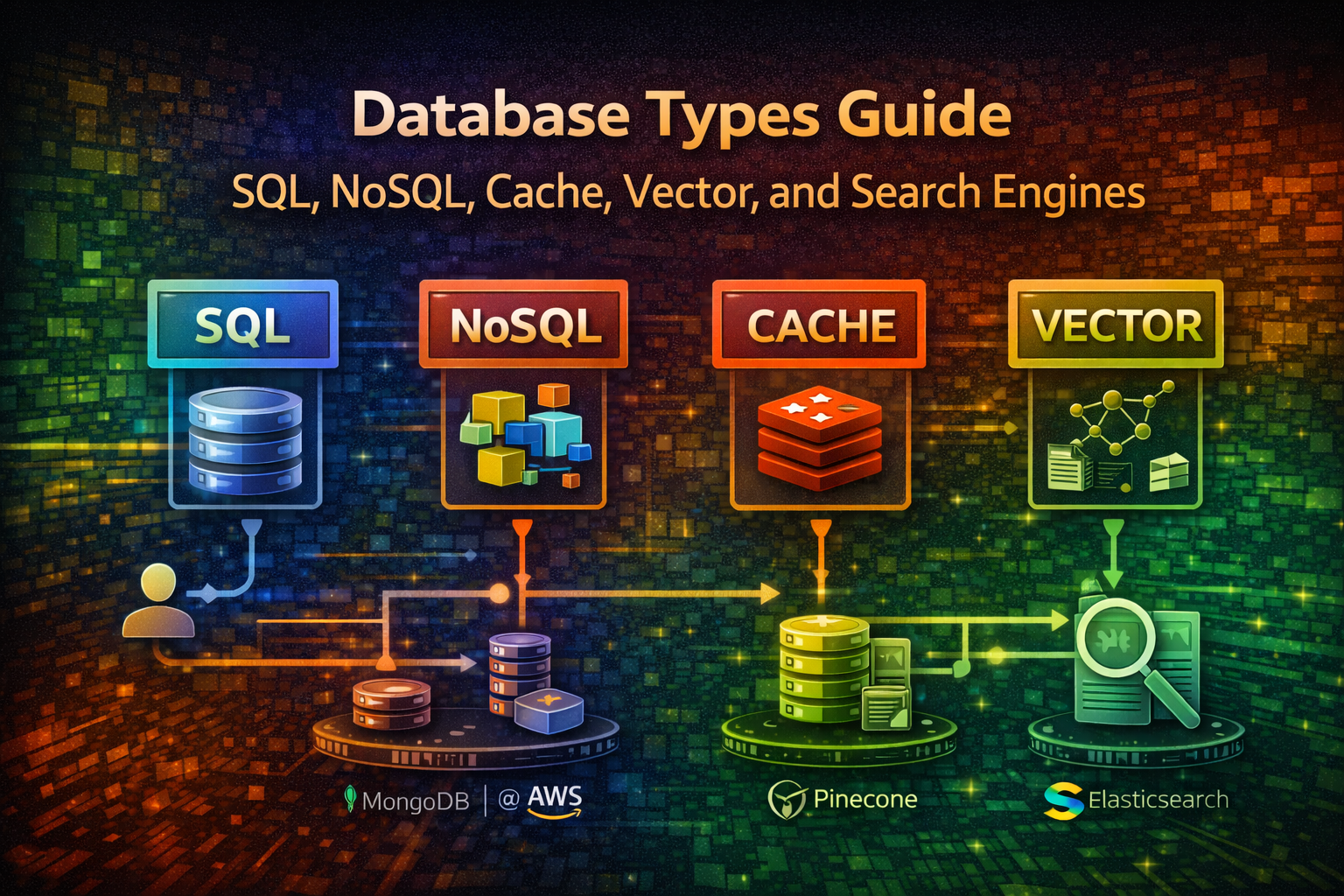
Choosing the right database is one of the most critical architectural decisions you'll make. The wrong choice leads to performance bottlenecks, scaling nightmares, and expensive refactoring down the line.
Most teams start with a single database and wonder why their system struggles. The reality: no single database excels at everything. Modern systems use multiple databases—a pattern called polyglot persistence. You might use PostgreSQL for transactional data, Redis for caching, Elasticsearch for full-text search, and a vector database for AI features.
This guide cuts through the noise. You'll learn what each database type does, when to use it, and how to actually implement it in code.
Relational databases store data in structured tables with predefined schemas. They enforce ACID properties (Atomicity, Consistency, Isolation, Durability) and use SQL for queries.
Common examples: PostgreSQL, MySQL, MariaDB, SQL Server
Transactional systems (banking, payments, orders)
Complex queries with joins across multiple tables
Data integrity is critical
You need strong consistency guarantees
Financial records, user accounts, inventory
An e-commerce platform needs to track orders, customers, and inventory. When a customer places an order, you must:
Deduct inventory
Create an order record
Update customer purchase history
All must succeed or all must fail. SQL databases handle this with transactions.
import { Pool } from 'pg' ;
const pool = new Pool ({ connectionString : 'postgresql://user:password@localhost:5432/ecommerce' });
async function createOrder ( customerId : number , items : OrderItem []) { const client = await pool . connect (); try { await client . query ( 'BEGIN' ); // Create order const orderResult = await client . query ( 'INSERT INTO orders (customer_id, total_amount, status) VALUES ($1, $2, $3) RETURNING id' , [ customerId , calculateTotal ( items ), 'pending' ] ); const orderId = orderResult . rows [ 0 ]. id ; // Add order items for ( const item of items ) { await client . query ( 'INSERT INTO order_items (order_id, product_id, quantity) VALUES ($1, $2, $3)' , [ orderId , item . productId , item . quantity ] ); // Deduct inventory await client . query ( 'UPDATE products SET stock = stock - $1 WHERE id = $2' , [ item . quantity , item . productId ] ); } await client . query ( 'COMMIT' ); return orderId ; } catch ( error ) { await client . query ( 'ROLLBACK' ); throw error ; } finally { client . release (); } } Aspect Details Consistency Strong (ACID) Scalability Vertical (scale up) Query Language SQL Schema Fixed, predefined Joins Native support Transactions Full ACID support
Store data as JSON-like documents. No fixed schema—each document can have different fields.
When to use:
Flexible, evolving data structures
Rapid prototyping
Hierarchical data (user profiles with nested preferences)
Content management systems
import { MongoClient } from 'mongodb' ;
const client = new MongoClient ( 'mongodb://localhost:27017' ); const db = client . db ( 'social_app' ); const users = db . collection ( 'users' );
async function createUserProfile ( userData : any ) { // No schema enforcement—add any fields const result = await users . insertOne ({ username : userData . username , email : userData . email , profile : { bio : userData . bio , avatar : userData . avatar , preferences : { theme : 'dark' , notifications : true , language : 'en' } }, createdAt : new Date (), tags : [ 'developer' , 'open-source' ] // Array field }); return result . insertedId ; }
async function updateUserPreferences ( userId : string , preferences : any ) { await users . updateOne ( { _id : new ObjectId ( userId ) }, { $set : { 'profile.preferences' : preferences } } ); }
async function findUsersByTag ( tag : string ) { return users . find ({ tags : tag }). toArray (); } Ultra-fast in-memory databases. Store simple key-value pairs.
When to use:
Session storage
Real-time leaderboards
Rate limiting
Caching
Pub/Sub messaging
import { createClient } from 'redis' ;
const redis = createClient ({ host : 'localhost' , port : 6379 });
await redis . connect ();
// Simple caching async function getUserWithCache ( userId : string ) { const cached = await redis . get ( `user: ${ userId } ` ); if ( cached ) return JSON . parse ( cached ); const user = await fetchFromDatabase ( userId ); await redis . setEx ( `user: ${ userId } ` , 3600 , JSON . stringify ( user )); // 1 hour TTL return user ; }
// Leaderboard async function updateLeaderboard ( userId : string , score : number ) { await redis . zAdd ( 'leaderboard' , { score , member : userId }); }
async function getTopPlayers ( limit : number = 10 ) { return redis . zRangeByScore ( 'leaderboard' , 0 , Infinity , { REV : true , LIMIT : { offset : 0 , count : limit } }); }
// Rate limiting async function checkRateLimit ( userId : string , limit : number = 100 ) { const key = `rate: ${ userId } ` ; const current = await redis . incr ( key ); if ( current === 1 ) { await redis . expire ( key , 60 ); // Reset every minute } return current <= limit ; } Optimized for time-series data and massive scale. Store data in columns rather than rows.
When to use:
Time-series metrics (monitoring, analytics)
Massive scale (billions of rows)
High write throughput
Distributed systems
import { Client } from 'cassandra-driver' ;
const client = new Client ({ contactPoints : [ '127.0.0.1' ], localDataCenter : 'datacenter1' , keyspace : 'metrics' });
await client . connect ();
async function recordMetric ( serverId : string , timestamp : Date , cpuUsage : number , memoryUsage : number ) { const query = ` INSERT INTO server_metrics (server_id, timestamp, cpu_usage, memory_usage) VALUES (?, ?, ?, ?) ` ; await client . execute ( query , [ serverId , timestamp , cpuUsage , memoryUsage ], { prepare : true }); }
async function getMetricsRange ( serverId : string , startTime : Date , endTime : Date ) { const query = ` SELECT * FROM server_metrics WHERE server_id = ? AND timestamp >= ? AND timestamp <= ? ` ; const result = await client . execute ( query , [ serverId , startTime , endTime ], { prepare : true }); return result . rows ; } Beyond caching, Redis handles complex data structures and real-time operations.
Redis Streams for Event Processing import { createClient } from 'redis' ;
const redis = createClient (); await redis . connect ();
// Publish events to a stream async function logUserActivity ( userId : string , action : string , metadata : any ) { await redis . xAdd ( 'user_activity' , '*' , // Auto-generate ID { userId , action , timestamp : Date . now (). toString (), metadata : JSON . stringify ( metadata ) } ); }
// Consumer group for processing async function processActivityStream () { await redis . xGroupCreate ( 'user_activity' , 'analytics_group' , '$' , { MKSTREAM : true }); while ( true ) { const messages = await redis . xReadGroup ( { key : 'user_activity' , group : 'analytics_group' , consumer : 'worker-1' }, { count : 10 , block : 1000 } ); for ( const message of messages || []) { console . log ( 'Processing:' , message . message ); // Process event... await redis . xAck ( 'user_activity' , 'analytics_group' , message . id ); } } }
// Geospatial queries async function findNearbyUsers ( latitude : number , longitude : number , radiusKm : number ) { return redis . geoRadius ( 'user_locations' , longitude , latitude , radiusKm , 'km' ); } Simpler than Redis, pure caching layer.
import Memcached from 'memcached' ;
const memcached = new Memcached ([ 'localhost:11211' ]);
async function cacheQueryResult ( query : string , result : any ) { const key = `query: ${ hashQuery ( query ) } ` ; await memcached . set ( key , result , 3600 ); // 1 hour }
async function getCachedResult ( query : string ) { const key = `query: ${ hashQuery ( query ) } ` ; return memcached . get ( key ); } Specialized databases for storing and querying embeddings (vector representations of data). Essential for AI/ML features like semantic search and recommendations.
Common examples: Pinecone, Weaviate, Milvus, Qdrant, Chroma
Semantic search (find similar documents)
AI-powered recommendations
Similarity matching
Anomaly detection
Image/audio search
A SaaS platform wants to recommend similar articles to users. Instead of keyword matching, you use embeddings to find semantically similar content.
Vector Database with Pinecone import { Pinecone } from '@pinecone-database/pinecone' ; import { OpenAIEmbeddings } from 'langchain/embeddings/openai' ;
const pinecone = new Pinecone ({ apiKey : process . env . PINECONE_API_KEY });
const embeddings = new OpenAIEmbeddings ({ openAIApiKey : process . env . OPENAI_API_KEY });
async function indexArticle ( articleId : string , content : string ) { // Generate embedding from content const embedding = await embeddings . embedQuery ( content ); // Store in vector database const index = pinecone . Index ( 'articles' ); await index . upsert ([ { id : articleId , values : embedding , metadata : { title : content . substring ( 0 , 100 ), type : 'article' } } ]); }
async function findSimilarArticles ( articleId : string , topK : number = 5 ) { const index = pinecone . Index ( 'articles' ); // Query by ID to find similar articles const results = await index . query ({ id : articleId , topK , includeMetadata : true }); return results . matches . map ( match => ({ id : match . id , similarity : match . score , title : match . metadata ?. title })); }
async function semanticSearch ( query : string ) { const queryEmbedding = await embeddings . embedQuery ( query ); const index = pinecone . Index ( 'articles' ); const results = await index . query ({ vector : queryEmbedding , topK : 10 , includeMetadata : true }); return results . matches ; } Aspect Details Data Type Vectors (embeddings) Query Type Similarity search Use Case AI/ML features Scalability Horizontal Latency Sub-millisecond
Specialized databases optimized for full-text search, analytics, and complex filtering. Built on inverted indexes for fast text queries.
Common examples: Elasticsearch, OpenSearch, Meilisearch, Typesense
Full-text search (Google-like search)
Log aggregation and analysis
Real-time analytics
Complex filtering and faceting
Auto-complete and suggestions
An e-commerce platform needs fast product search with filters. Users search for "blue running shoes" and expect results in milliseconds with facets for price, brand, size.
Elasticsearch with Node.js import { Client } from '@elastic/elasticsearch' ;
const client = new Client ({ node : 'http://localhost:9200' });
// Index products async function indexProduct ( product : any ) { await client . index ({ index : 'products' , id : product . id , document : { name : product . name , description : product . description , price : product . price , brand : product . brand , category : product . category , tags : product . tags , rating : product . rating , inStock : product . stock > 0 } }); }
// Full-text search with filters async function searchProducts ( query : string , filters : any = {}) { const result = await client . search ({ index : 'products' , body : { query : { bool : { must : [ { multi_match : { query , fields : [ 'name^2' , 'description' , 'tags' ], fuzziness : 'AUTO' } } ], filter : [ { term : { inStock : true } }, ... ( filters . brand ? [{ term : { brand : filters . brand } }] : []), ... ( filters . minPrice ? [{ range : { price : { gte : filters . minPrice } } }] : []), ... ( filters . maxPrice ? [{ range : { price : { lte : filters . maxPrice } } }] : []) ] } }, aggs : { brands : { terms : { field : 'brand' , size : 10 } }, priceRanges : { range : { field : 'price' , ranges : [ { to : 50 }, { from : 50 , to : 100 }, { from : 100 , to : 200 }, { from : 200 } ] } } }, size : 20 } }); return { hits : result . hits . hits . map ( hit => hit . _source ), facets : result . aggregations , total : result . hits . total . value }; }
// Auto-complete async function autocomplete ( prefix : string ) { const result = await client . search ({ index : 'products' , body : { query : { match_phrase_prefix : { name : prefix } }, size : 10 } }); return result . hits . hits . map ( hit => hit . _source . name ); }
// Aggregations for analytics async function getProductAnalytics () { const result = await client . search ({ index : 'products' , body : { size : 0 , aggs : { avgPrice : { avg : { field : 'price' } }, avgRating : { avg : { field : 'rating' } }, topBrands : { terms : { field : 'brand' , size : 5 } }, priceDistribution : { histogram : { field : 'price' , interval : 50 } } } } }); return result . aggregations ; } Optimize for relationships between data. Store nodes (entities) and edges (relationships) with properties.
Common examples: Neo4j, ArangoDB, TigerGraph
Social networks (followers, connections)
Recommendation engines
Knowledge graphs
Fraud detection
Network analysis
import neo4j from 'neo4j-driver' ;
const driver = neo4j . driver ( 'bolt://localhost:7687' , neo4j . auth . basic ( 'neo4j' , 'password' ) );
const session = driver . session ();
// Create relationships async function connectUsers ( userId1 : string , userId2 : string ) { await session . run ( 'MATCH (u1:User {id: $id1}), (u2:User {id: $id2}) CREATE (u1)-[:FOLLOWS]->(u2)' , { id1 : userId1 , id2 : userId2 } ); }
// Find mutual connections async function findMutualFriends ( userId : string ) { const result = await session . run ( `MATCH (u:User {id: $userId})-[:FOLLOWS]->(friend)-[:FOLLOWS]->(mutual) WHERE NOT (u)-[:FOLLOWS]->(mutual) RETURN mutual.name, COUNT(*) as mutualCount ORDER BY mutualCount DESC LIMIT 10` , { userId } ); return result . records . map ( record => ({ name : record . get ( 'mutual.name' ), mutualCount : record . get ( 'mutualCount' ). toNumber () })); }
// Recommendation based on graph async function recommendProducts ( userId : string ) { const result = await session . run ( `MATCH (u:User {id: $userId})-[:PURCHASED]->(p:Product) MATCH (p)-[:SIMILAR_TO]->(recommended:Product) WHERE NOT (u)-[:PURCHASED]->(recommended) RETURN recommended.name, COUNT(*) as score ORDER BY score DESC LIMIT 5` , { userId } ); return result . records . map ( record => record . get ( 'recommended.name' )); }
await session . close (); await driver . close (); Optimized for storing and querying time-stamped data points. Compress data efficiently and support fast range queries.
Common examples: InfluxDB, TimescaleDB, Prometheus, QuestDB
Monitoring and observability
Metrics collection
Stock prices and financial data
IoT sensor data
Application performance monitoring
import { InfluxDB , Point } from '@influxdata/influxdb-client' ;
const influxDB = new InfluxDB ({ url : 'http://localhost:8086' , token : process . env . INFLUX_TOKEN , org : 'myorg' , bucket : 'metrics' });
const writeApi = influxDB . getWriteApi ( 'myorg' , 'metrics' );
// Write metrics async function recordServerMetrics ( serverId : string , metrics : any ) { const point = new Point ( 'server_metrics' ) . tag ( 'server_id' , serverId ) . tag ( 'region' , 'us-east-1' ) . floatField ( 'cpu_usage' , metrics . cpu ) . floatField ( 'memory_usage' , metrics . memory ) . floatField ( 'disk_usage' , metrics . disk ) . intField ( 'request_count' , metrics . requests ) . timestamp ( new Date ()); writeApi . writePoint ( point ); await writeApi . flush (); }
// Query metrics const queryApi = influxDB . getQueryApi ( 'myorg' );
async function getMetricsForPeriod ( serverId : string , hours : number = 24 ) { const query = ` from(bucket: "metrics") |> range(start: - ${ hours } h) |> filter(fn: (r) => r.server_id == " ${ serverId } ") |> filter(fn: (r) => r._measurement == "server_metrics") ` ; const results : any [] = []; await queryApi . queryRows ( query , { next ( row , tableMeta ) { results . push ({ time : row . values [ tableMeta . toObject (). time ], field : row . values [ tableMeta . toObject (). _field ], value : row . values [ tableMeta . toObject (). _value ] }); }, error ( error ) { console . error ( 'Query error:' , error ); }, complete () { console . log ( 'Query complete' ); } }); return results ; } Here's how a real system combines multiple databases:
Multi-Database Architecture Example import { Pool } from 'pg' ; import { createClient } from 'redis' ; import { Client as ElasticsearchClient } from '@elastic/elasticsearch' ; import { Pinecone } from '@pinecone-database/pinecone' ;
// Initialize all databases const postgres = new Pool ({ connectionString : process . env . DATABASE_URL }); const redis = createClient ({ url : process . env . REDIS_URL }); const elasticsearch = new ElasticsearchClient ({ node : process . env . ELASTICSEARCH_URL }); const pinecone = new Pinecone ({ apiKey : process . env . PINECONE_API_KEY });
await redis . connect ();
// User creates a blog post async function createBlogPost ( userId : string , post : any ) { // 1. Store in PostgreSQL (source of truth) const result = await postgres . query ( 'INSERT INTO posts (user_id, title, content, created_at) VALUES ($1, $2, $3, NOW()) RETURNING id' , [ userId , post . title , post . content ] ); const postId = result . rows [ 0 ]. id ; // 2. Index in Elasticsearch (for full-text search) await elasticsearch . index ({ index : 'blog_posts' , id : postId , document : { title : post . title , content : post . content , userId , createdAt : new Date () } }); // 3. Generate embedding and store in vector DB (for recommendations) const embedding = await generateEmbedding ( post . content ); await pinecone . Index ( 'blog_posts' ). upsert ([{ id : postId , values : embedding , metadata : { userId , title : post . title } }]); // 4. Cache in Redis (for fast access) await redis . setEx ( `post: ${ postId } ` , 3600 , JSON . stringify ({ id : postId , title : post . title , userId , createdAt : new Date () })); return postId ; }
// User searches for posts async function searchPosts ( query : string ) { // Use Elasticsearch for full-text search const results = await elasticsearch . search ({ index : 'blog_posts' , body : { query : { multi_match : { query , fields : [ 'title^2' , 'content' ] } } } }); return results . hits . hits . map ( hit => hit . _source ); }
// Get recommendations async function getRecommendations ( postId : string ) { // Use vector DB for semantic similarity const results = await pinecone . Index ( 'blog_posts' ). query ({ id : postId , topK : 5 , includeMetadata : true }); return results . matches ; } Problem: Trying to use PostgreSQL for caching, search, and real-time features.
Why it happens: Simplicity bias. One database seems easier to manage.
Solution: Accept polyglot persistence. Each tool has a job. PostgreSQL isn't fast at full-text search—Elasticsearch is.
Problem: Queries slow down as data grows.
Why it happens: Developers forget indexes exist or don't understand query plans.
Solution: Use EXPLAIN in SQL, monitor slow queries, index frequently filtered columns.
-- PostgreSQL example EXPLAIN ANALYZE SELECT * FROM users WHERE email = 'user@example.com' ; CREATE INDEX idx_users_email ON users(email); Problem: Using eventual consistency (NoSQL) where strong consistency (SQL) is needed.
Why it happens: NoSQL seems faster, so developers default to it.
Solution: Understand your consistency needs. Financial transactions need ACID. User preferences can be eventually consistent.
Problem: Database works fine with 1M rows, breaks at 100M.
Why it happens: No load testing or capacity planning.
Solution: Test with realistic data volumes. Understand your database's limits. Plan sharding/partitioning early.
Problem: Cache misses cause cascading failures.
Why it happens: Developers treat cache as primary storage.
Solution: Cache is a performance layer, not a data store. Always have a source of truth.
Before picking a database, ask:
How will data be queried?
What's the read/write ratio?
Do I need transactions?
How much data?
What's the latency requirement?
Don't create new connections for every query.
Connection Pool Configuration import { Pool } from 'pg' ;
const pool = new Pool ({ max : 20 , // Maximum connections idleTimeoutMillis : 30000 , connectionTimeoutMillis : 2000 , });
// Reuse connections const result = await pool . query ( 'SELECT * FROM users WHERE id = $1' , [ userId ]); async function monitoredQuery ( query : string , params : any []) { const start = Date . now (); try { const result = await pool . query ( query , params ); const duration = Date . now () - start ; if ( duration > 1000 ) { console . warn ( `Slow query ( ${ duration } ms):` , query ); } return result ; } catch ( error ) { console . error ( 'Query failed:' , error ); throw error ; } } async function getUser ( userId : string ) { // Try cache first const cached = await redis . get ( `user: ${ userId } ` ); if ( cached ) return JSON . parse ( cached ); // Cache miss—fetch from database const user = await postgres . query ( 'SELECT * FROM users WHERE id = $1' , [ userId ] ); if ( user . rows . length === 0 ) return null ; // Store in cache await redis . setEx ( `user: ${ userId } ` , 3600 , JSON . stringify ( user . rows [ 0 ])); return user . rows [ 0 ]; } Transaction Best Practice async function transferMoney ( fromId : string , toId : string , amount : number ) { const client = await pool . connect (); try { await client . query ( 'BEGIN ISOLATION LEVEL SERIALIZABLE' ); // Deduct from source await client . query ( 'UPDATE accounts SET balance = balance - $1 WHERE id = $2' , [ amount , fromId ] ); // Add to destination await client . query ( 'UPDATE accounts SET balance = balance + $1 WHERE id = $2' , [ amount , toId ] ); // Record transaction await client . query ( 'INSERT INTO transactions (from_id, to_id, amount) VALUES ($1, $2, $3)' , [ fromId , toId , amount ] ); await client . query ( 'COMMIT' ); } catch ( error ) { await client . query ( 'ROLLBACK' ); throw error ; } finally { client . release (); } }
You need extreme horizontal scalability
Your data is unstructured (documents, images)
You need sub-millisecond latency for simple lookups
You need complex joins across many collections
Data integrity is critical
You need ACID transactions
You need persistent storage (it's in-memory)
Your dataset is larger than available RAM
You need complex queries
You don't have embeddings
You need exact matches (use SQL)
Your data doesn't benefit from similarity search
You need real-time consistency
Your queries are simple key lookups
You have small datasets
Modern systems don't use one database—they use the right database for each job. PostgreSQL for transactions, Redis for caching, Elasticsearch for search, vector databases for AI features.
Start with PostgreSQL. Add Redis when you need speed. Add Elasticsearch when search becomes important. Add a vector database when you build AI features.
The key is understanding your access patterns and choosing accordingly. Polyglot persistence isn't complexity—it's pragmatism.