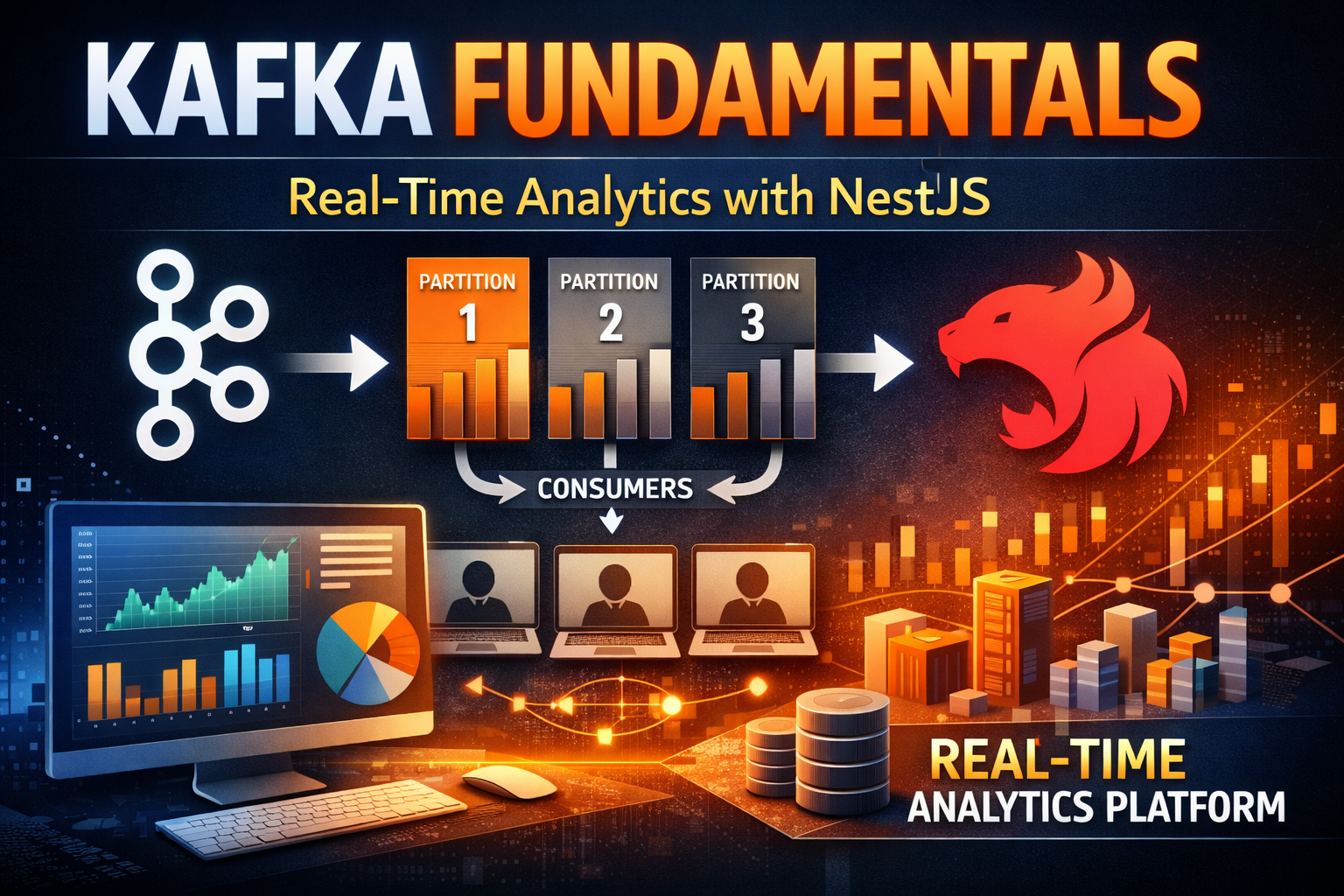
Modern data-driven applications generate massive volumes of events: user clicks, transactions, sensor readings, system logs. Processing this data in real-time is critical for competitive advantage. Netflix uses Kafka to process over 1 trillion events daily. Uber tracks millions of rides in real-time. LinkedIn powers its entire data infrastructure with Kafka.
Unlike traditional message brokers like RabbitMQ that focus on message delivery, Kafka is a distributed event streaming platform designed for high-throughput, low-latency data pipelines. It's not just a queue—it's a commit log that stores events permanently, enabling replay, time-travel analysis, and multiple independent consumers.
In this article, we'll explore Kafka's architecture, understand every core concept from topics to exactly-once semantics, and build a production-ready real-time analytics platform with NestJS that demonstrates event streaming at scale.
RabbitMQ and similar brokers work well for task queues but have limitations:
Limited Throughput : Optimized for reliability, not speed. Typical throughput: 50K-100K messages/second.
Message Deletion : Once consumed, messages are deleted. Can't replay or analyze historical data.
Single Consumer Model : Each message goes to one consumer. Broadcasting requires fanout exchanges.
Scaling Challenges : Adding consumers doesn't improve throughput. Rebalancing is complex.
Kafka was built for different requirements:
Massive Throughput : Millions of messages per second on commodity hardware.
Permanent Storage : Events stored on disk indefinitely. Replay anytime.
Multiple Consumers : Same event consumed by multiple independent services.
Horizontal Scaling : Add partitions and consumers to scale linearly.
Exactly-Once Semantics : Guarantee no data loss or duplication.
Broker : Kafka server that stores and serves events. Cluster of brokers provides redundancy.
Topic : Named stream of events. Similar to a table in a database.
Partition : Ordered, immutable sequence of events within a topic. Enables parallelism.
Producer : Application that publishes events to topics.
Consumer : Application that reads events from topics.
Consumer Group : Set of consumers that work together to consume a topic.
Offset : Position in a partition. Consumers track offsets to know what they've read.
Producer → Topic (Partition 0, 1, 2, ...) → Consumer Group (Consumer A, B, C, ...)
Producer sends event to topic
Kafka assigns event to partition based on key or round-robin
Event stored on broker disk with offset
Consumer group reads from partitions
Each partition assigned to one consumer in group
Consumer tracks offset of last read event
On rebalance, partitions reassigned to consumers
Kafka replicates each partition across multiple brokers:
Leader : Broker that handles reads/writes for partition.
Replicas : Copies on other brokers for fault tolerance.
In-Sync Replicas (ISR) : Replicas that are caught up with leader.
If leader fails, ISR is promoted to leader. No data loss.
Topics are named event streams. Think of them as tables in a database.
Topic Characteristics:
Immutable : Events never change once writtenOrdered : Events within partition maintain orderDistributed : Partitions spread across brokersReplicated : Each partition replicated for durability
Use Cases:
Event Streams : User actions, transactions, system eventsData Pipelines : ETL, data synchronizationActivity Feeds : User activities, notificationsAudit Logs : Compliance, debugging
Example Topic Structure:
# E-commerce events user-events order-events payment-events inventory-events
# Analytics page-views user-clicks search-queries
# System application-logs error-events performance-metrics Partitions enable parallelism and scalability. Each partition is an ordered log.
Partition Key : Determines which partition an event goes to.
# Events with same key go to same partition
Key: user_123 → Partition 0
Key: user_456 → Partition 1
Key: user_789 → Partition 0

# Guarantees ordering per key
# All user_123 events in order
Benefits:
Parallelism : Multiple consumers process different partitions simultaneouslyOrdering : Events with same key maintain orderScalability : Add partitions to increase throughput
Partition Count Considerations:
Throughput needed: 1M events/second Broker capacity: 100K events/second per partition Partitions needed: 1M / 100K = 10 partitions
Consumers: 5 Partitions per consumer: 10 / 5 = 2 Consumer groups enable multiple independent consumers to read same topic.
How It Works:
Topic: user-events (3 partitions)

Consumer Group A:
  Consumer A1 → Partition 0
  Consumer A2 → Partition 1
  Consumer A3 → Partition 2

Consumer Group B:
  Consumer B1 → Partition 0
  Consumer B2 → Partition 1
  Consumer B3 → Partition 2
Each consumer group maintains independent offsets. Same event consumed by multiple groups.
Use Cases:
Multiple Services : Different services consume same eventsAnalytics : Real-time analytics while main service processesBackup : Archive events while serving live trafficReplay : New consumer group can replay from beginning
Rebalancing:
When consumer joins/leaves group, partitions reassigned:
Before: Consumer A (P0, P1), Consumer B (P2) Add Consumer C: After: Consumer A (P0), Consumer B (P1), Consumer C (P2) Offsets track consumer progress. Critical for exactly-once semantics.
Offset Storage:
# Kafka stores offsets in __consumer_offsets topic
# Consumer Group: analytics-group
# Topic: user-events
# Partition 0: offset 1000
# Partition 1: offset 950
# Partition 2: offset 1050
Offset Strategies:
Earliest : Start from beginning of topic
# Replay all historical events auto.offset.reset =earliest Latest : Start from newest events
# Only process new events auto.offset.reset =latest Specific Offset : Start from known position
# Resume from checkpoint consumer.seek(partition, offset ) Kafka guarantees exactly-once processing: no data loss, no duplication.
How It Works:
Idempotent Producer : Producer deduplicates retriesTransactional Writes : Atomic writes across partitionsOffset Commit : Offset committed only after processing
Configuration:
# Producer enable.idempotence = true acks = all
# Consumer isolation.level =read_committed enable.auto.commit = false Processing Guarantee:
At-Most-Once: Message processed 0 or 1 times (data loss possible) At-Least-Once: Message processed 1+ times (duplication possible) Exactly-Once: Message processed exactly 1 time (no loss, no duplication) Kafka retains events based on configurable policies.
Time-Based Retention:
# Keep events for 7 days retention.ms =604800000
# Keep events for 30 days retention.ms =2592000000 Size-Based Retention:
# Keep last 1GB of events retention.bytes =1073741824 Compacted Topics:
# Keep only latest value per key cleanup.policy =compact
# Use case: State snapshots # Key: user_123 # Values: {name: "John"} → {name: "John", age: 30} → {name: "John", age: 31} # Compacted: {name: "John", age: 31} Use Cases:
Time-Series Data : Keep recent events, discard oldState Snapshots : Keep latest state per keyAudit Logs : Retain indefinitely for complianceReal-Time Analytics : Keep last 24 hours
Kafka compresses events to reduce storage and network usage.
Compression Algorithms:
# No compression compression.type =none
# Snappy (fast, moderate compression) compression.type =snappy
# LZ4 (very fast, low compression) compression.type =lz4
# GZIP (slow, high compression) compression.type =gzip
# Zstandard (balanced) compression.type =zstd Compression Ratio:
JSON events: 500 bytes Snappy: 150 bytes (70% reduction) GZIP: 80 bytes (84% reduction) Kafka transactions ensure atomic writes across partitions.
Use Case : Exactly-once processing with side effects.
# Read from input topic
# Process event
# Write to output topic
# Update database
# All succeed or all fail
Configuration:
transactional.id =unique-id enable.idempotence = true Kafka doesn't enforce schemas. Schema Registry adds schema management.
Benefits:
Compatibility : Ensure producer/consumer compatibilityEvolution : Support schema changes safelyValidation : Validate events before storing
Schema Formats:
Avro: Compact binary format
JSON Schema: Human-readable
Protobuf: Language-agnostic
Critical metrics for Kafka operations:
Producer Metrics:
# Records sent per second kafka.producer:type =producer-metrics,client-id=*,metric-name=record-send-rate
# Average latency kafka.producer:type =producer-metrics,client-id=*,metric-name=record-send-total-time-ms
# Failed sends kafka.producer:type =producer-metrics,client-id=*,metric-name=record-error-rate Consumer Metrics:
# Records consumed per second kafka.consumer:type =consumer-fetch-manager-metrics,client-id=*,metric-name=records-consumed-rate
# Consumer lag (how far behind) kafka.consumer:type =consumer-coordinator-metrics,client-id=*,metric-name=commit-latency-avg
# Rebalance latency kafka.consumer:type =consumer-coordinator-metrics,client-id=*,metric-name=assigned-partitions Now let's build a production-ready real-time analytics platform that demonstrates Kafka patterns. The system handles:
Event ingestion from multiple sources
Real-time aggregation and analytics
Consumer groups for independent processing
Exactly-once semantics
Offset management and error handling
npm i -g @nestjs/cli nest new kafka-analytics-platform cd kafka-analytics-platform npm install @nestjs/microservices kafkajs class-validator class-transformer npm install @nestjs/common @nestjs/core src/kafka/kafka.module.ts import { Module } from '@nestjs/common' ; import { ClientsModule , Transport } from '@nestjs/microservices' ;
@ Module ({ imports : [ ClientsModule . register ([ { name : 'KAFKA_SERVICE' , transport : Transport . KAFKA , options : { client : { clientId : 'analytics-app' , brokers : [ process . env . KAFKA_BROKER || 'localhost:9092' ], }, consumer : { groupId : 'analytics-consumer-group' , allowAutoTopicCreation : true , }, }, }, ]), ], exports : [ ClientsModule ], }) export class KafkaModule {} src/kafka/kafka.service.ts import { Injectable , OnModuleInit , OnModuleDestroy } from '@nestjs/common' ; import { Kafka , Producer , Consumer , Admin } from 'kafkajs' ;
@ Injectable () export class KafkaService implements OnModuleInit , OnModuleDestroy { private kafka : Kafka ; private producer : Producer ; private consumer : Consumer ; private admin : Admin ;
async onModuleInit () { this . kafka = new Kafka ({ clientId : 'analytics-app' , brokers : [ process . env . KAFKA_BROKER || 'localhost:9092' ], retry : { initialRetryTime : 100 , retries : 8 , }, });
this . producer = this . kafka . producer ({ idempotent : true , maxInFlightRequests : 5 , compression : 1 , // Gzip });
this . admin = this . kafka . admin (); this . consumer = this . kafka . consumer ({ groupId : 'analytics-consumer-group' , sessionTimeout : 30000 , rebalanceTimeout : 60000 , });
await this . producer . connect (); await this . admin . connect (); await this . consumer . connect ();
await this . setupTopics ();
console . log ( 'Kafka connected' ); }
private async setupTopics () { const topics = [ { name : 'user-events' , numPartitions : 3 , replicationFactor : 1 , configEntries : [ { name : 'retention.ms' , value : '604800000' }, // 7 days { name : 'compression.type' , value : 'gzip' }, ], }, { name : 'page-views' , numPartitions : 3 , replicationFactor : 1 , configEntries : [ { name : 'retention.ms' , value : '86400000' }, // 1 day ], }, { name : 'analytics-events' , numPartitions : 3 , replicationFactor : 1 , configEntries : [ { name : 'cleanup.policy' , value : 'compact' }, ], }, { name : 'error-events' , numPartitions : 1 , replicationFactor : 1 , }, ];
try { await this . admin . createTopics ({ topics , validateOnly : false , timeout : 30000 , }); console . log ( 'Topics created successfully' ); } catch ( error ) { if ( error . message . includes ( 'already exists' )) { console . log ( 'Topics already exist' ); } else { throw error ; } } }
async publishEvent ( topic : string , event : any , key ? : string ) { await this . producer . send ({ topic , messages : [ { key : key || null , value : JSON . stringify ( event ), timestamp : Date . now (). toString (), headers : { 'correlation-id' : this . generateCorrelationId (), 'source' : 'analytics-app' , }, }, ], }); }
async publishBatch ( topic : string , events : any []) { await this . producer . send ({ topic , messages : events . map (( event ) => ({ key : event . key || null , value : JSON . stringify ( event ), timestamp : Date . now (). toString (), })), }); }
async subscribe ( topic : string , callback : ( message : any ) => Promise < void >, fromBeginning : boolean = false , ) { await this . consumer . subscribe ({ topic , fromBeginning , });
await this . consumer . run ({ eachMessage : async ({ topic , partition , message }) => { try { const event = JSON . parse ( message . value . toString ()); await callback ( event ); } catch ( error ) { console . error ( `Error processing message from ${ topic } :` , error ); throw error ; } }, }); }
async subscribeToMultiple ( topics : string [], callback : ( message : any , topic : string ) => Promise < void >, ) { await this . consumer . subscribe ({ topics , fromBeginning : false , });
await this . consumer . run ({ eachMessage : async ({ topic , partition , message }) => { try { const event = JSON . parse ( message . value . toString ()); await callback ( event , topic ); } catch ( error ) { console . error ( `Error processing message from ${ topic } :` , error ); throw error ; } }, }); }
async getConsumerGroupOffsets ( groupId : string ) { const offsets = await this . admin . fetchOffsets ({ groupId }); return offsets ; }
async resetConsumerGroupOffset ( groupId : string , topic : string , partition : number , offset : number ) { await this . admin . setOffsets ({ groupId , topic , partitions : [{ partition , offset : offset . toString () }], }); }
private generateCorrelationId () : string { return ` ${ Date . now () } - ${ Math . random () . toString ( 36 ) . substr ( 2 , 9 ) } ` ; }
async onModuleDestroy () { await this . producer . disconnect (); await this . consumer . disconnect (); await this . admin . disconnect (); } } src/events/events.service.ts import { Injectable } from '@nestjs/common' ; import { KafkaService } from '../kafka/kafka.service' ;
interface UserEvent { userId : string ; eventType : 'login' | 'logout' | 'purchase' | 'view' ; timestamp : Date ; metadata ? : Record < string , any >; }
interface PageView { userId : string ; url : string ; referrer ? : string ; timestamp : Date ; duration : number ; }
@ Injectable () export class EventsService { private eventStats = { totalEvents : 0 , eventsByType : {} as Record < string , number >, eventsByUser : {} as Record < string , number >, };
constructor ( private readonly kafka : KafkaService ) { this . setupConsumers (); }
private setupConsumers () { // Consume user events for real-time analytics this . kafka . subscribe ( 'user-events' , async ( event : UserEvent ) => { this . updateStats ( event ); console . log ( 'User event processed:' , event . eventType , event . userId ); });
// Consume page views for analytics this . kafka . subscribe ( 'page-views' , async ( pageView : PageView ) => { console . log ( 'Page view processed:' , pageView . url , pageView . userId ); }); }
private updateStats ( event : UserEvent ) { this . eventStats . totalEvents ++ ; this . eventStats . eventsByType [ event . eventType ] = ( this . eventStats . eventsByType [ event . eventType ] || 0 ) + 1 ; this . eventStats . eventsByUser [ event . userId ] = ( this . eventStats . eventsByUser [ event . userId ] || 0 ) + 1 ; }
async publishUserEvent ( event : UserEvent ) : Promise < void > { await this . kafka . publishEvent ( 'user-events' , event , event . userId ); }
async publishPageView ( pageView : PageView ) : Promise < void > { await this . kafka . publishEvent ( 'page-views' , pageView , pageView . userId ); }
async publishBatchEvents ( events : UserEvent []) : Promise < void > { await this . kafka . publishBatch ( 'user-events' , events . map (( e ) => ({ ... e , key : e . userId })), ); }
getStats () { return this . eventStats ; }
resetStats () { this . eventStats = { totalEvents : 0 , eventsByType : {}, eventsByUser : {}, }; } } src/analytics/analytics.service.ts import { Injectable } from '@nestjs/common' ; import { KafkaService } from '../kafka/kafka.service' ;
interface AnalyticsData { timestamp : Date ; activeUsers : Set < string >; eventCounts : Record < string , number >; topPages : Map < string , number >; userSessions : Map < string , { loginTime : Date ; lastActivity : Date }>; }
@ Injectable () export class AnalyticsService { private analytics : AnalyticsData = { timestamp : new Date (), activeUsers : new Set (), eventCounts : {}, topPages : new Map (), userSessions : new Map (), };
constructor ( private readonly kafka : KafkaService ) { this . setupAnalyticsConsumers (); }
private setupAnalyticsConsumers () { // Real-time analytics consumer group this . kafka . subscribe ( 'user-events' , async ( event : any ) => { this . updateAnalytics ( event ); });
this . kafka . subscribe ( 'page-views' , async ( pageView : any ) => { this . updatePageAnalytics ( pageView ); }); }
private updateAnalytics ( event : any ) { this . analytics . activeUsers . add ( event . userId ); this . analytics . eventCounts [ event . eventType ] = ( this . analytics . eventCounts [ event . eventType ] || 0 ) + 1 ;
if ( event . eventType === 'login' ) { this . analytics . userSessions . set ( event . userId , { loginTime : new Date ( event . timestamp ), lastActivity : new Date ( event . timestamp ), }); } else if ( event . eventType === 'logout' ) { this . analytics . userSessions . delete ( event . userId ); } else { const session = this . analytics . userSessions . get ( event . userId ); if ( session ) { session . lastActivity = new Date ( event . timestamp ); } } }
private updatePageAnalytics ( pageView : any ) { const count = this . analytics . topPages . get ( pageView . url ) || 0 ; this . analytics . topPages . set ( pageView . url , count + 1 ); }
getActiveUsers () : number { return this . analytics . activeUsers . size ; }
getEventCounts () : Record < string , number > { return this . analytics . eventCounts ; }
getTopPages ( limit : number = 10 ) : Array <[ string , number ]> { return Array . from ( this . analytics . topPages . entries ()) . sort (( a , b ) => b [ 1 ] - a [ 1 ]) . slice ( 0 , limit ); }
getUserSessions () : number { return this . analytics . userSessions . size ; }
getAnalyticsSummary () { return { timestamp : this . analytics . timestamp , activeUsers : this . analytics . activeUsers . size , activeSessions : this . analytics . userSessions . size , eventCounts : this . analytics . eventCounts , topPages : this . getTopPages ( 5 ), }; } } src/events/events.controller.ts import { Controller , Post , Get , Body } from '@nestjs/common' ; import { EventsService } from './events.service' ; import { AnalyticsService } from '../analytics/analytics.service' ;
@ Controller ( 'events' ) export class EventsController { constructor ( private readonly eventsService : EventsService , private readonly analyticsService : AnalyticsService , ) {}
@ Post ( 'user-event' ) async publishUserEvent (@ Body () event : any ) { await this . eventsService . publishUserEvent ({ userId : event . userId , eventType : event . eventType , timestamp : new Date (), metadata : event . metadata , });
return { message : 'User event published' , event }; }
@ Post ( 'page-view' ) async publishPageView (@ Body () pageView : any ) { await this . eventsService . publishPageView ({ userId : pageView . userId , url : pageView . url , referrer : pageView . referrer , timestamp : new Date (), duration : pageView . duration || 0 , });
return { message : 'Page view published' , pageView }; }
@ Post ( 'batch-events' ) async publishBatchEvents (@ Body () events : any []) { await this . eventsService . publishBatchEvents ( events . map (( e ) => ({ userId : e . userId , eventType : e . eventType , timestamp : new Date (), metadata : e . metadata , })), );
return { message : ` ${ events . length } events published` }; }
@ Get ( 'stats' ) getStats () { return this . eventsService . getStats (); }
@ Get ( 'analytics' ) getAnalytics () { return this . analyticsService . getAnalyticsSummary (); }
@ Get ( 'analytics/active-users' ) getActiveUsers () { return { activeUsers : this . analyticsService . getActiveUsers (), }; }
@ Get ( 'analytics/top-pages' ) getTopPages () { return { topPages : this . analyticsService . getTopPages ( 10 ), }; }
@ Get ( 'analytics/event-counts' ) getEventCounts () { return { eventCounts : this . analyticsService . getEventCounts (), }; } } import { Module } from '@nestjs/common' ; import { KafkaModule } from './kafka/kafka.module' ; import { KafkaService } from './kafka/kafka.service' ; import { EventsService } from './events/events.service' ; import { EventsController } from './events/events.controller' ; import { AnalyticsService } from './analytics/analytics.service' ;
@ Module ({ imports : [ KafkaModule ], controllers : [ EventsController ], providers : [ KafkaService , EventsService , AnalyticsService ], }) export class AppModule {} version : '3.8'
services : zookeeper : image : confluentinc/cp-zookeeper:7.5.0 environment : ZOOKEEPER_CLIENT_PORT : 2181 ZOOKEEPER_TICK_TIME : 2000 ports : - '2181:2181'
kafka : image : confluentinc/cp-kafka:7.5.0 depends_on : - zookeeper ports : - '9092:9092' - '29092:29092' environment : KAFKA_BROKER_ID : 1 KAFKA_ZOOKEEPER_CONNECT : zookeeper:2181 KAFKA_ADVERTISED_LISTENERS : PLAINTEXT://kafka:29092,PLAINTEXT_HOST://localhost:9092 KAFKA_LISTENER_SECURITY_PROTOCOL_MAP : PLAINTEXT:PLAINTEXT,PLAINTEXT_HOST:PLAINTEXT KAFKA_INTER_BROKER_LISTENER_NAME : PLAINTEXT KAFKA_OFFSETS_TOPIC_REPLICATION_FACTOR : 1 KAFKA_AUTO_CREATE_TOPICS_ENABLE : 'true' volumes : - kafka_data:/var/lib/kafka/data
kafka-ui : image : provectuslabs/kafka-ui:latest depends_on : - kafka ports : - '8080:8080' environment : KAFKA_CLUSTERS_0_NAME : local KAFKA_CLUSTERS_0_BOOTSTRAPSERVERS : kafka:29092 KAFKA_CLUSTERS_0_ZOOKEEPER : zookeeper:2181
volumes : kafka_data : # Start Kafka and Zookeeper docker-compose up -d
# Install dependencies npm install
# Run application npm run start:dev
# Access Kafka UI # http://localhost:8080 # Publish user event curl -X POST http://localhost:3000/events/user-event \ -H "Content-Type: application/json" \ -d '{ "userId": "user123", "eventType": "login", "metadata": {"ip": "192.168.1.1"} }'
# Publish page view curl -X POST http://localhost:3000/events/page-view \ -H "Content-Type: application/json" \ -d '{ "userId": "user123", "url": "/products", "referrer": "/home", "duration": 5000 }'
# Publish batch events curl -X POST http://localhost:3000/events/batch-events \ -H "Content-Type: application/json" \ -d '[ {"userId": "user123", "eventType": "purchase"}, {"userId": "user456", "eventType": "login"}, {"userId": "user789", "eventType": "view"} ]'
# Get event stats curl http://localhost:3000/events/stats
# Get analytics summary curl http://localhost:3000/events/analytics
# Get active users curl http://localhost:3000/events/analytics/active-users
# Get top pages curl http://localhost:3000/events/analytics/top-pages
# Get event counts curl http://localhost:3000/events/analytics/event-counts Wrong partition count limits throughput and scalability.
// ❌ Wrong - single partition bottleneck const topic = 'events' ; numPartitions : 1 ;
// ✅ Correct - partition based on throughput needs const topic = 'events' ; numPartitions : 10 ; // 1M events/sec ÷ 100K per partition High consumer lag indicates processing issues.
// ❌ Wrong - no lag monitoring // Consumer falls behind, data piles up
// ✅ Correct - monitor and alert on lag const lag = currentOffset - committedOffset ; if ( lag > 10000 ) { alert ( 'Consumer lag critical' ); } Incorrect offset management causes message loss or duplication.
// ❌ Wrong - auto-commit (risky) enable . auto . commit = true ; auto . commit . interval . ms = 5000 ;
// ✅ Correct - manual commit after processing await processMessage ( message ); await consumer . commitOffsets ([{ topic , partition , offset : ( parseInt ( message . offset ) + 1 ). toString (), }]); Rebalancing without proper handling causes message loss.
// ❌ Wrong - no rebalance handling await consumer . subscribe ({ topic });
// ✅ Correct - handle rebalance events await consumer . subscribe ({ topic , fromBeginning : false , });
consumer . on ( 'consumer.connect' , () => { console . log ( 'Consumer connected' ); });
consumer . on ( 'consumer.disconnect' , () => { console . log ( 'Consumer disconnected' ); }); Incorrect compression wastes CPU or storage.
// ❌ Wrong - no compression for high-volume data compression . type = none ;
// ✅ Correct - choose based on trade-offs // High throughput: compression.type=lz4 // Storage optimization: compression.type=gzip // Balanced: compression.type=snappy Unhandled errors cause silent failures.
// ❌ Wrong - errors ignored await consumer . run ({ eachMessage : async ({ message }) => { processMessage ( message ); // Error silently fails }, });
// ✅ Correct - proper error handling await consumer . run ({ eachMessage : async ({ message }) => { try { await processMessage ( message ); } catch ( error ) { console . error ( 'Processing error:' , error ); // Send to error topic or DLQ await kafka . publishEvent ( 'error-events' , { originalMessage : message , error : error . message , }); } }, }); Organize topics by business domain for clarity.
// ✅ Domain-organized topics // User domain user - events user - registrations user - deletions
// Order domain order - events order - payments order - shipments
// Analytics domain analytics - events analytics - aggregations Partition keys determine ordering and distribution.
// ✅ Good partition key - ensures ordering per user await kafka . publishEvent ( 'user-events' , event , event . userId );
// ❌ Bad partition key - random distribution await kafka . publishEvent ( 'user-events' , event , Math . random ());
// ✅ Good partition key - ensures ordering per order await kafka . publishEvent ( 'order-events' , event , event . orderId ); Handle duplicate messages gracefully.
// ✅ Idempotent processing async function processEvent ( event ) { // Check if already processed const existing = await db . events . findUnique ({ where : { messageId : event . messageId }, });
if ( existing ) { return ; // Already processed }
// Process event await db . events . create ( event ); } Track how far behind consumers are.
// ✅ Monitor lag setInterval ( async () => { const offsets = await kafka . getConsumerGroupOffsets ( 'analytics-group' ); offsets . forEach (( offset ) => { const lag = offset . high - offset . offset ; console . log ( `Topic: ${ offset . topic } , Partition: ${ offset . partition } , Lag: ${ lag } ` ); if ( lag > 10000 ) { alert ( 'High consumer lag detected' ); } }); }, 60000 ); Multiple consumers process partitions in parallel.
// ✅ Scalable consumer group const consumer = kafka . consumer ({ groupId : 'analytics-group' , sessionTimeout : 30000 , });
// Add more consumers to same group // Partitions automatically rebalanced // Each consumer processes subset of partitions Prevent cascading failures when downstream services fail.
// ✅ Circuit breaker pattern const breaker = new CircuitBreaker ( async ( event ) => { return await analyticsService . process ( event ); }, { threshold : 5 , timeout : 60000 , }, );
try { await breaker . fire ( event ); } catch ( error ) { if ( error . code === 'CIRCUIT_BREAKER_OPEN' ) { // Service down, send to retry topic await kafka . publishEvent ( 'retry-events' , event ); } } Enforce schema compatibility across producers/consumers.
// ✅ Schema validation const schema = { type : 'record' , name : 'UserEvent' , fields : [ { name : 'userId' , type : 'string' }, { name : 'eventType' , type : 'string' }, { name : 'timestamp' , type : 'long' }, ], };
// Validate before publishing validateSchema ( event , schema ); await kafka . publishEvent ( 'user-events' , event ); Properly close connections on shutdown.
// ✅ Graceful shutdown process . on ( 'SIGTERM' , async () => { console . log ( 'Shutting down gracefully' ); await consumer . disconnect (); await producer . disconnect (); process . exit ( 0 ); }); Feature Kafka RabbitMQ Redis Throughput Millions/sec 50K-100K/sec 1M+/sec Persistence Permanent Optional Optional Replay Yes No No Ordering Per partition Per queue N/A Consumer Groups Yes No No Latency Low Very low Ultra-low Use Case Event streaming Task queues Caching
Choose Kafka when:
High throughput needed (>100K/sec)
Event replay required
Multiple independent consumers
Long-term data retention
Real-time analytics
Choose RabbitMQ when:
Task queue needed
Complex routing required
Lower throughput acceptable
Message TTL important
Choose Redis when:
Caching needed
Ultra-low latency required
Temporary data storage
Session management
Kafka is a powerful event streaming platform designed for modern data-driven applications. Understanding its core concepts—topics, partitions, consumer groups, and exactly-once semantics—enables you to build scalable, reliable systems.
The analytics platform example demonstrates production patterns:
Topic organization by domain
Partition strategy for scalability
Consumer groups for independent processing
Real-time aggregation and analytics
Proper error handling and monitoring
Key takeaways:
Use Kafka for high-throughput event streaming
Design topics by business domain
Use partition keys to ensure ordering
Implement idempotent consumers
Monitor consumer lag continuously
Handle rebalancing gracefully
Use consumer groups for scalability
Start with simple use cases like event ingestion. As complexity grows, explore advanced patterns like exactly-once semantics, transactions, and stream processing. Kafka's flexibility makes it suitable for systems ranging from simple event logs to complex real-time analytics platforms.
Next steps:
Set up Kafka locally with Docker
Build a simple event producer/consumer
Implement consumer groups
Add monitoring and alerting
Explore stream processing with Kafka Streams
Kafka transforms how you think about data pipelines—from batch processing to real-time event streaming. Master it, and you'll build systems that scale to billions of events.