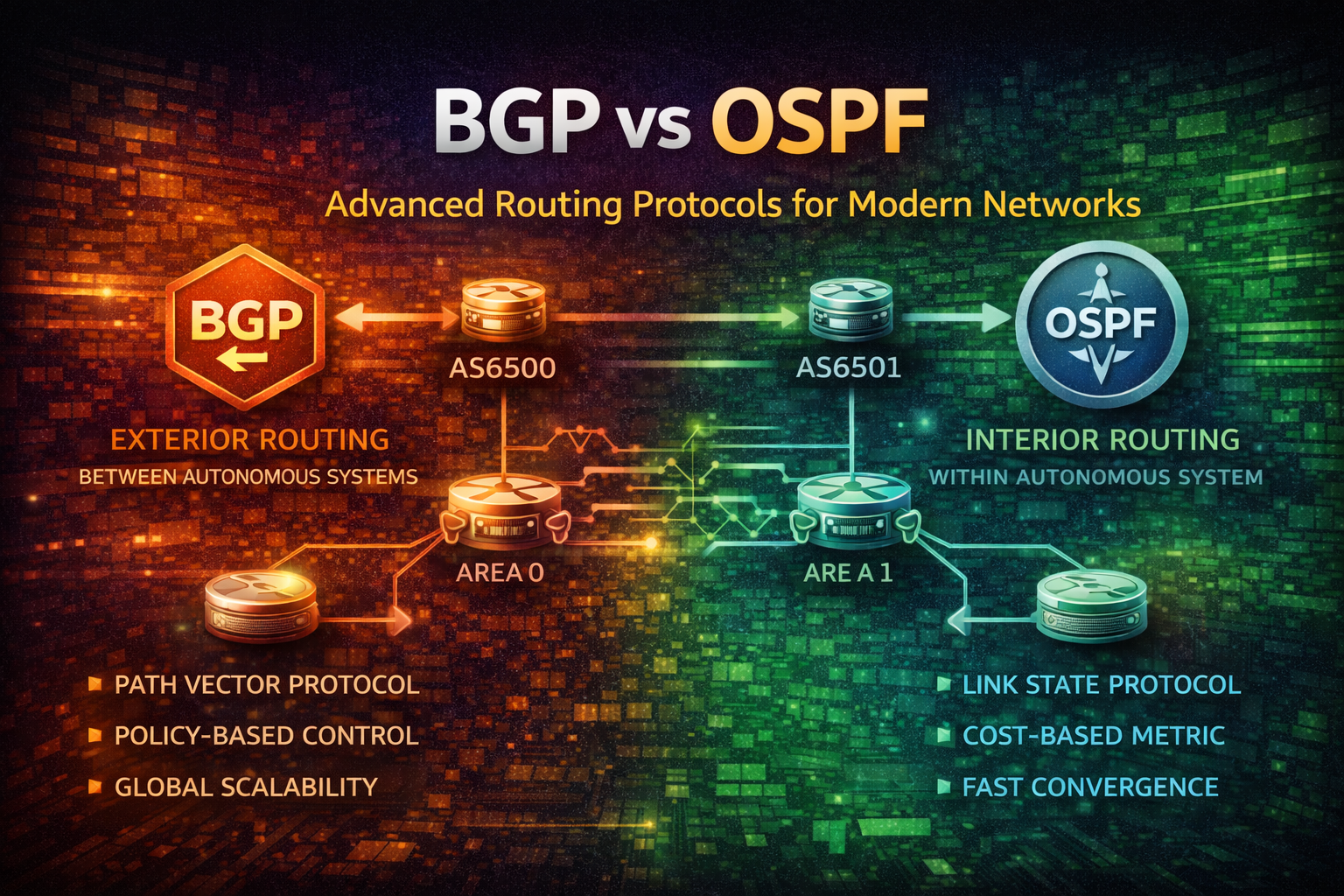
Master BGP and OSPF routing protocols. Learn when to use each, how they work, configuration best practices, and real-world deployment strategies for enterprise networks.

How to use DNS over HTTPS (DoH) on Mikrotik RouterOS.

DNS over HTTPS (DoH) is a protocol for performing remote Domain Name System (DNS) resolution via the HTTPS protocol. The goal of DoH is to increase user privacy and security by preventing eavesdropping and manipulation.
With DoH we can bypass ISP DNS filtering and censorship, as well as improve privacy by encrypting DNS queries. Like in Indonesian case, some ISPs block access to certain websites by filtering DNS queries, e.g., reddit.com.
Here an example how dns query for reddit.com is blocked by ISP DNS:
dig reddit.com @8.8.8.8The output will be like this:
; <<>> DiG 9.18.39-0ubuntu0.24.04.2-Ubuntu <<>> reddit.com @8.8.8.8
;; global options: +cmd
;; Got answer:
;; ->>HEADER<<- opcode: QUERY, status: NOERROR, id: 12044
;; flags: qr rd ra; QUERY: 1, ANSWER: 2, AUTHORITY: 0, ADDITIONAL: 1

;; OPT PSEUDOSECTION:
; EDNS: version: 0, flags:; udp: 4096
;; QUESTION SECTION:
;reddit.com.                    IN      A

;; ANSWER SECTION:
reddit.com.               0       IN      CNAME   internetpositif.id.
internetpositif.id.     0       IN      A       36.86.63.185

;; Query time: 8 msec
;; SERVER: 8.8.8.8#53(8.8.8.8) (UDP)
;; WHEN: Tue Jan 27 00:59:39 WIB 2026
;; MSG SIZE  rcvd: 87
So in this post, I will show you how to configure Mikrotik RouterOS to use DNS over HTTPS (DoH) to bypass ISP DNS filtering.
Here are the prerequisites for this guide:
I use Mikrotik RB750Gr3 model with RouterOS v6.48.4 installed.
Why we need to install CA certificate? Because DoH is basically running DNS under HTTPS (TLS), when used HTTPS, it's mean have TLS Certificate verification process. The problem is, by default Mikrotik RouterOS doesn't have any CA certificate installed like trust store in Common OS, so we need to install CA certificate first.
To install CA certificate, you can follow this steps:
Login to your Mikrotik RouterOS using Winbox or SSH client. Here an example using SSH client:
ssh arman@mikrotik.home.internalThe output will be like this:
Open Terminal and run this command to download & import CA certificate from curl.se/docs/caextract.html (Mozilla CA Certificate Store):
/tool fetch url=https://curl.se/ca/cacert.pem
/certificate import file-name=cacert.pem
Note
When import the certificate, it will be show an prompt to enter the
passphrase, you can leave blank the value and just press Enter. The
passphrase is only needed when the certificate is encrypted.
The output will be like this:
[arman@Home] > /tool fetch url=https://curl.se/ca/cacert.pem
      status: finished
  downloaded: 219KiBz pause]
       total: 219KiB
    duration: 1s

[arman@Home] > /certificate import file-name=cacert.pem
passphrase:
     certificates-imported: 144
     private-keys-imported: 0
            files-imported: 1
       decryption-failures: 0
  keys-with-no-certificate: 0
To verify the CA certificate is installed correctly, you can run this command:
/certificate printIt will show the list of installed certificates, make sure you see cacert.pem in the list:
Now we can configure DoH client on Mikrotik RouterOS.
There are many DoH providers available, some of the popular ones are:
In this case I will choose AdGuard as DoH provider. There's also have some variants, e.g.:
| Variant | Endpoint DoH | Description |
|---|---|---|
| Default | https://dns.adguard-dns.com/dns-query | Default AdGuard DoH (Block Ads + Trackers + Phising) |
| Family Protection | https://family.adguard-dns.com/dns-query | Default + Block Adult Content + Safe Search |
| Non-Filtering | https://unfiltered.adguard-dns.com/dns-query | No Filtering at all |
Here are some detail about Default variant, you can see on adguard-dns.io/kb/general/dns-providers:
| Protocol | Address |
|---|---|
| DNS, IPv4 | 94.140.14.14 and 94.140.15.15 |
| DNS, IPv6 | 2a10:50c0::ad1:ff and 2a10:50c0::ad2:ff |
| DNS-over-HTTPS | https://dns.adguard-dns.com/dns-query |
| DNS-over-TLS | tls://dns.adguard-dns.com |
| DNS-over-QUIC | quic://dns.adguard-dns.com |
| DNSCrypt, IPv4 | Provider: 2.dnscrypt.default.ns1.adguard.com IP: 94.140.14.14:5443 |
| DNSCrypt, IPv6 | Provider: 2.dnscrypt.default.ns1.adguard.com IP: [2a10:50c0::ad1:ff]:5443 |
After choose the DoH provider, now we can set the DNS configuration on Mikrotik RouterOS. To do that, run this command on Terminal:
/ip dns set \
  servers=94.140.14.14,94.140.15.15 \
  use-doh-server="https://dns.adguard-dns.com/dns-query" \
  verify-doh-cert=yes \
  allow-remote-requests=yes
Now we need to add static DNS entry for dns.adguard-dns.com to resolve the DoH server address using the bootstrap DNS servers:
Note
The static DNS entry is needed to avoid circular dependency, because the DoH server address need to be resolved first before we can use DoH to resolve other DNS queries.
/ip dns static
  add name=dns.adguard-dns.com address=94.140.14.14 ttl=1d
add name=dns.adguard-dns.com address=94.140.15.15 ttl=1dBefore we verify DoH is working, first we need to reboot and flush the DNS cache on RouterOS it self and on your devices also (like laptop clear cache browser) to remove any cached DNS entries:
Tip
RouterOS keeps DNS cache and active resolver sessions in memory. After switching to DNS over HTTPS, the router may still use cached DNS responses or existing resolver connections.
Clearing the DNS cache ensures that all DNS queries use the new DoH resolver, while rebooting the router fully resets DNS runtime state, TLS sessions, and bootstrap resolution.
/system rebootAfter the Mikrotik RouterOS is back online, run this command to flush the DNS cache:
/ip dns cache flushTo verify that DNS over HTTPS is working, we can sniff the DNS traffic on Mikrotik RouterOS using Sniffer tool. Run this command on Terminal:
Tip
Make sure to change the interface value to the interface that connected to
the internet, e.g., ether1, wan, etc.
/tool sniffer quick interface=ether1 port=53If there's no DNS traffic on port 53, it means the DoH is working correctly.
INTERFACE TIME NUM DIR SRC-MAC DST-MAC VLAN SRC-ADDRESS DST-ADDRESS PROTOCOL SIZE CPU FPCaution
If the sniffer shows DNS traffic on port 53 and run under protocol udp, it means the DoH is not
working correctly. Here are example output when DoH is not working:
Now we can try to access the blocked site again, e.g., reddit.com:
Note
Change the DNS server address to point to your Mikrotik RouterOS IP address.
In my case it's mikrotik.home.internal which resolve to 10.10.10.254.
dig reddit.com @mikrotik.home.internalThe output will be like this:
; <<>> DiG 9.18.39-0ubuntu0.24.04.2-Ubuntu <<>> reddit.com @mikrotik.home.internal
;; global options: +cmd
;; Got answer:
;; ->>HEADER<<- opcode: QUERY, status: NOERROR, id: 9242
;; flags: qr rd ra; QUERY: 1, ANSWER: 4, AUTHORITY: 0, ADDITIONAL: 0

;; QUESTION SECTION:
;reddit.com.                    IN      A

;; ANSWER SECTION:
reddit.com.             197     IN      A       151.101.1.140
reddit.com.             197     IN      A       151.101.65.140
reddit.com.             197     IN      A       151.101.193.140
reddit.com.             197     IN      A       151.101.129.140

;; Query time: 2 msec
;; SERVER: 10.10.10.254#53(mikrotik.home.internal) (UDP)
;; WHEN: Tue Jan 27 02:46:58 WIB 2026
;; MSG SIZE rcvd: 92Now we can try to access an ads site that usually blocked by AdGuard DNS, e.g., doubleclick.net:
dig doubleclick.net @mikrotik.home.internalThis will resolve to 0.0.0.0 because AdGuard DNS is blocking the ads site:
; <<>> DiG 9.18.39-0ubuntu0.24.04.2-Ubuntu <<>> doubleclick.net @mikrotik.home.internal
;; global options: +cmd
;; Got answer:
;; ->>HEADER<<- opcode: QUERY, status: NOERROR, id: 57294
;; flags: qr rd ra; QUERY: 1, ANSWER: 1, AUTHORITY: 0, ADDITIONAL: 0

;; QUESTION SECTION:
;doubleclick.net.               IN      A

;; ANSWER SECTION:
doubleclick.net.        3523    IN      A       0.0.0.0

;; Query time: 2 msec
;; SERVER: 10.10.10.254#53(mikrotik.home.internal) (UDP)
;; WHEN: Tue Jan 27 02:54:33 WIB 2026
;; MSG SIZE  rcvd: 49
But when tried to query to doubleclick.net using Google DNS, it will resolve to the real IP address:
dig doubleclick.net @8.8.8.8The output will be like this:
; <<>> DiG 9.18.39-0ubuntu0.24.04.2-Ubuntu <<>> doubleclick.net @8.8.8.8
;; global options: +cmd
;; Got answer:
;; ->>HEADER<<- opcode: QUERY, status: NOERROR, id: 17179
;; flags: qr rd ra; QUERY: 1, ANSWER: 6, AUTHORITY: 0, ADDITIONAL: 1

;; OPT PSEUDOSECTION:
; EDNS: version: 0, flags:; udp: 4096
;; QUESTION SECTION:
;doubleclick.net.               IN      A

;; ANSWER SECTION:
doubleclick.net.        296     IN      A       172.217.194.139
doubleclick.net.        296     IN      A       172.217.194.100
doubleclick.net.        296     IN      A       172.217.194.102
doubleclick.net.        296     IN      A       172.217.194.113
doubleclick.net.        296     IN      A       172.217.194.101
doubleclick.net.        296     IN      A       172.217.194.138

;; Query time: 7 msec
;; SERVER: 8.8.8.8#53(8.8.8.8) (UDP)
;; WHEN: Tue Jan 27 02:56:31 WIB 2026
;; MSG SIZE rcvd: 140Or you can also verify your DNS using dnsleaktest.com:
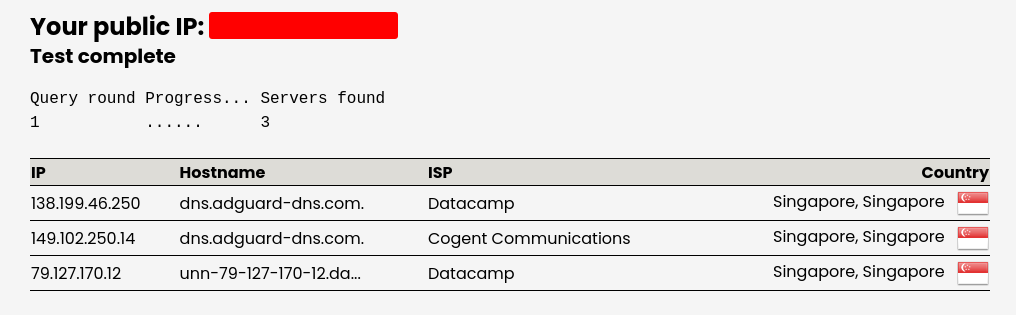 Test Result
In this post, we have successfully configured Mikrotik RouterOS to use DNS over HTTPS (DoH) using AdGuard DNS as the DoH provider. By using DoH, we can bypass ISP DNS filtering and censorship, as well as improve privacy by encrypting DNS queries.
We have also verified that DoH is working correctly by sniffing DNS traffic and accessing blocked sites. You can choose other DoH providers as well, just make sure to adjust the configuration accordingly.
Happy Hacking! 🎉