Master MLOps essentials for deploying, monitoring, and maintaining machine learning models in production. Learn model versioning, CI/CD pipelines, monitoring, and retraining strategies.

Building a machine learning model is one thing. Deploying it to production and keeping it working reliably is another entirely.
Most organizations can train a model that achieves 95% accuracy in a Jupyter notebook. But moving that model to production—where it must handle real data, scale to millions of predictions, and maintain performance over time—requires a completely different skillset.
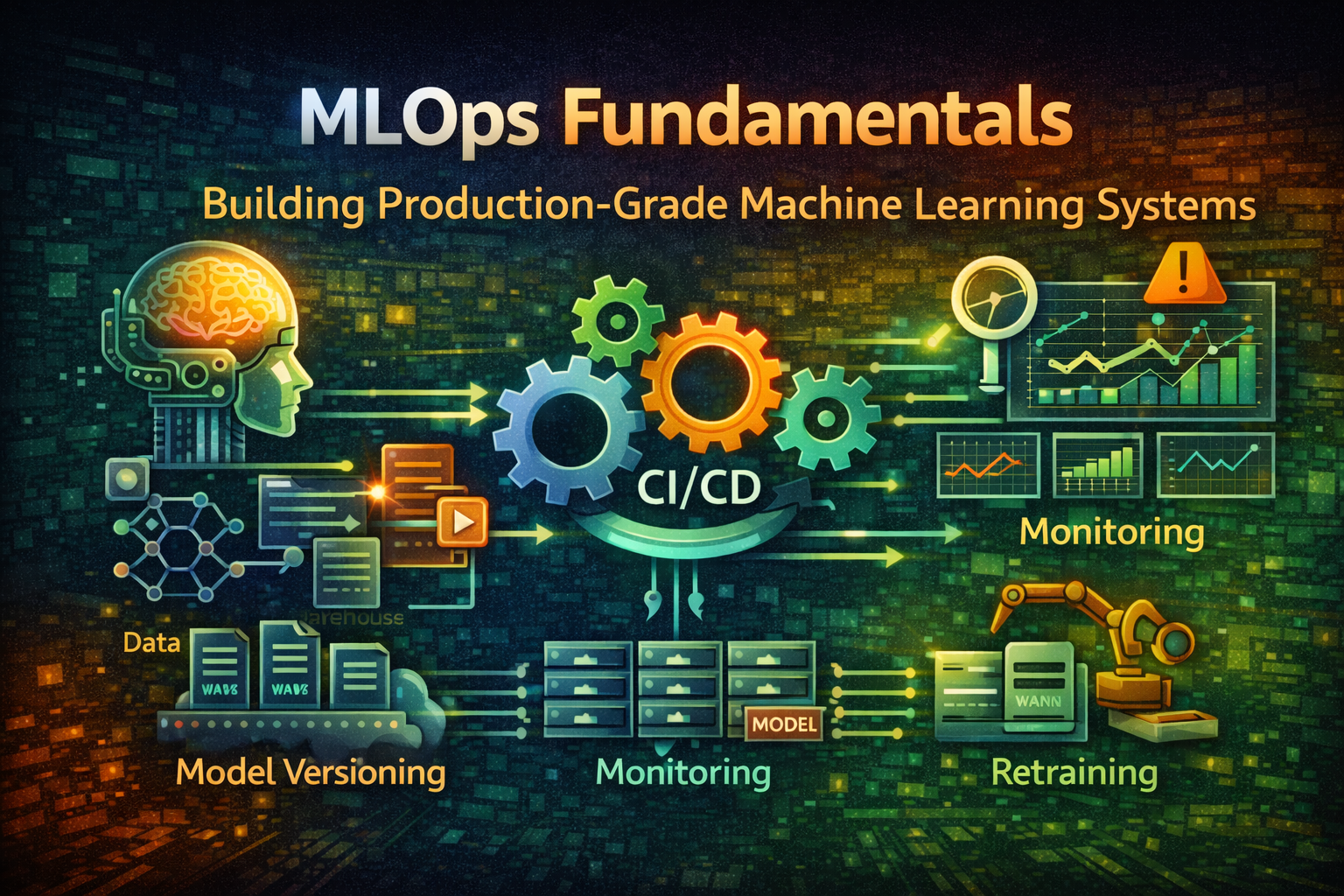
This is where MLOps comes in. MLOps (Machine Learning Operations) applies DevOps principles to machine learning systems. It's about automating the entire lifecycle: from data preparation through model training, validation, deployment, monitoring, and retraining.
Without MLOps, you end up with models that degrade silently, data pipelines that break unexpectedly, and no way to debug what went wrong. With MLOps, you have reproducible, reliable, and maintainable ML systems.
Code → Build → Test → Deploy → Monitor → MaintainClear stages, deterministic outcomes, version control at every step.
Data → Feature Engineering → Model Training → Evaluation → Deployment → Monitoring → RetrainingMore complex because:
MLOps bridges this gap by treating ML systems like software systems:
Data Pipeline → Feature Store → Model Training → Model Registry → Deployment → Monitoring → Retraining
↓ ↓ ↓ ↓ ↓ ↓ ↓
Version Version Version Version Version Metrics Automated
Control Control Control Control Control Tracking TriggersEvery component is versioned, tested, and monitored.
ML models are only as good as their training data. Data pipelines must be reproducible and versioned.
Data Pipeline Architecture:
Raw Data Source
↓
Data Validation (Schema, Quality)
↓
Feature Engineering
↓
Feature Store (Versioned)
↓
Training Dataset (Versioned)Example: Data Pipeline with DVC (Data Version Control)
git init
dvc initTrack data files:
dvc add data/raw/training_data.csv
git add data/raw/training_data.csv.dvc .gitignore
git commit -m "Add training data v1"DVC stores data in remote storage (S3, GCS) and tracks versions like Git:
# View data history
dvc dag
# Checkout previous data version
git checkout <commit-hash>
dvc checkoutThis ensures reproducibility: given a commit hash, you can recreate the exact training dataset.
A feature store is a centralized repository for features (derived data used in models). It solves several problems:
Feature Store Architecture:
Raw Data
↓
Feature Computation
↓
┌─────────────────────────────┐
│ Feature Store │
├─────────────────────────────┤
│ Batch Features (Historical) │
│ Real-time Features (Online) │
└─────────────────────────────┘
↓ ↓
Training Pipeline Serving PipelineExample: Feast Feature Store
from feast import Entity, FeatureView, FeatureService
from feast.infra.offline_stores.file_source import FileSource
# Define entity
user = Entity(name="user_id", join_keys=["user_id"])
# Define feature view
user_features = FeatureView(
name="user_features",
entities=[user],
ttl=timedelta(days=1),
schema=[
Field(name="user_id", dtype=Int64),
Field(name="total_purchases", dtype=Float32),
Field(name="avg_order_value", dtype=Float32),
Field(name="days_since_signup", dtype=Int32),
],
source=FileSource(path="data/user_features.parquet"),
)
# Define feature service
user_service = FeatureService(
name="user_service",
features=[user_features],
)Retrieve features for training:
from feast import FeatureStore
fs = FeatureStore(repo_path=".")
# Get historical features for training
training_df = fs.get_historical_features(
entity_df=pd.read_csv("data/user_ids.csv"),
features=[
"user_features:total_purchases",
"user_features:avg_order_value",
"user_features:days_since_signup",
],
).to_df()Retrieve features for serving (real-time):
# Get latest features for prediction
features = fs.get_online_features(
features=[
"user_features:total_purchases",
"user_features:avg_order_value",
"user_features:days_since_signup",
],
entity_rows=[{"user_id": 123}],
).to_dict()Same features, computed identically, for both training and serving.
Model training must be reproducible and tracked.
Training Pipeline:
import mlflow
from sklearn.ensemble import RandomForestClassifier
from sklearn.model_selection import train_test_split
# Start MLflow run
with mlflow.start_run():
# Log parameters
mlflow.log_param("n_estimators", 100)
mlflow.log_param("max_depth", 10)
mlflow.log_param("random_state", 42)
# Load features
X, y = load_features()
X_train, X_test, y_train, y_test = train_test_split(
X, y, test_size=0.2, random_state=42
)
# Train model
model = RandomForestClassifier(
n_estimators=100,
max_depth=10,
random_state=42
)
model.fit(X_train, y_train)
# Evaluate
train_accuracy = model.score(X_train, y_train)
test_accuracy = model.score(X_test, y_test)
# Log metrics
mlflow.log_metric("train_accuracy", train_accuracy)
mlflow.log_metric("test_accuracy", test_accuracy)
# Log model
mlflow.sklearn.log_model(model, "model")MLflow tracks:
Model Registry:
import mlflow
# Register model
model_uri = "runs:/abc123/model"
mv = mlflow.register_model(model_uri, "fraud_detection")
# Transition to staging
client = mlflow.tracking.MlflowClient()
client.transition_model_version_stage(
name="fraud_detection",
version=1,
stage="Staging"
)
# Transition to production
client.transition_model_version_stage(
name="fraud_detection",
version=1,
stage="Production"
)The model registry provides:
Before deploying, models must pass rigorous tests.
Validation Checks:
import numpy as np
from sklearn.metrics import precision_recall_curve
def validate_model(model, X_test, y_test):
"""Validate model before deployment"""
# 1. Performance threshold
accuracy = model.score(X_test, y_test)
assert accuracy >= 0.90, f"Accuracy {accuracy} below threshold"
# 2. Precision/Recall balance
y_pred = model.predict(X_test)
precision, recall, _ = precision_recall_curve(y_test, y_pred)
assert precision.mean() >= 0.85, "Precision too low"
assert recall.mean() >= 0.80, "Recall too low"
# 3. Fairness check (no bias across groups)
for group in ["group_a", "group_b"]:
group_mask = X_test["group"] == group
group_accuracy = model.score(X_test[group_mask], y_test[group_mask])
assert abs(group_accuracy - accuracy) < 0.05, f"Bias detected in {group}"
# 4. Prediction stability
predictions_1 = model.predict(X_test)
predictions_2 = model.predict(X_test)
assert np.array_equal(predictions_1, predictions_2), "Non-deterministic predictions"
# 5. Latency check
import time
start = time.time()
for _ in range(1000):
model.predict(X_test[:1])
latency = (time.time() - start) / 1000
assert latency < 0.1, f"Latency {latency}s exceeds threshold"
return TrueDeploy models as versioned, reproducible artifacts.
Deployment Architecture:
Model Registry
↓
Model Serving (REST API)
↓
┌─────────────────────────────┐
│ Load Balancer │
├─────────────────────────────┤
│ Replica 1 │ Replica 2 │ ... │
└─────────────────────────────┘
↓
Monitoring & LoggingExample: Deploy with BentoML
import bentoml
from sklearn.ensemble import RandomForestClassifier
# Save model
model = RandomForestClassifier()
model.fit(X_train, y_train)
bentoml.sklearn.save_model("fraud_detector", model)
# Define service
@bentoml.service
class FraudDetectionService:
model_ref = bentoml.sklearn.get("fraud_detector:latest")
@bentoml.api
def predict(self, features: dict) -> dict:
model = self.model_ref.model
prediction = model.predict([features.values()])
return {"fraud_probability": float(prediction[0])}Deploy:
bentoml serve fraud_detection_service:latest --productionThis creates a containerized, versioned model service ready for production.
Models degrade in production. Monitoring detects issues before they impact users.
What to Monitor:
┌─────────────────────────────────────────┐
│ Model Performance Metrics │
├─────────────────────────────────────────┤
│ • Accuracy, Precision, Recall │
│ • Latency, Throughput │
│ • Error rates │
└─────────────────────────────────────────┘
┌─────────────────────────────────────────┐
│ Data Drift Detection │
├─────────────────────────────────────────┤
│ • Feature distribution changes │
│ • Prediction distribution changes │
│ • Outlier detection │
└─────────────────────────────────────────┘
┌─────────────────────────────────────────┐
│ System Metrics │
├─────────────────────────────────────────┤
│ • CPU, Memory, Disk usage │
│ • Request latency, error rates │
│ • Model serving availability │
└─────────────────────────────────────────┘Example: Data Drift Detection
from scipy.stats import ks_2samp
import numpy as np
def detect_drift(reference_data, current_data, threshold=0.05):
"""Detect if current data drifts from reference"""
for feature in reference_data.columns:
# Kolmogorov-Smirnov test
statistic, p_value = ks_2samp(
reference_data[feature],
current_data[feature]
)
if p_value < threshold:
print(f"DRIFT DETECTED: {feature} (p-value: {p_value})")
return True
return False
# Monitor in production
reference = load_training_data()
current = load_recent_predictions()
if detect_drift(reference, current):
# Trigger retraining
trigger_retraining_pipeline()Models degrade over time. Retraining must be automated and triggered by data drift or performance degradation.
Retraining Pipeline:
Monitor Model Performance
↓
Detect Drift or Degradation
↓
Trigger Retraining
↓
Train New Model
↓
Validate New Model
↓
A/B Test (Optional)
↓
Deploy or RollbackExample: Automated Retraining Trigger
import schedule
import time
def check_model_health():
"""Check if model needs retraining"""
# Get current model performance
current_accuracy = evaluate_model_on_recent_data()
baseline_accuracy = 0.90
# Check for drift
has_drift = detect_data_drift()
# Trigger retraining if needed
if current_accuracy < baseline_accuracy * 0.95 or has_drift:
print("Triggering retraining...")
trigger_retraining_job()
return True
return False
# Schedule daily checks
schedule.every().day.at("02:00").do(check_model_health)
while True:
schedule.run_pending()
time.sleep(60)Here's a complete MLOps workflow:
1. Data Preparation
├── Collect raw data
├── Version with DVC
└── Validate schema & quality
2. Feature Engineering
├── Compute features
├── Store in Feature Store
└── Version feature definitions
3. Model Training
├── Load features from Feature Store
├── Train model with MLflow
├── Log parameters, metrics, artifacts
└── Register model in Model Registry
4. Model Validation
├── Performance tests
├── Fairness checks
├── Latency tests
└── Approve for deployment
5. Deployment
├── Build container image
├── Deploy to staging
├── Run smoke tests
├── Deploy to production
└── Monitor health
6. Monitoring
├── Track predictions
├── Detect data drift
├── Monitor performance metrics
└── Alert on anomalies
7. Retraining
├── Detect drift or degradation
├── Trigger retraining pipeline
├── Validate new model
└── Deploy or rollbackThe problem: Can't reproduce past results or debug issues.
Why it happens: Teams focus on code versioning, forget about data.
How to avoid it:
The problem: Model performs well in training but poorly in production.
Why it happens: Features computed differently in training vs. serving.
How to avoid it:
The problem: Bad models get deployed to production.
Why it happens: Rushing to deploy without thorough testing.
How to avoid it:
The problem: Model performance degrades silently.
Why it happens: No monitoring or drift detection.
How to avoid it:
The problem: Models become stale, performance degrades.
Why it happens: Retraining is manual and infrequent.
How to avoid it:
The problem: Can't recreate past results or debug issues.
Why it happens: Random seeds not set, dependencies not pinned.
How to avoid it:
ML Code + Data + Config → Reproducible ModelVersion everything: code, data, hyperparameters, environment.
Data Pipeline → Training → Validation → Deployment → Monitoring → RetrainingManual steps are error-prone and don't scale.
Model Performance + Data Drift + System Metrics → AlertsCatch issues before they impact users.
Unit Tests → Integration Tests → Validation Tests → A/B TestsEach layer catches different issues.
Why this model? Why these features? Why this threshold?Future you will thank present you.
Canary Deployments → A/B Tests → Rollback StrategyAssume something will go wrong. Have a plan.
Start simple:
Add complexity gradually:
Full MLOps:
Don't over-engineer early. Start with the minimum viable MLOps setup and evolve as your system grows.
MLOps is about bringing software engineering discipline to machine learning. It's not just about deploying models—it's about building reliable, maintainable, and scalable ML systems.
The key components:
Implementing MLOps requires investment upfront, but it pays dividends in reliability, maintainability, and team velocity. Start with a pilot project, establish best practices, and scale gradually.
The difference between a model that works and a model that works reliably in production is MLOps.