Master Ansible idempotency to write playbooks that safely run multiple times without side effects. Learn how to build production-grade automation that prevents configuration drift and infrastructure chaos.

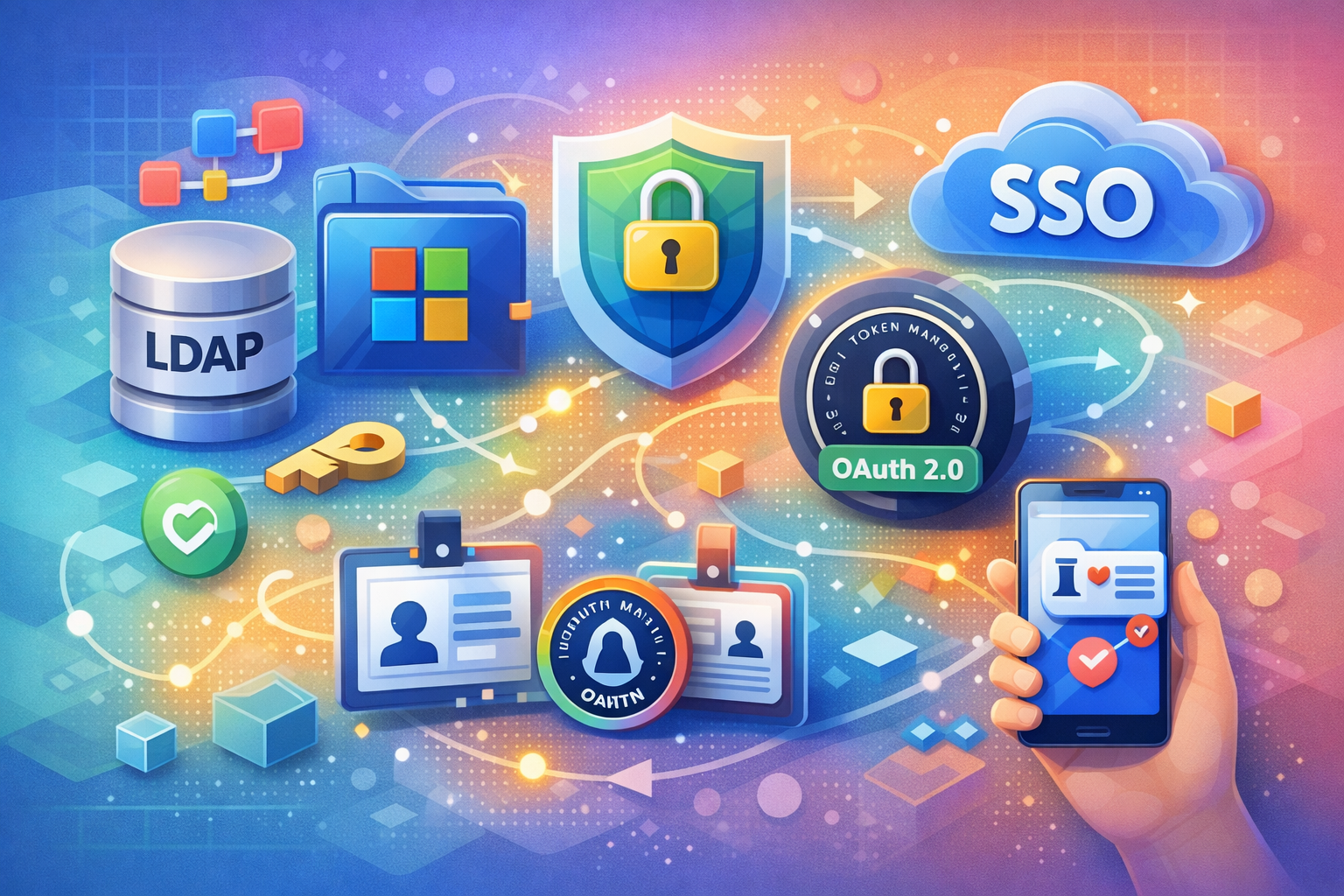
Explore the evolution of enterprise authentication from LDAP and Active Directory to modern OAuth 2.0 and SSO systems. Learn how IAM works, understand token-based authentication, and discover why organizations are migrating to cloud-native identity solutions.
Authentication and authorization are the gatekeepers of modern systems. Every time you log into an application, your identity is verified (authentication) and your permissions are checked (authorization). But how this happens has fundamentally changed over the past two decades.
For years, enterprises relied on LDAP and Active Directory—centralized directory services that worked well within corporate networks. Today, organizations operate across cloud platforms, mobile devices, and distributed teams. The old model breaks down. Modern systems demand something different: Single Sign-On (SSO) powered by OAuth 2.0 and OpenID Connect.
This shift isn't just technical—it's architectural. Understanding this evolution helps you make better decisions about identity infrastructure, security posture, and user experience.
LDAP (Lightweight Directory Access Protocol) was revolutionary for its time. It provided a centralized way to store and query user credentials and organizational information.
How LDAP worked:
The problem: LDAP assumed users were on the corporate network. VPN access was clunky. Mobile? Forget about it. Cross-organization collaboration required complex federation setups.
Microsoft's Active Directory (AD) extended LDAP with Kerberos authentication, group policies, and deep Windows integration. It became the de facto standard for enterprise identity.
Why AD was powerful:
The limitation: AD was designed for on-premises networks. Cloud adoption exposed its weaknesses. Managing identities across AWS, Azure, and SaaS applications became a nightmare.
As organizations moved to cloud platforms and adopted SaaS applications, a new model emerged: token-based, stateless authentication. OAuth 2.0 and OpenID Connect became the standard.
Why the shift happened:
OAuth 2.0 is an authorization framework, not an authentication protocol. This distinction matters.
Authorization = "What are you allowed to do?" Authentication = "Who are you?"
OAuth 2.0 answers the authorization question. It lets users grant applications permission to access their resources without sharing passwords.
Imagine you're at a restaurant and want to pay with a credit card:
OAuth 2.0 works similarly:
┌─────────────┐
│   Resource  │
│   Owner     │
│  (User)     │
└──────┬──────┘
       │
       │ 1. Initiates login
       ▼
┌─────────────────┐         ┌──────────────────┐
│  Client App     │◄───────►│  Authorization   │
│  (Your App)     │ 2,3,4   │  Server (IdP)    │
└─────────────────┘         └──────────────────┘
       │                            │
       │ 5. Access Token            │
       │◄───────────────────────────┘
       │
       ▼
┌──────────────────┐
│  Resource Server │
│  (API)           │
└──────────────────┘
Resource Owner: The user whose data is being accessed Client Application: Your app requesting access Authorization Server: The identity provider (IdP) that verifies identity Resource Server: The API or service holding the user's data
A realm is a logical grouping of users, applications, and policies. Think of it as a namespace for identity.
Example: A company might have:
Each realm has its own:

realm:
  name: production
  enabled: true
  users:
    - id: user123
      username: alice@company.com
      email: alice@company.com
  applications:
    - clientId: web-app
      redirectUris:
        - https://app.company.com/callback
    - clientId: mobile-app
      redirectUris:
        - com.company.app://callback
  policies:
    - name: require-mfa
enabled: trueClaims are statements about a user. They're key-value pairs included in tokens that describe who the user is and what they're allowed to do.
Standard claims:
sub (subject): Unique user identifieriss (issuer): Who issued the tokenaud (audience): Who the token is forexp (expiration): When the token expiresiat (issued at): When the token was createdCustom claims:
department: "Engineering"role: "Senior Engineer"team: "Platform"permissions: ["read:logs", "write:config"]{
"sub": "user123",
"iss": "https://idp.company.com",
"aud": "web-app",
"exp": 1708108800,
"iat": 1708022400,
"email": "alice@company.com",
"department": "Engineering",
"role": "Senior Engineer",
"permissions": ["read:logs", "write:config", "deploy:staging"]
}Tokens are the core of OAuth 2.0. They're cryptographically signed credentials that prove identity and authorization.
Access Token: Short-lived token used to access APIs
Refresh Token: Long-lived token used to get new access tokens
ID Token: Contains user identity information (OpenID Connect)
// 1. User logs in, receives authorization code
const authCode = "auth_code_xyz";

// 2. Exchange code for tokens
const tokenResponse = await fetch("https://idp.company.com/token", {
  method: "POST",
  body: JSON.stringify({
    grant_type: "authorization_code",
    code: authCode,
    client_id: "web-app",
    client_secret: "secret_xyz",
    redirect_uri: "https://app.company.com/callback"
  })
});

// 3. Response contains tokens
const { access_token, refresh_token, id_token, expires_in } =
  await tokenResponse.json();

// 4. Use access token for API calls
const apiResponse = await fetch("https://api.company.com/user", {
  headers: {
    Authorization: `Bearer ${access_token}`
  }
});Kerberos is often mentioned alongside OAuth 2.0, but it's fundamentally different. Understanding the distinction helps you choose the right tool.
Kerberos uses a ticket-based system instead of tokens:
User Password
     │
     ▼
┌──────────────────┐
│ Kerberos Server  │
│ (KDC)            │
└──────────────────┘
     │
     │ Ticket Granting Ticket (TGT)
     ▼
User's Cache
     │
     ├─► Request Service Ticket for App A
     │        │
     │        ▼
     │   ┌──────────────────┐
     │   │ Kerberos Server  │
     │   └──────────────────┘
     │        │
     │        │ Service Ticket
     │        ▼
└─► App A (Verify with KDC)| Aspect | Kerberos | OAuth 2.0 |
|---|---|---|
| Design Era | 1980s (network-centric) | 2010s (internet-centric) |
| Network Assumption | Trusted internal network | Untrusted internet |
| Credential Sharing | Tickets (time-limited) | Tokens (cryptographically signed) |
| Scalability | Requires KDC availability | Stateless, highly scalable |
| Mobile/Cloud | Poor fit | Excellent fit |
| Use Case | Enterprise networks | Cloud, SaaS, APIs |
Tip
Kerberos is still valuable for on-premises enterprise environments. Many modern SSO systems support Kerberos as a fallback for legacy applications while using OAuth 2.0 for new services.
One of the biggest concerns during migration: "What about our existing LDAP infrastructure?"
The good news: Modern SSO systems maintain LDAP compatibility through bridges and connectors.
Many SSO systems can use LDAP as the backend user directory:
sso:
  name: company-sso
  userStore:
    type: ldap
    connection:
      url: ldap://ldap.company.com:389
      baseDn: dc=company,dc=com
      bindDn: cn=admin,dc=company,dc=com
    userMapping:
      username: uid
      email: mail
      displayName: cn
      groups: memberOf
How it works:
For applications that only understand LDAP, SSO systems can act as an LDAP proxy:
Legacy App
    │
    │ LDAP Query
    ▼
┌──────────────────┐
│ SSO System       │
│ (LDAP Proxy)     │
└──────────────────┘
    │
    │ LDAP Query
    ▼
┌──────────────────┐
│ LDAP Directory   │
└──────────────────┘
This allows legacy applications to continue working while you migrate to OAuth 2.0 for new services.
OAuth 2.0 handles authorization, but what about authentication? That's where OpenID Connect (OIDC) comes in.
OIDC is a thin layer on top of OAuth 2.0 that adds authentication. It introduces the ID token, which contains claims about the user's identity.
// OAuth 2.0: Get access token to call APIs
const response = await fetch("https://idp.company.com/token", {
  method: "POST",
  body: JSON.stringify({
    grant_type: "authorization_code",
    code: authCode,
    client_id: "web-app",
    client_secret: "secret"
  })
});

const { access_token } = await response.json();
// Use access_token to call APIs// OIDC: Get access token AND id_token
const response = await fetch("https://idp.company.com/token", {
method: "POST",
body: JSON.stringify({
grant_type: "authorization_code",
code: authCode,
client_id: "web-app",
client_secret: "secret",
scope: "openid profile email" // OIDC scopes
})
});
const { access_token, id_token } = await response.json();
// id_token contains user identity information
// access_token used to call APIsFirst, register your application with the SSO provider:
application:
  name: my-web-app
  clientId: my-web-app-prod
  clientSecret: ${OAUTH_CLIENT_SECRET}
  redirectUris:
    - https://app.company.com/auth/callback
    - https://app.company.com/auth/callback/mobile
  allowedScopes:
    - openid
    - profile
    - email
    - offline_access
  tokenEndpointAuthMethod: client_secret_basic
  accessTokenLifespan: 3600
refreshTokenLifespan: 604800export async function fetchUserData() {
const accessToken = sessionStorage.getItem('access_token');
const response = await fetch('https://api.company.com/user', {
headers: {
Authorization: `Bearer ${accessToken}`
}
});
if (response.status === 401) {
// Token expired, refresh it
await refreshAccessToken();
return fetchUserData(); // Retry
}
return response.json();
}
async function refreshAccessToken() {
const response = await fetch('/api/auth/refresh', {
method: 'POST'
});
const { access_token } = await response.json();
sessionStorage.setItem('access_token', access_token);
}The Problem:
// Vulnerable to XSS attacks
localStorage.setItem('access_token', token);
Why it's dangerous: Any JavaScript on the page (including malicious scripts from XSS vulnerabilities) can read localStorage.
The Solution:
// Store in httpOnly cookie (server-side only)
// Server sets: Set-Cookie: access_token=...; HttpOnly; Secure; SameSite=StrictThe Problem:
// Trusting the token without verification
const user = JSON.parse(atob(idToken.split('.')[1]));
Why it's dangerous: Anyone can create a fake JWT. You must verify the signature.
The Solution:
import jwt from 'jsonwebtoken';

const publicKey = await fetchIdpPublicKey();
const decoded = jwt.verify(idToken, publicKey, {
  algorithms: ['RS256'],
  issuer: 'https://idp.company.com',
  audience: 'my-web-app-prod'
});The Problem:
// Using expired tokens
const token = sessionStorage.getItem('access_token');
// No expiration check
The Solution:
function isTokenExpired(token: string): boolean {
  const decoded = jwt.decode(token) as any;
  return decoded.exp * 1000 < Date.now();
}

if (isTokenExpired(accessToken)) {
  await refreshAccessToken();
}The Problem:
// Authorization code flow without PKCE
const params = new URLSearchParams({
  client_id: 'my-app',
  redirect_uri: 'https://app.company.com/callback',
  response_type: 'code'
  // Missing code_challenge
});
Why it's dangerous: Without PKCE, authorization codes can be intercepted and used by attackers.
The Solution:
// Always use PKCE for SPAs
const codeChallenge = generateCodeChallenge(codeVerifier);
const params = new URLSearchParams({
  client_id: 'my-app',
  redirect_uri: 'https://app.company.com/callback',
  response_type: 'code',
  code_challenge: codeChallenge,
  code_challenge_method: 'S256'
});PKCE (Proof Key for Code Exchange) protects against authorization code interception attacks.
function generateCodeChallenge(codeVerifier: string): string {
  const hash = crypto.createHash('sha256').update(codeVerifier).digest();
  return base64url(hash);
}

// Always include in authorization request
const codeChallenge = generateCodeChallenge(codeVerifier);Refresh tokens should be rotated on each use to limit exposure:
async function refreshAccessToken(refreshToken: string) {
  const response = await fetch('https://idp.company.com/token', {
    method: 'POST',
    body: new URLSearchParams({
      grant_type: 'refresh_token',
      refresh_token: refreshToken,
      client_id: 'my-app',
      client_secret: process.env.OAUTH_CLIENT_SECRET
    })
  });

  const { access_token, refresh_token: newRefreshToken } =
    await response.json();

  // Store new refresh token (old one is invalidated)
  await storeRefreshToken(newRefreshToken);

  return access_token;
}Logout should invalidate tokens on both client and server:
async function logout() {
  // Clear client-side tokens
  sessionStorage.removeItem('access_token');

  // Invalidate refresh token on server
  await fetch('/api/auth/logout', {
    method: 'POST'
  });

  // Redirect to SSO logout endpoint
  window.location.href = 'https://idp.company.com/logout?' +
    new URLSearchParams({
      post_logout_redirect_uri: 'https://app.company.com'
    });
}monitoring:
alerts:
- name: multiple-failed-logins
condition: failed_login_attempts > 5 in 5m
action: lock_account
- name: token-reuse-detected
condition: same_refresh_token_used_twice
action: invalidate_all_tokens
- name: unusual-location
condition: login_from_new_country
action: require_mfaKeep access token lifetime short (15-60 minutes) to limit damage if compromised:
tokenPolicy:
  accessToken:
    lifetime: 900 # 15 minutes
    refreshable: false
  refreshToken:
    lifetime: 604800 # 7 days
rotateOnUse: trueFor systems with extreme security requirements (financial transactions, healthcare), consider additional layers:
OAuth 2.0 is still appropriate, but with stricter policies.
If you have systems that only support LDAP or Kerberos and cannot be updated:
Applications that must work without network connectivity:
For service-to-service authentication, OAuth 2.0 client credentials flow is appropriate, but consider:
┌─────────────────────────────────────────┐
│         Central SSO System              │
├─────────────────────────────────────────┤
│ ┌──────────────┐ ┌──────────────┐      │
│ │ Production   │ │ Staging      │      │
│ │ Realm        │ │ Realm        │      │
│ └──────────────┘ └──────────────┘      │
│ ┌──────────────┐ ┌──────────────┐      │
│ │ Internal     │ │ Partner      │      │
│ │ Realm        │ │ Realm        │      │
│ └──────────────┘ └──────────────┘      │
└─────────────────────────────────────────┘
         │              │
    ┌────┴──────────────┴────┐
    │                        │
    ▼                        ▼
┌─────────────┐      ┌──────────────┐
│ Web Apps    │      │ Mobile Apps  │
└─────────────┘ └──────────────┘┌──────────────────────┐ ┌──────────────────────┐
│ Company A SSO │ │ Company B SSO │
│ (IdP) │ │ (IdP) │
└──────────────────────┘ └──────────────────────┘
│ │
└─────────────┬───────────────┘
│
┌──────▼──────┐
│ Federation │
│ Broker │
└──────┬──────┘
│
┌─────────────┴─────────────┐
│ │
▼ ▼
┌─────────┐ ┌──────────┐
│ App A │ │ App B │
└─────────┘ └──────────┘migration:
phase1:
duration: 2 weeks
tasks:
- audit_applications
- assess_complexity
- plan_rollout
phase2:
duration: 4 weeks
pilot_apps:
- internal-wiki
- status-page
phase3:
duration: 10 weeks
batches:
- batch1: [jira, confluence, slack]
- batch2: [github, gitlab, npm-registry]
- batch3: [custom-apps]
phase4:
duration: ongoing
tasks:
- monitor_stability
- optimize_performance
- decommission_ldapThe shift from LDAP and Active Directory to OAuth 2.0 and SSO represents more than a technology upgrade—it's an architectural evolution driven by how we work today.
Key takeaways:
Start with a pilot program, learn from real-world usage, and migrate gradually. The investment in modern identity infrastructure pays dividends in security, scalability, and user experience.
Your next step: Evaluate SSO solutions for your organization's specific needs, considering factors like existing infrastructure, compliance requirements, and team expertise.