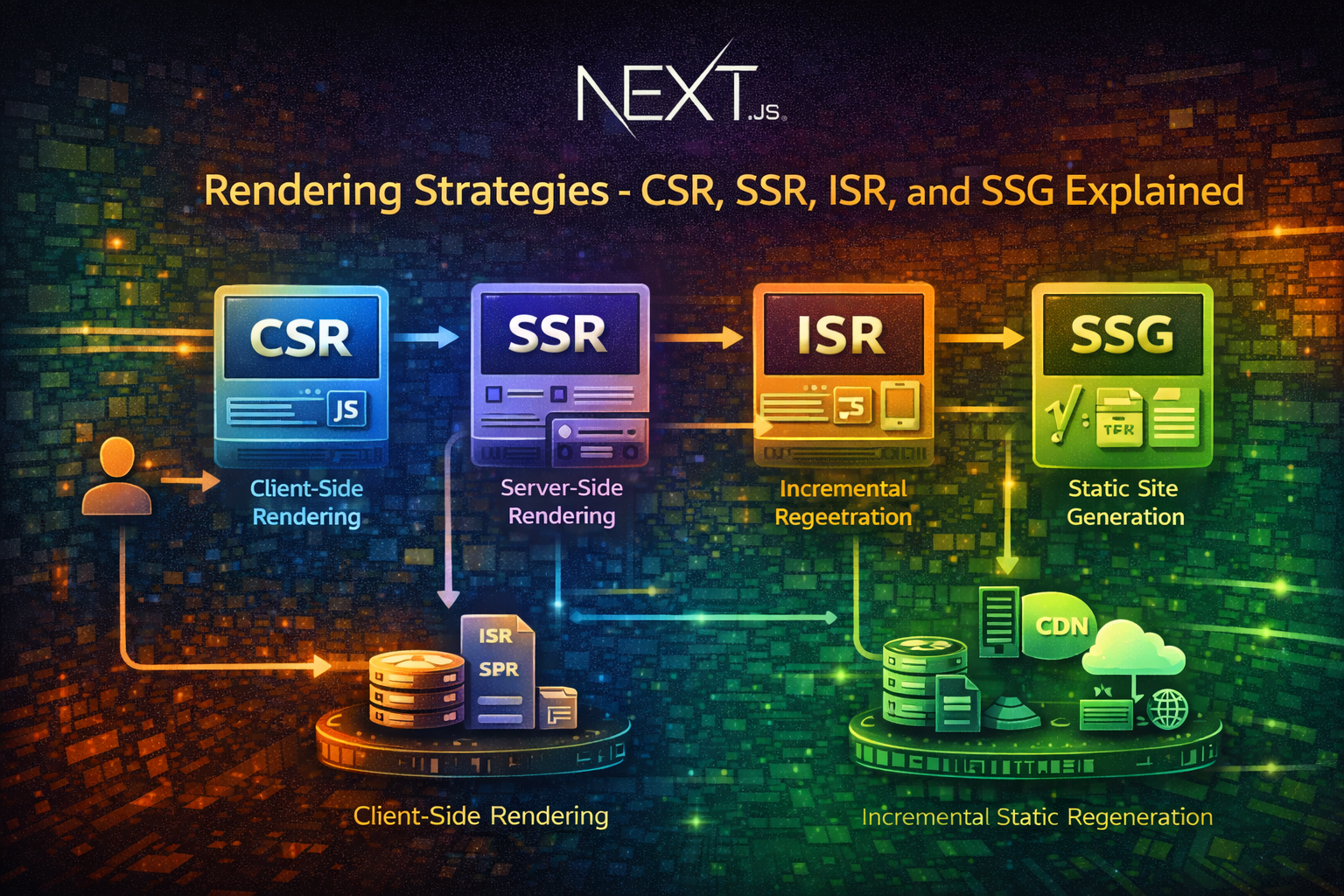
Next.js is a React framework that lets you choose how and when to render your pages. This flexibility is powerful but confusing. Should you render on the client? On the server? At build time? On-demand?
The answer depends on your use case. A marketing homepage has different requirements than a real-time dashboard. A product catalog differs from a user profile page.
This guide explains how each rendering strategy works, why it matters, and when to use it. We'll focus on App Router, the modern Next.js approach.
When you visit a website, your browser makes an HTTP request. The server responds with HTML. Your browser parses the HTML, downloads CSS and JavaScript, executes the JavaScript, and renders the page.
The question is: where does the HTML come from?
Client-side rendering (CSR): The server sends an empty HTML shell. JavaScript runs in the browser, fetches data, and renders the page.
Server-side rendering (SSR): The server generates the complete HTML with data already included. The browser receives a fully-rendered page.
Static site generation (SSG): HTML is generated once at build time. The same HTML is served to every user.
Incremental static regeneration (ISR): HTML is generated at build time, but can be regenerated on-demand or on a schedule.
Each approach has trade-offs. CSR is fast to deploy but slow for users. SSR is slower to deploy but fast for users. SSG is fastest but requires rebuilding for content changes. ISR balances both.
In Next.js, hydration is the process where JavaScript takes over a server-rendered page. The server sends HTML. The browser renders it. Then JavaScript runs and makes the page interactive.
This is important. A server-rendered page without JavaScript is static. Hydration makes it interactive.
A component that needs hydration 'use client'
import { useState } from 'react'
export default function Counter () { const [ count , setCount ] = useState ( 0 )
return ( < div > < p >Count: { count } </ p > < button onClick = { () => setCount ( count + 1 ) } > Increment </ button > </ div > ) } When this component is server-rendered, the server sends HTML with Count: 0. The button is there but doesn't work. When JavaScript loads, React hydrates the component, attaches event listeners, and the button becomes interactive.
Client-side rendering means the browser does all the work. The server sends minimal HTML. JavaScript runs in the browser, fetches data, and renders the page.
Client-side rendered page 'use client'
import { useEffect , useState } from 'react'
export default function Products () { const [ products , setProducts ] = useState ([]) const [ loading , setLoading ] = useState ( true )
useEffect (() => { fetch ( '/api/products' ) . then ( res => res . json ()) . then ( data => { setProducts ( data ) setLoading ( false ) }) }, [])
if ( loading ) return < div >Loading...</ div >
return ( < div > { products . map ( product => ( < div key = { product . id } > { product . name } </ div > )) } </ div > ) } Here's what happens:
Browser requests the page
Server sends HTML with a loading message
Browser renders the loading message
JavaScript runs and fetches /api/products
Data arrives, React re-renders with products
User sees the products
CSR is ideal for:
Highly interactive pages. Dashboards, real-time apps, collaborative tools. The browser needs to respond instantly to user input.Personalized content. User-specific data that changes frequently. Rendering on the server for every user is wasteful.Behind authentication. Pages only logged-in users see. No point rendering on the server if the user isn't authenticated.Frequently changing data. Stock prices, live scores, chat messages. Regenerating HTML on the server is inefficient.
Fast deployment. No build step needed. Deploy code, it works immediately.Reduced server load. The browser does the rendering. Your server just serves static files and APIs.Instant updates. Change data, the page updates without a full page reload.
Slow initial page load. The browser must download JavaScript, execute it, fetch data, and render. This takes time.Poor SEO. Search engines see an empty page. They don't wait for JavaScript to run. Your page won't rank well.Blank page on slow networks. Users on slow connections see a blank screen while JavaScript loads.Larger JavaScript bundle. All rendering logic is in JavaScript. Bundles get large.
Server-side rendering means the server generates the complete HTML for each request. The browser receives a fully-rendered page.
Server-side rendered page import { Suspense } from 'react'
async function getProducts () { const res = await fetch ( 'https://api.example.com/products' , { cache : 'no-store' }) return res . json () }
async function ProductList () { const products = await getProducts ()
return ( < div > { products . map ( product => ( < div key = { product . id } > { product . name } </ div > )) } </ div > ) }
export default function Products () { return ( < Suspense fallback = { < div >Loading...</ div > } > < ProductList /> </ Suspense > ) } Here's what happens:
Browser requests the page
Server fetches data from the API
Server renders the React component to HTML
Server sends the complete HTML to the browser
Browser renders the HTML immediately
JavaScript loads and hydrates the page
Page is interactive
SSR is ideal for:
SEO-critical pages. Blog posts, product pages, landing pages. Search engines need to see the content immediately.Dynamic content per user. Pages that change based on the request (user agent, headers, query params).Real-time data. Pages that need the latest data at request time.Personalized content. User-specific data that's different for each visitor.
Great SEO. Search engines see the complete HTML with all content. Your page ranks well.Fast initial page load. The browser receives fully-rendered HTML. It displays immediately.Works without JavaScript. The page is readable even if JavaScript fails to load.Smaller JavaScript bundle. Rendering logic is on the server. The browser only needs interactivity code.
Slower Time to First Byte (TTFB). The server must fetch data and render for every request. This takes time.Higher server load. Every request requires server-side work. You need more server capacity.Slower deployments. You must restart the server to deploy changes.Harder to scale. Each request hits your server. Caching is complex.
Static site generation means HTML is generated once at build time. The same HTML is served to every user.
Static site generated page async function getProducts () { const res = await fetch ( 'https://api.example.com/products' ) return res . json () }
export async function generateStaticParams () { const products = await getProducts () return products . map ( product => ({ id : product . id . toString () })) }
export default function Product ({ params }) { // This runs at build time, not request time return < div >Product { params . id } </ div > } Here's what happens:
During build, Next.js calls generateStaticParams()
For each product ID, Next.js renders the page to HTML
HTML files are saved to disk
At request time, the server serves the pre-rendered HTML
No server-side work needed
SSG is ideal for:
Static content. Blog posts, documentation, marketing pages. Content doesn't change often.High traffic. Serve millions of requests without server load.Global distribution. Pre-rendered HTML can be cached on CDNs worldwide.Offline-first. HTML is already generated. No server needed.
Fastest page loads. HTML is pre-rendered. The browser receives it instantly.Lowest server load. No server-side work. Just serve static files.Best scalability. Serve unlimited traffic with a CDN.Great SEO. Search engines see complete HTML.Cheapest hosting. Static files can be hosted on cheap CDNs.
Slow builds. Generating HTML for thousands of pages takes time.Stale content. Content is frozen at build time. Updates require a rebuild.Not suitable for dynamic content. Can't generate HTML for every possible user.Large build artifacts. Thousands of HTML files take disk space.
ISR combines the best of SSG and SSR. HTML is generated at build time, but can be regenerated on-demand or on a schedule.
Incremental static regeneration async function getProduct ( id ) { const res = await fetch ( `https://api.example.com/products/ ${ id } ` ) return res . json () }
export async function generateStaticParams () { const products = await fetch ( 'https://api.example.com/products' ). then ( r => r . json ()) return products . slice ( 0 , 100 ). map ( p => ({ id : p . id . toString () })) }
export const revalidate = 60 // Regenerate every 60 seconds
export default function Product ({ params }) { const product = getProduct ( params . id ) return < div > { product . name } </ div > } Here's what happens:
During build, Next.js generates HTML for the first 100 products
At request time, the server serves the pre-rendered HTML
After 60 seconds, the HTML is marked stale
The next request triggers a background regeneration
While regenerating, the old HTML is served
Once regeneration completes, new HTML is served
You can also regenerate HTML on-demand using the revalidateTag() function:
async function getProduct ( id ) { const res = await fetch ( `https://api.example.com/products/ ${ id } ` , { next : { tags : [ 'products' ] } }) return res . json () }
export const revalidate = false // Never auto-regenerate
export default function Product ({ params }) { const product = getProduct ( params . id ) return < div > { product . name } </ div > } Then, when data changes, call the revalidation API:
Revalidate on data change import { revalidateTag } from 'next/cache'
export async function POST ( request ) { const secret = request . headers . get ( 'x-api-secret' )
if ( secret !== process . env . REVALIDATION_SECRET ) { return new Response ( 'Unauthorized' , { status : 401 }) }
revalidateTag ( 'products' )
return new Response ( 'Revalidated' , { status : 200 }) } ISR is ideal for:
Mostly static content with occasional updates. Blog posts, product catalogs, documentation.Large number of pages. Too many to regenerate on every build.Content that changes unpredictably. You don't know when updates happen.Balance between freshness and performance. You want recent data but not real-time.
Fast initial page loads. HTML is pre-rendered.Fresh content. HTML is regenerated periodically or on-demand.Scales to thousands of pages. Only generate pages that are actually requested.Reduced build times. Don't generate all pages at build time.Great SEO. Search engines see complete HTML.
Complexity. More moving parts than SSG or SSR.Stale content briefly. Between revalidation, content might be outdated.Requires revalidation strategy. You must decide when to regenerate.Harder to debug. Caching issues are tricky to troubleshoot.
Streaming is a technique where the server sends HTML in chunks instead of all at once. The browser starts rendering before the entire page is ready.
import { Suspense } from 'react'
async function SlowComponent () { await new Promise ( resolve => setTimeout ( resolve , 3000 )) return < div >This took 3 seconds to load</ div > }
export default function Page () { return ( < div > < h1 >Fast content</ h1 > < Suspense fallback = { < div >Loading...</ div > } > < SlowComponent /> </ Suspense > </ div > ) } Here's what happens:
Server renders the fast content immediately
Server sends the fast content to the browser
Browser renders the fast content
Server continues rendering the slow component
Once ready, server sends the slow component
Browser renders the slow component
The user sees content faster, even though the total time is the same.
Streaming is ideal for:
Pages with mixed fast and slow content. Show fast content immediately, load slow content in the background.Large pages. Users see content sooner instead of waiting for the entire page.Improved perceived performance. Users feel the page is faster even if total time is the same.
Is the content the same for all users?
Yes → SSG or ISR
No → SSR or CSR
Does content change frequently?
Yes → SSR or CSR
No → SSG or ISR
Is SEO important?
Yes → SSG, ISR, or SSR
No → CSR
Do you need real-time data?
Yes → SSR or CSR
No → SSG or ISR
Is the page behind authentication?
Yes → CSR or SSR
No → SSG, ISR, or SSR
Blog homepage: SSG. Content is static. Regenerate daily or on-demand when new posts are published.
Blog post: SSG. Content is static. Regenerate when the post is updated.
Product page: ISR. Content is mostly static but prices and inventory change. Regenerate every hour or on-demand.
Shopping cart: CSR. Highly interactive. User-specific. No server-side rendering needed.
User dashboard: CSR or SSR. User-specific data. SSR if SEO matters, CSR if not.
Search results: SSR. Dynamic content based on query. Can't pre-render all possibilities.
Real-time stock ticker: CSR. Data changes constantly. Server-side rendering is wasteful.
'use client'
import { useEffect , useState } from 'react'
export default function Page () { const [ data , setData ] = useState ( null ) const [ loading , setLoading ] = useState ( true ) const [ error , setError ] = useState ( null )
useEffect (() => { fetch ( '/api/data' ) . then ( res => res . json ()) . then ( data => { setData ( data ) setLoading ( false ) }) . catch ( err => { setError ( err ) setLoading ( false ) }) }, [])
if ( loading ) return < div >Loading...</ div > if ( error ) return < div >Error: { error . message } </ div >
return < div > { data . content } </ div > } async function getData () { const res = await fetch ( 'https://api.example.com/data' , { cache : 'no-store' }) return res . json () }
export default async function Page () { const data = await getData ()
return < div > { data . content } </ div > } async function getData () { const res = await fetch ( 'https://api.example.com/data' ) return res . json () }
export const revalidate = false // Never revalidate
export default async function Page () { const data = await getData ()
return < div > { data . content } </ div > } async function getData () { const res = await fetch ( 'https://api.example.com/data' ) return res . json () }
export const revalidate = 3600 // Revalidate every hour
export default async function Page () { const data = await getData ()
return < div > { data . content } </ div > } Mistake: SSR for static content async function getData () { const res = await fetch ( 'https://api.example.com/data' , { cache : 'no-store' // Always fetch fresh }) return res . json () }
export default async function Page () { const data = await getData () return < div > { data . content } </ div > } If the data doesn't change, use SSG:
Better: SSG for static content async function getData () { const res = await fetch ( 'https://api.example.com/data' ) return res . json () }
export const revalidate = false
export default async function Page () { const data = await getData () return < div > { data . content } </ div > } Mistake: No loading state 'use client'
import { useEffect , useState } from 'react'
export default function Page () { const [ data , setData ] = useState ( null )
useEffect (() => { fetch ( '/api/data' ). then ( res => res . json ()). then ( setData ) }, [])
return < div > { data . content } </ div > // Crashes if data is null } Always handle loading and error states:
Better: Handle loading state 'use client'
import { useEffect , useState } from 'react'
export default function Page () { const [ data , setData ] = useState ( null ) const [ loading , setLoading ] = useState ( true )
useEffect (() => { fetch ( '/api/data' ) . then ( res => res . json ()) . then ( data => { setData ( data ) setLoading ( false ) }) }, [])
if ( loading ) return < div >Loading...</ div > if ( ! data ) return < div >No data</ div >
return < div > { data . content } </ div > } Mistake: Wrong cache settings async function getData () { const res = await fetch ( 'https://api.example.com/data' , { cache : 'no-store' // Fetches fresh every time }) return res . json () }
export const revalidate = 3600 // Revalidate every hour
export default async function Page () { const data = await getData () return < div > { data . content } </ div > } The cache: 'no-store' overrides revalidate. Use cache: 'force-cache' for ISR:
Better: Correct cache settings async function getData () { const res = await fetch ( 'https://api.example.com/data' , { cache : 'force-cache' // Cache the response }) return res . json () }
export const revalidate = 3600
export default async function Page () { const data = await getData () return < div > { data . content } </ div > } Mistake: Server function in client component 'use client'
import { useEffect } from 'react'
async function getData () { 'use server' const res = await fetch ( 'https://api.example.com/data' ) return res . json () }
export default function Page () { useEffect (() => { getData () // This doesn't work as expected }, [])
return < div >Page</ div > } Use server components for data fetching:
Better: Server component for data async function getData () { const res = await fetch ( 'https://api.example.com/data' ) return res . json () }
export default async function Page () { const data = await getData () return < div > { data . content } </ div > } For blogs, documentation, and product catalogs, ISR is the sweet spot. Generate pages at build time, regenerate on-demand or on a schedule.
export const revalidate = 86400 // Regenerate daily
export async function generateStaticParams () { const posts = await getPosts () return posts . map ( post => ({ slug : post . slug })) }
export default async function Post ({ params }) { const post = await getPost ( params . slug ) return < article > { post . content } </ article > } A page can use multiple strategies. The homepage might be SSG, but the sidebar might be CSR.
Mixed strategies on one page import { Suspense } from 'react'
// Server component - SSG async function Header () { const data = await fetch ( 'https://api.example.com/header' ) return < header > { data . title } </ header > }
// Client component - CSR 'use client' function Sidebar () { const [ items , setItems ] = useState ([]) useEffect (() => { fetch ( '/api/sidebar' ). then ( r => r . json ()). then ( setItems ) }, []) return < aside > { items . map ( item => < div > { item } </ div >) } </ aside > }
export default function Page () { return ( < div > < Header /> < Suspense fallback = { < div >Loading sidebar...</ div > } > < Sidebar /> </ Suspense > </ div > ) } Different rendering strategies affect performance differently. Monitor:
Largest Contentful Paint (LCP). How fast the main content appears.First Input Delay (FID). How responsive the page is to user input.Cumulative Layout Shift (CLS). How stable the layout is.
SSG and ISR typically have the best LCP. CSR might have worse LCP but better FID if the page is highly interactive.
When content changes, trigger revalidation immediately instead of waiting for the schedule:
import { revalidatePath } from 'next/cache'
export async function POST ( request ) { const secret = request . headers . get ( 'x-webhook-secret' )
if ( secret !== process . env . WEBHOOK_SECRET ) { return new Response ( 'Unauthorized' , { status : 401 }) }
const { postId } = await request . json ()
revalidatePath ( `/blog/ ${ postId } ` )
return new Response ( 'Revalidated' , { status : 200 }) }
SSG/ISR: Use next/image with priority for above-the-fold images.SSR: Use next/image with priority for critical images.CSR: Use next/image with lazy loading for non-critical images.
import Image from 'next/image'
export default function Page () { return ( < div > < Image src = "/hero.jpg" alt = "Hero" width = { 1200 } height = { 600 } priority // Load immediately /> < Image src = "/thumbnail.jpg" alt = "Thumbnail" width = { 300 } height = { 300 } // Lazy load by default /> </ div > ) }
Highly personalized content. User-specific data that's different for each visitor.Real-time data. Stock prices, live scores, chat messages.Frequently changing content. Requires rebuilding too often.Unlimited dynamic routes. Can't pre-generate every possibility.
High-traffic pages. Server load becomes a bottleneck.Static content. Unnecessary server work.Pages that don't need SEO. CSR is simpler and cheaper.
SEO-critical pages. Search engines won't see the content.Pages that need to work without JavaScript. CSR requires JavaScript.Slow networks. Users must download and execute JavaScript.
Content that changes every second. ISR isn't real-time.Unlimited dynamic routes. Can't pre-generate every possibility.Simple static sites. SSG is simpler.
Next.js rendering strategies are tools. Each has strengths and weaknesses. The best choice depends on your content, traffic, and requirements.
SSG is fastest and cheapest. Use it for static content.
ISR balances freshness and performance. Use it for mostly-static content that changes occasionally.
SSR provides real-time data and personalization. Use it for dynamic content that needs SEO.
CSR is simple and interactive. Use it for highly interactive pages and personalized content.
Start with SSG or ISR. Move to SSR or CSR only when necessary. Monitor performance and adjust as needed. Your users will thank you.