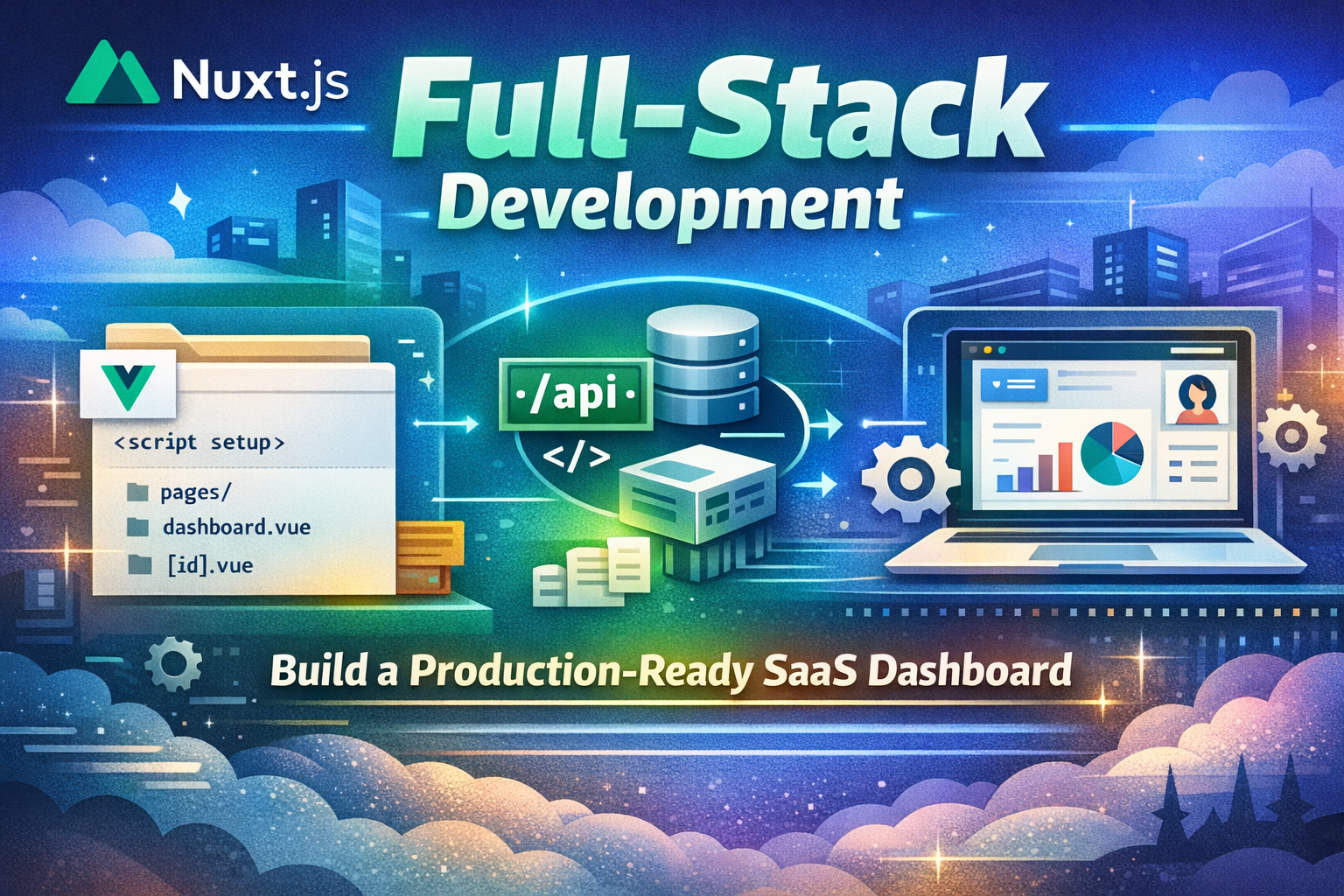
Nuxt.js revolutionizes Vue.js development by providing a powerful full-stack framework for building production-ready applications. Unlike traditional Vue SPAs, Nuxt enables server-side rendering, static generation, API routes, and seamless full-stack development. But why does Nuxt exist, and what makes it fundamentally different?
In this article, we'll explore Nuxt's philosophy, understand why it was created, dive deep into core concepts, and build a complete production-ready SaaS dashboard that demonstrates all fundamental Nuxt patterns.
Before Nuxt, Vue developers faced significant challenges:
SSR Complexity : Setting up server-side rendering was complex and error-proneRouting Setup : Manual routing configuration was tedious and repetitivePerformance : Client-side rendering made initial page loads slowSEO Issues : SPAs struggled with search engine optimizationAPI Integration : Building APIs required separate backend frameworksDevelopment Experience : Switching between frontend and backend was disruptiveDeployment : Deploying Vue apps required complex infrastructure setup
Sébastien Chopin created Nuxt in 2016 with a revolutionary approach:
File-Based Routing : Automatic routing based on file structureServer-Side Rendering : Built-in SSR for better performance and SEOStatic Generation : Pre-render pages at build time for maximum performanceAPI Routes : Build full-stack applications with server routesAuto-Imports : Automatic component and composable importsComposables : Reusable logic with Vue 3 Composition APIFull-Stack Framework : Seamless integration of frontend and backendZero Configuration : Works out of the box with sensible defaults
Nuxt automatically creates routes based on file structure in the pages directory.
// File structure creates routes automatically app/ ├── pages/ │ ├── index.vue // / (home page) │ ├── about.vue // /about │ ├── products/ │ │ ├── index.vue // /products │ │ └── [id].vue // /products/:id (dynamic) │ └── admin/ │ └── dashboard.vue // /admin/dashboard └── server/ └── routes/ └── api/ └── products.ts // /api/products (API route)
// Dynamic route with params // pages/products/[id].vue < template > < div > < h1 >Product {{ $route.params.id }}</ h1 > </ div > </ template >
< script setup lang = "ts" > const route = useRoute (); const productId = route . params . id ; </ script > Nuxt renders pages on the server for better performance and SEO.
// pages/products.vue < template > < div > < h1 >Products</ h1 > < ul > < li v-for = "product in products" :key = "product.id" > {{ product.name }} </ li > </ ul > </ div > </ template >
< script setup lang = "ts" > interface Product { id : string ; name : string ; price : number ; }
// Data fetching on server const { data : products } = await useFetch < Product []>( '/api/products' ); </ script > Create backend API endpoints without a separate server.
// server/routes/api/products.ts export default defineEventHandler ( async ( event ) => { const products = [ { id : '1' , name : 'Product 1' , price : 99.99 }, { id : '2' , name : 'Product 2' , price : 149.99 }, ];
return products ; });
// server/routes/api/products/[id].ts export default defineEventHandler ( async ( event ) => { const id = getRouterParam ( event , 'id' );
const product = { id , name : 'Product' , price : 99.99 , };
return product ; });
// server/api/products.post.ts export default defineEventHandler ( async ( event ) => { const body = await readBody ( event );
// Validate and save product const newProduct = { id : '3' , ... body , };
return newProduct ; }); Reusable logic with Vue 3 Composition API.
// composables/useProducts.ts export const useProducts = () => { const products = ref ([]); const loading = ref ( false ); const error = ref ( null );
const fetchProducts = async () => { loading . value = true ; try { const { data } = await useFetch ( '/api/products' ); products . value = data . value ; } catch ( err ) { error . value = err ; } finally { loading . value = false ; } };
const addProduct = async ( product : any ) => { try { const { data } = await useFetch ( '/api/products' , { method : 'POST' , body : product , }); products . value . push ( data . value ); } catch ( err ) { error . value = err ; } };
return { products : readonly ( products ), loading : readonly ( loading ), error : readonly ( error ), fetchProducts , addProduct , }; };
// Usage in component < script setup lang = "ts" > const { products , loading , fetchProducts } = useProducts ();
onMounted (() => { fetchProducts (); }); </ script > Nuxt automatically imports components and composables.
// No need to import - Nuxt does it automatically!
// components/ProductCard.vue < template > < div class = "card" > < h3 >{{ product.name }}</ h3 > < p >${{ product.price }}</ p > </ div > </ template >
< script setup lang = "ts" > defineProps ({ product : Object , }); </ script >
// pages/products.vue < template > < div > < h1 >Products</ h1 > <!-- ProductCard is automatically imported --> < ProductCard v-for = "product in products" :key = "product.id" :product = "product" /> </ div > </ template >
< script setup lang = "ts" > // useProducts is automatically imported const { products } = useProducts (); </ script > Run code before rendering pages.
// middleware/auth.ts export default defineRouteMiddleware (( to , from ) => { const user = useAuthStore ();
if ( ! user . isAuthenticated && to . path . startsWith ( '/dashboard' )) { return navigateTo ( '/login' ); } });
// pages/dashboard.vue < template > < div > < h1 > Dashboard </ h1 > </ div > </ template >
< script setup lang = "ts" > definePageMeta ({ middleware : 'auth' , }); </ script > Create reusable layouts for consistent page structure.
// layouts/default.vue < template > < div > < header > < nav > < NuxtLink to = "/" >Home</ NuxtLink > < NuxtLink to = "/about" >About</ NuxtLink > </ nav > </ header >
< main > < slot / > </ main >
< footer > < p > © 2026 My Site</ p > </ footer > </ div > </ template >
// layouts/admin.vue < template > < div class = "admin-layout" > < aside class = "sidebar" > < nav > < NuxtLink to = "/admin/dashboard" >Dashboard</ NuxtLink > < NuxtLink to = "/admin/users" >Users</ NuxtLink > </ nav > </ aside >
< main class = "content" > < slot / > </ main > </ div > </ template >
// pages/admin/dashboard.vue < template > < div > < h1 >Dashboard</ h1 > </ div > </ template >
< script setup lang = "ts" > definePageMeta ({ layout : 'admin' , }); </ script > Manage metadata for each page.
// pages/products/[id].vue < template > < div > < h1 >{{ product.name }}</ h1 > < p >{{ product.description }}</ p > </ div > </ template >
< script setup lang = "ts" > const route = useRoute (); const { data : product } = await useFetch ( `/api/products/ ${ route . params . id } ` );
useHead ({ title : product . value ?. name , meta : [ { name : 'description' , content : product . value ?. description , }, { property : 'og:title' , content : product . value ?. name , }, { property : 'og:description' , content : product . value ?. description , }, { property : 'og:image' , content : product . value ?. image , }, ], }); </ script > Handle errors gracefully with error pages.
// error.vue < template > < div class = "error-page" > < h1 >{{ error.statusCode }} - {{ error.statusMessage }}</ h1 > < p >{{ error.message }}</ p > < NuxtLink to = "/" >Go Home</ NuxtLink > </ div > </ template >
< script setup lang = "ts" > defineProps ({ error : Object , });
const handleError = () => clearError ({ redirect : '/' }); </ script >
// app.vue < template > < div > < NuxtRouteAnnouncer /> < NuxtErrorBoundary @error = "handleError" > < template # error = " { error } " > < div >Error: {{ error }}</ div > </ template > < NuxtPage /> </ NuxtErrorBoundary > </ div > </ template >
< script setup lang = "ts" > const handleError = () => { console . error ( 'Error occurred' ); }; </ script > Extend Nuxt functionality with plugins and modules.
// plugins/myPlugin.ts export default defineNuxtPlugin (() => { return { provide : { hello : ( msg : string ) => `Hello ${ msg } !` , }, }; });
// Usage in component < script setup lang = "ts" > const { $hello } = useNuxtApp (); const message = $hello ( 'World' ); // "Hello World!" </ script >
// modules/myModule.ts export default defineNuxtModule ({ meta : { name : 'my-module' , configKey : 'myModule' , }, defaults : {}, setup ( options , nuxt ) { // Module setup logic }, });
// nuxt.config.ts export default defineNuxtConfig ({ modules : [ './modules/myModule' ], myModule : { // Module options }, }); Let's build a complete SaaS dashboard with Nuxt.
saas-dashboard/ ├── app.vue ├── nuxt.config.ts ├── pages/ │ ├── index.vue │ ├── login.vue │ ├── dashboard/ │ │ ├── index.vue │ │ ├── projects.vue │ │ ├── settings.vue │ │ └── [id].vue │ └── projects/ │ ├── index.vue │ └── [id].vue ├── components/ │ ├── Header.vue │ ├── Sidebar.vue │ ├── ProjectCard.vue │ └── ProjectForm.vue ├── composables/ │ ├── useProjects.ts │ ├── useAuth.ts │ └── useDashboard.ts ├── layouts/ │ ├── default.vue │ └── dashboard.vue ├── middleware/ │ └── auth.ts ├── server/ │ ├── api/ │ │ ├── projects.ts │ │ ├── projects/[id].ts │ │ └── auth/ │ │ ├── login.post.ts │ │ └── logout.post.ts │ └── utils/ │ └── db.ts └── stores/ ├── auth.ts └── projects.ts export default defineNuxtConfig ({ devtools : { enabled : true }, modules : [ '@pinia/nuxt' ], css : [ '~/assets/css/main.css' ], runtimeConfig : { apiSecret : process . env . API_SECRET , public : { apiBase : process . env . API_BASE || 'http://localhost:3000' , }, }, nitro : { prerender : { crawlLinks : true , routes : [ '/sitemap.xml' , '/rss.xml' ], }, }, }); export const useAuthStore = defineStore ( 'auth' , () => { const user = ref ( null ); const isAuthenticated = computed (() => !! user . value );
const login = async ( email : string , password : string ) => { try { const { data } = await useFetch ( '/api/auth/login' , { method : 'POST' , body : { email , password }, }); user . value = data . value ; return true ; } catch ( error ) { console . error ( 'Login failed:' , error ); return false ; } };
const logout = async () => { await useFetch ( '/api/auth/logout' , { method : 'POST' }); user . value = null ; };
return { user : readonly ( user ), isAuthenticated , login , logout , }; });
// stores/projects.ts export const useProjectsStore = defineStore ( 'projects' , () => { const projects = ref ([]); const loading = ref ( false );
const fetchProjects = async () => { loading . value = true ; try { const { data } = await useFetch ( '/api/projects' ); projects . value = data . value ; } finally { loading . value = false ; } };
const createProject = async ( project : any ) => { const { data } = await useFetch ( '/api/projects' , { method : 'POST' , body : project , }); projects . value . push ( data . value ); };
return { projects : readonly ( projects ), loading : readonly ( loading ), fetchProjects , createProject , }; }); composables/useProjects.ts export const useProjects = () => { const projectsStore = useProjectsStore ();
const getProjectById = ( id : string ) => { return projectsStore . projects . find ( p => p . id === id ); };
const deleteProject = async ( id : string ) => { await useFetch ( `/api/projects/ ${ id } ` , { method : 'DELETE' }); projectsStore . projects = projectsStore . projects . filter ( p => p . id !== id ); };
return { projects : projectsStore . projects , getProjectById , deleteProject , createProject : projectsStore . createProject , fetchProjects : projectsStore . fetchProjects , }; };
// composables/useAuth.ts export const useAuth = () => { const authStore = useAuthStore (); const router = useRouter ();
const login = async ( email : string , password : string ) => { const success = await authStore . login ( email , password ); if ( success ) { await router . push ( '/dashboard' ); } return success ; };
const logout = async () => { await authStore . logout (); await router . push ( '/' ); };
return { user : authStore . user , isAuthenticated : authStore . isAuthenticated , login , logout , }; }; export default defineRouteMiddleware (( to , from ) => { const authStore = useAuthStore ();
if ( ! authStore . isAuthenticated && to . path . startsWith ( '/dashboard' )) { return navigateTo ( '/login' ); } }); export default defineEventHandler ( async ( event ) => { if ( event . node . req . method === 'GET' ) { const projects = await getProjects (); return projects ; }
if ( event . node . req . method === 'POST' ) { const body = await readBody ( event ); const project = await createProject ( body ); return project ; } });
// server/api/projects/[id].ts export default defineEventHandler ( async ( event ) => { const id = getRouterParam ( event , 'id' );
if ( event . node . req . method === 'GET' ) { const project = await getProjectById ( id ); if ( ! project ) { throw createError ({ statusCode : 404 , statusMessage : 'Project not found' }); } return project ; }
if ( event . node . req . method === 'DELETE' ) { await deleteProject ( id ); return { success : true }; } });
// server/api/auth/login.post.ts export default defineEventHandler ( async ( event ) => { const { email , password } = await readBody ( event );
// Validate credentials const user = await authenticateUser ( email , password ); if ( ! user ) { throw createError ({ statusCode : 401 , statusMessage : 'Invalid credentials' }); }
// Set session await setUserSession ( event , { user });
return user ; }); < template > < div class = "home" > < header class = "hero" > < h1 >Welcome to SaaS Dashboard</ h1 > < p >Manage your projects efficiently</ p > < NuxtLink to = "/login" class = "btn btn-primary" >Get Started</ NuxtLink > </ header >
< section class = "features" > < div class = "feature" > < h3 >Fast & Reliable</ h3 > < p >Built with Nuxt for optimal performance</ p > </ div > < div class = "feature" > < h3 >Secure</ h3 > < p >Enterprise-grade security</ p > </ div > < div class = "feature" > < h3 >Scalable</ h3 > < p >Grows with your business</ p > </ div > </ section > </ div > </ template >
< script setup lang = "ts" > useHead ({ title : 'SaaS Dashboard' , meta : [ { name : 'description' , content : 'Manage your projects with our SaaS dashboard' , }, ], }); </ script >
< style scoped > .home { padding: 40 px 20 px ; }
.hero { text-align: center ; margin-bottom: 60 px ; }
.hero h1 { font-size: 3 rem ; margin-bottom: 20 px ; }
.features { display: grid ; grid-template-columns: repeat ( auto-fit , minmax ( 250 px , 1 fr )); gap: 30 px ; }
.feature { padding: 20 px ; border: 1 px solid # e5e7eb ; border-radius: 8 px ; } </ style > pages/dashboard/index.vue < template > < div class = "dashboard" > < h1 >Dashboard</ h1 >
< div class = "stats" > < div class = "stat-card" > < h3 >Total Projects</ h3 > < p class = "value" >{{ projects.length }}</ p > </ div > < div class = "stat-card" > < h3 >Active Projects</ h3 > < p class = "value" >{{ activeProjects }}</ p > </ div > </ div >
< section class = "projects-section" > < div class = "section-header" > < h2 >Recent Projects</ h2 > < NuxtLink to = "/dashboard/projects" class = "btn btn-primary" > View All </ NuxtLink > </ div >
< div v-if = "loading" class = "loading" >Loading...</ div >
< div v-else-if = "projects.length === 0" class = "empty" > < p >No projects yet. Create one to get started!</ p > </ div >
< div v-else class = "projects-grid" > < ProjectCard v-for = "project in projects.slice(0, 6)" :key = "project.id" :project = "project" /> </ div > </ section > </ div > </ template >
< script setup lang = "ts" > definePageMeta ({ layout : 'dashboard' , middleware : 'auth' , });
const { projects , loading , fetchProjects } = useProjects ();
const activeProjects = computed (() => { return projects . filter ( p => p . status === 'active' ). length ; });
onMounted (() => { fetchProjects (); }); </ script >
< style scoped > .dashboard { padding: 20 px ; }
.stats { display: grid ; grid-template-columns: repeat ( auto-fit , minmax ( 200 px , 1 fr )); gap: 20 px ; margin-bottom: 40 px ; }
.stat-card { background: white ; padding: 20 px ; border-radius: 8 px ; border: 1 px solid # e5e7eb ; }
.stat-card .value { font-size: 2 rem ; font-weight: bold ; color: # 667eea ; }
.section-header { display: flex ; justify-content: space-between ; align-items: center ; margin-bottom: 20 px ; }
.projects-grid { display: grid ; grid-template-columns: repeat ( auto-fill , minmax ( 300 px , 1 fr )); gap: 20 px ; }
.loading , .empty { text-align: center ; padding: 40 px ; color: # 999 ; } </ style > components/ProjectCard.vue < template > < div class = "card" > < h3 >{{ project.name }}</ h3 > < p class = "description" >{{ project.description }}</ p >
< div class = "meta" > < span class = "status" :class = "project.status" >{{ project.status }}</ span > < span class = "date" >{{ formatDate(project.createdAt) }}</ span > </ div >
< div class = "actions" > < NuxtLink :to = "`/projects/${project.id}`" class = "btn btn-primary" > View </ NuxtLink > < button @click = "deleteProject" class = "btn btn-danger" >Delete</ button > </ div > </ div > </ template >
< script setup lang = "ts" > const props = defineProps ({ project : Object , });
const { deleteProject : deleteProj } = useProjects ();
const deleteProject = async () => { if ( confirm ( 'Are you sure?' )) { await deleteProj ( props . project . id ); } };
const formatDate = ( date : string ) => { return new Date ( date ). toLocaleDateString (); }; </ script >
< style scoped > .card { background: white ; border: 1 px solid # e5e7eb ; border-radius: 8 px ; padding: 20 px ; transition: all 0.2 s ; }
.card :hover { box-shadow: 0 4 px 12 px rgba ( 0 , 0 , 0 , 0.1 ); transform: translateY ( -4 px ); }
.card h3 { margin: 0 0 10 px 0 ; }
.description { color: # 666 ; margin-bottom: 15 px ; }
.meta { display: flex ; gap: 10 px ; margin-bottom: 15 px ; font-size: 0.875 rem ; }
.status { padding: 4 px 8 px ; border-radius: 4 px ; font-weight: 600 ; }
.status.active { background: # d1fae5 ; color: # 065f46 ; }
.status.inactive { background: # fee2e2 ; color: # 991b1b ; }
.actions { display: flex ; gap: 10 px ; }
.btn { padding: 8 px 16 px ; border: none ; border-radius: 4 px ; cursor: pointer ; font-weight: 600 ; transition: all 0.2 s ; }
.btn-primary { background: # 667eea ; color: white ; }
.btn-primary :hover { background: # 5568d3 ; }
.btn-danger { background: # ef4444 ; color: white ; }
.btn-danger :hover { background: # dc2626 ; } </ style > // ✅ Keep components small and focused // ✅ Use auto-imports for components // ✅ Organize components by feature // ✅ Use meaningful component names
// ❌ Avoid large monolithic components // ❌ Don't mix concerns in components // ❌ Avoid deeply nested components // ✅ Extract reusable logic into composables // ✅ Use composables for data fetching // ✅ Keep composables focused // ✅ Use TypeScript for type safety
// ❌ Avoid logic in components // ❌ Don't duplicate logic across components // ❌ Avoid complex composables // ✅ Use Pinia for global state // ✅ Keep stores focused // ✅ Use computed for derived state // ✅ Validate state mutations
// ❌ Avoid prop drilling // ❌ Don't mix local and global state // ❌ Avoid complex state logic // ✅ Use lazy loading for routes // ✅ Implement proper caching // ✅ Use v-show for frequently toggled elements // ✅ Optimize images
// ❌ Avoid unnecessary re-renders // ❌ Don't load all data at once // ❌ Avoid large bundle sizes // ✅ Validate all user input // ✅ Use middleware for authentication // ✅ Sanitize output // ✅ Use environment variables for secrets
// ❌ Don't trust user input // ❌ Avoid exposing sensitive data // ❌ Don't skip validation // ❌ Wrong - fetching in component < script setup > const data = ref ( null );
onMounted ( async () => { const res = await fetch ( '/api/data' ); data . value = await res . json (); }); </ script >
// ✅ Correct - fetch in page or composable < script setup > const { data } = await useFetch ( '/api/data' ); </ script > // ❌ Wrong - manual imports < script setup > import { ref , computed } from 'vue' ; import MyComponent from '~/components/MyComponent.vue' ; </ script >
// ✅ Correct - auto-imports < script setup > // No imports needed! </ script > // ❌ Wrong - no authentication check export default defineEventHandler ( async ( event ) => { // Handle request });
// ✅ Correct - check authentication export default defineEventHandler ( async ( event ) => { const user = await getUserSession ( event ); if ( ! user ) { throw createError ({ statusCode : 401 }); } // Handle request }); // ❌ Wrong - repeating header/footer < template > < header >...</ header > < main >...</ main > < footer >...</ footer > </ template >
// ✅ Correct - use layouts < template > < div >Content</ div > </ template >
< script setup > definePageMeta ({ layout : 'default' , }); </ script > // ❌ Wrong - no error handling export default defineEventHandler ( async ( event ) => { const data = await fetch ( 'https://api.example.com/data' ); return data . json (); });
// ✅ Correct - handle errors export default defineEventHandler ( async ( event ) => { try { const data = await fetch ( 'https://api.example.com/data' ); if ( ! data . ok ) { throw createError ({ statusCode : data . status }); } return data . json (); } catch ( error ) { throw createError ({ statusCode : 500 , statusMessage : 'Server error' }); } }); # Install Vercel CLI npm i -g vercel
# Deploy vercel
# Deploy to production vercel --prod # Install Netlify CLI npm i -g netlify-cli
# Deploy netlify deploy
# Deploy to production netlify deploy --prod Nuxt.js revolutionizes Vue.js development by providing a powerful full-stack framework for building production-ready applications. By combining server-side rendering, file-based routing, auto-imports, and seamless API integration, Nuxt enables developers to build fast, scalable, and SEO-friendly applications.
The SaaS dashboard we built demonstrates all core Nuxt concepts in action. Understanding file-based routing, composables, stores, middleware, and API routes is essential for building modern Nuxt applications.
Key takeaways:
Nuxt enables full-stack development with Vue.js
File-based routing provides intuitive page organization
Server-side rendering improves performance and SEO
Auto-imports reduce boilerplate code
Composables enable reusable logic
API routes enable building backends without separate servers
Next steps:
Build small projects to practice fundamentals
Explore advanced features (streaming, suspense, etc.)
Learn performance optimization techniques
Master state management with Pinia
Integrate with databases and external APIs
Deploy to production with Vercel or Netlify
Nuxt.js is the future of full-stack Vue development. Keep learning, building, and pushing the boundaries of what's possible.