Master Ansible idempotency to write playbooks that safely run multiple times without side effects. Learn how to build production-grade automation that prevents configuration drift and infrastructure chaos.

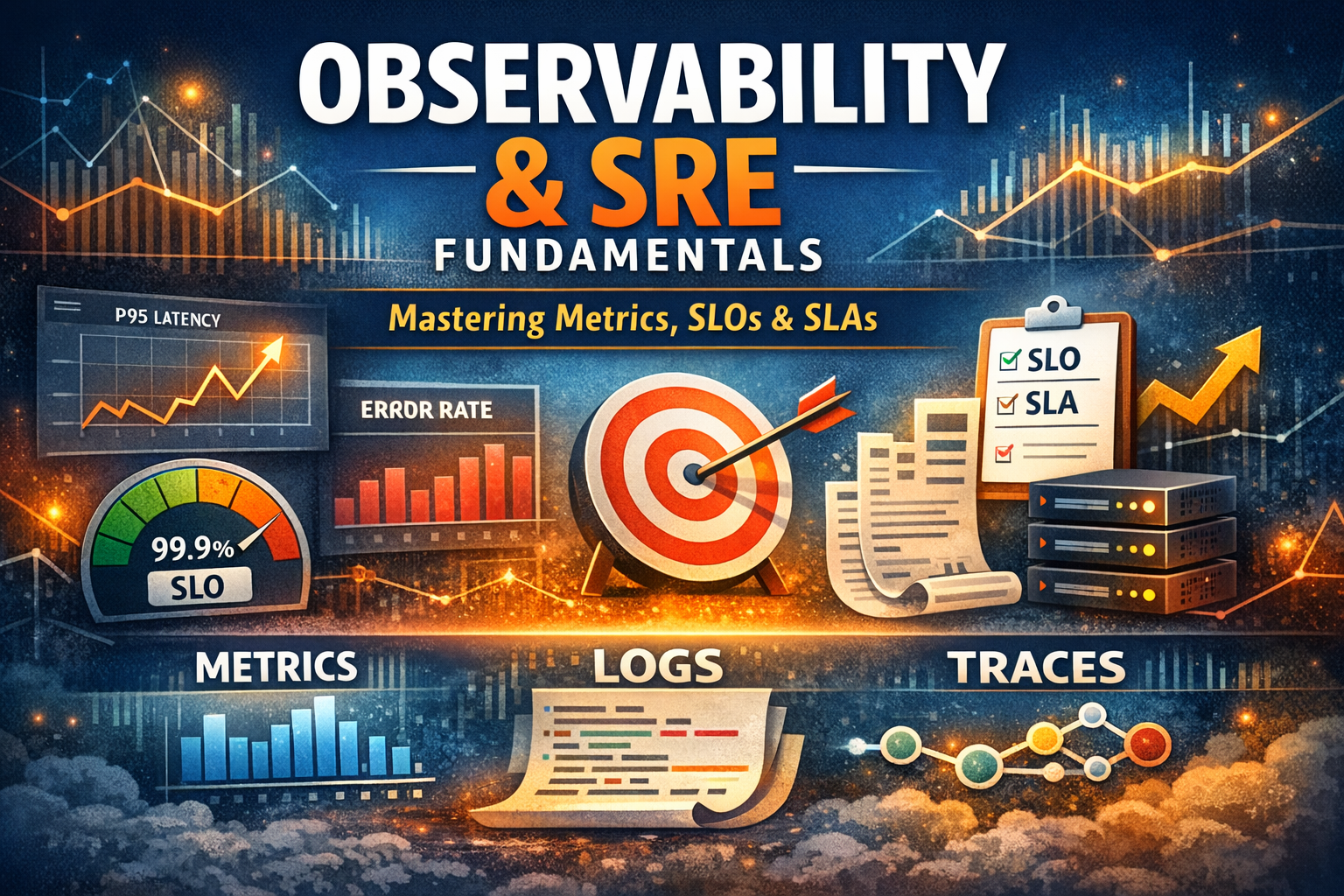
Master the foundations of observability and SRE practices. Learn the three pillars of observability, understand metrics types like counters and histograms, decode SLIs, SLOs, and SLAs, and discover why percentiles matter more than averages in production systems.
Your production system just went down. Revenue is bleeding. Users are angry. Your CEO is asking questions. And you're staring at a dashboard that tells you nothing useful about what's actually broken.
This scenario plays out every day in companies around the world. The difference between teams that recover in minutes versus hours often comes down to one thing: how well they understand observability and Site Reliability Engineering principles.
Observability isn't just about collecting logs or setting up dashboards. It's a fundamental shift in how you build, operate, and debug distributed systems. SRE isn't just a job title—it's a discipline that brings engineering rigor to operations, with concrete practices for measuring and improving reliability.
This guide takes you deep into both worlds. We'll trace the history of how we got here, break down the three pillars of observability, decode the alphabet soup of SLIs, SLOs, and SLAs, and explain why understanding percentiles and metric types can make the difference between a system that scales and one that collapses under load.
Twenty years ago, most applications were monoliths running on physical servers. You had one application, maybe a database, and a load balancer. Monitoring was straightforward: check if the server is up, watch CPU and memory, tail the log file. When something broke, you SSH'd into the box and looked around.
This worked because the system was simple enough to understand completely. You could hold the entire architecture in your head. Debugging meant reading logs and checking system resources.
Then everything changed. Cloud computing made it easy to spin up hundreds of servers. Microservices architecture split monoliths into dozens or hundreds of independent services. Containers and orchestration platforms like Kubernetes added another layer of abstraction.
Suddenly, a single user request might touch 20 different services, each running on different containers, scheduled across different nodes, in different availability zones. The old monitoring approach broke down. You couldn't SSH into every container. You couldn't tail 50 different log files. You couldn't even predict which services a request would touch.
Traditional monitoring—checking if services are up, watching CPU—wasn't enough. You needed to understand how requests flowed through your system, where they spent time, and why they failed.
While the industry struggled with this complexity, Google was dealing with it at massive scale. They invented Site Reliability Engineering: treating operations as a software engineering problem.
Instead of having separate ops teams that manually managed infrastructure, Google created SRE teams that wrote software to automate operations. They defined concrete metrics for reliability, built tools to measure them, and created practices to improve them systematically.
The SRE book, published in 2016, shared these practices with the world. It introduced concepts like error budgets, SLOs, and toil reduction that are now industry standards.
Around the same time, companies like Honeycomb and Lightstep were pioneering observability as a distinct discipline. They recognized that traditional monitoring—collecting predefined metrics and checking thresholds—couldn't handle the complexity of modern distributed systems.
Observability borrowed from control theory: a system is observable if you can determine its internal state from its external outputs. Applied to software, this means collecting rich, structured data that lets you ask arbitrary questions about what happened, without predicting those questions in advance.
The observability movement gave us distributed tracing, high-cardinality metrics, and structured logging. It shifted the focus from "is the system up?" to "can I understand what the system is doing?"
Observability rests on three types of telemetry data: metrics, logs, and traces. Each serves a different purpose, and together they give you complete visibility into your system.
Metrics are numerical measurements over time. They answer questions like "how many requests per second?" or "what's the average response time?" Metrics are aggregated, which makes them efficient to store and query.
Think of metrics as the vital signs of your system. Just like a doctor checks your heart rate and blood pressure, you check request rate and error rate. Metrics tell you when something is wrong, but not always why.
Common metric examples:
http_requests_total{method="GET", status="200"} 1547
http_requests_total{method="POST", status="500"} 23http_request_duration_seconds{endpoint="/api/users"} 0.145Metrics are cheap to collect and store because they're aggregated. Instead of storing every single request, you store counts and averages. This lets you keep metrics for months or years without drowning in data.
The tradeoff is granularity. Metrics tell you that error rate spiked at 3 AM, but not which specific requests failed or why.
Logs are discrete events with context. They're the traditional way of understanding what your application is doing. Every time something interesting happens, you write a log line.
{
  "timestamp": "2026-03-04T10:15:30Z",
  "level": "error",
  "message": "Failed to process payment",
  "user_id": "user_12345",
  "payment_id": "pay_67890",
  "error": "Payment gateway timeout",
  "duration_ms": 5000
}
Logs give you the details metrics can't. When you see an error rate spike, you look at the logs to see what actually failed. Logs tell you the story of what happened.
The problem with logs is scale. A busy system might generate millions of log lines per minute. Storing and searching that much data gets expensive fast. You have to decide what to log, how long to keep it, and how to search it efficiently.
Modern logging uses structured formats like JSON instead of plain text. This makes logs queryable: you can search for all errors from a specific user, or all requests that took longer than 5 seconds.
Traces follow a single request through your entire system. When a user makes a request, a trace captures every service it touches, every database query, every cache lookup, and how long each step took.
Imagine a user loading their profile page. The request hits your API gateway, which calls the auth service to verify the token, then calls the user service to get profile data, which queries the database and calls the image service to get the profile picture URL. A trace shows you this entire journey.

trace_id: "abc123"
spans:
  - span_id: "span1"
    name: "GET /profile"
    service: "api-gateway"
    duration_ms: 245
    parent_span_id: null

  - span_id: "span2"
    name: "verify_token"
    service: "auth-service"
    duration_ms: 15
    parent_span_id: "span1"

  - span_id: "span3"
    name: "get_user_data"
    service: "user-service"
    duration_ms: 180
    parent_span_id: "span1"

  - span_id: "span4"
    name: "SELECT * FROM users"
    service: "postgres"
    duration_ms: 120
    parent_span_id: "span3"

  - span_id: "span5"
    name: "get_profile_image"
    service: "image-service"
    duration_ms: 45
    parent_span_id: "span3"
Traces are incredibly powerful for debugging. When a request is slow, the trace shows you exactly where the time was spent. When a request fails, the trace shows you which service failed and what it was trying to do.
The challenge with traces is sampling. You can't trace every single request—it would generate too much data. Instead, you sample: trace 1% of requests, or trace all slow requests, or trace all errors. The art is choosing the right sampling strategy so you have traces when you need them.
Each pillar has strengths and weaknesses. Used together, they give you complete observability.
Metrics tell you something is wrong. Your error rate dashboard shows a spike.
Logs tell you what's wrong. You search logs and see "database connection timeout" errors.
Traces tell you why it's wrong. You look at a trace and see that the database query is slow because it's missing an index, and it's timing out after 5 seconds.
This is the observability workflow: metrics for detection, logs for investigation, traces for root cause analysis.
Not all metrics are created equal. The type of metric you use determines what questions you can answer and how accurately. There are four fundamental metric types: counters, gauges, histograms, and summaries.
A counter is a metric that only goes up. It starts at zero and increments every time something happens. Counters measure totals: total requests, total errors, total bytes sent.
# Total HTTP requests since the server started
http_requests_total 15847

# Total errors since the server started
http_errors_total 234

# Total bytes sent since the server started
http_bytes_sent_total 1048576000
Counters never decrease. If your server restarts, the counter resets to zero and starts counting again. This is fine because you typically care about the rate of change, not the absolute value.
To get useful information from a counter, you calculate the rate: how much did it increase over a time window?
# Requests per second over the last 5 minutes
rate(http_requests_total[5m])

# Errors per second over the last 5 minutes
rate(http_errors_total[5m])
When to use counters: Anything that accumulates over time. Requests processed, errors encountered, bytes transferred, tasks completed, cache hits, database queries.
A gauge is a metric that can go up or down. It represents a current value at a point in time. Gauges measure things like temperature, memory usage, queue depth, or number of active connections.
# Current memory usage in bytes
memory_usage_bytes 2147483648

# Current number of active connections
active_connections 42

# Current queue depth
queue_depth 156

# Current CPU temperature
cpu_temperature_celsius 67.5
Unlike counters, gauges can decrease. If memory usage goes down, the gauge goes down. If connections close, the gauge goes down.
When to use gauges: Anything that represents a current state. Memory usage, CPU usage, disk space, active connections, queue depth, cache size, number of goroutines, thread pool size.
Common mistake: Using a gauge for something that should be a counter. If you're counting events, use a counter. If you're measuring a current state, use a gauge.
Histograms measure the distribution of values. Instead of just tracking the average, histograms show you how values are distributed across buckets.
This is crucial for understanding latency. Averages lie. If 99% of requests take 100ms and 1% take 10 seconds, the average is still pretty good, but 1% of your users are having a terrible experience.
# Request duration histogram with buckets
http_request_duration_seconds_bucket{le="0.1"} 9500
http_request_duration_seconds_bucket{le="0.5"} 9800
http_request_duration_seconds_bucket{le="1.0"} 9950
http_request_duration_seconds_bucket{le="5.0"} 9990
http_request_duration_seconds_bucket{le="+Inf"} 10000
http_request_duration_seconds_sum 1250.5
http_request_duration_seconds_count 10000
This histogram tells you:
From this, you can calculate percentiles. The 95th percentile (p95) is somewhere between 1 and 5 seconds. The 99th percentile (p99) is definitely over 5 seconds.
When to use histograms: Request latency, response size, query duration, batch processing time—anything where you care about the distribution, not just the average.
The bucket problem: You have to choose buckets in advance. If you choose buckets of 0.1s, 0.5s, 1s, 5s, but most of your requests take 0.05s, your buckets aren't granular enough. If most requests take 10s, your buckets are too small. Choose buckets based on what you expect to measure.
Summaries are similar to histograms but calculate percentiles on the client side instead of using buckets. The client tracks values and calculates percentiles like p50, p95, p99 directly.
http_request_duration_seconds{quantile="0.5"} 0.145
http_request_duration_seconds{quantile="0.95"} 0.892
http_request_duration_seconds{quantile="0.99"} 2.341
http_request_duration_seconds_sum 1250.5
http_request_duration_seconds_count 10000
Summaries give you exact percentiles without choosing buckets. The tradeoff is that percentiles are calculated per instance. You can't aggregate summaries across multiple servers to get a global p99.
Histogram vs Summary: Use histograms when you need to aggregate across multiple instances (most of the time). Use summaries when you need exact percentiles for a single instance and won't aggregate.
Averages are dangerous. They hide problems. If you only look at average response time, you'll miss the fact that some users are having a terrible experience.
Imagine an API endpoint with these response times for 10 requests:
50ms, 52ms, 48ms, 51ms, 49ms, 50ms, 53ms, 47ms, 51ms, 5000msThe average is 545ms. That looks bad. But 9 out of 10 requests were around 50ms. Only one request was slow. The average doesn't tell you this.
Now imagine these response times:
100ms, 200ms, 300ms, 400ms, 500ms, 600ms, 700ms, 800ms, 900ms, 1000msThe average is 550ms. Almost the same as before. But the experience is completely different. In the first case, most users had a fast experience. In the second case, every user had a mediocre to bad experience.
Averages can't distinguish between these scenarios. Percentiles can.
A percentile tells you the value below which a certain percentage of observations fall. The 95th percentile (p95) means 95% of values are below this number.
For the first example above:
For the second example:
Now you can see the difference. The first example has a great p50 and p95, but a terrible p99. The second example is consistently mediocre.
p50 (median): The typical user experience. Half of requests are faster, half are slower. This is more useful than the average because it's not skewed by outliers.
p95: The experience of your slower users. If p95 is 1 second, that means 95% of users get a response in under 1 second, but 5% wait longer. For a high-traffic site, 5% is a lot of users.
p99: The experience of your slowest users (excluding the very worst). This is often where you find real problems. A bad p99 means a significant number of users are having a bad time.
p99.9: The worst-case scenario (excluding extreme outliers). This is what your unluckiest users experience. For critical systems, you care about p99.9 because even rare bad experiences matter.
In distributed systems, high percentiles matter more than you think. When a user request touches multiple services, the slowest service determines the overall latency.
If you have 10 services, each with a p99 of 100ms, what's the p99 for a request that calls all 10 services?
It's not 1000ms (10 × 100ms). It's worse. The probability that at least one service hits its p99 is much higher than 1%. In fact, if each service independently has a 1% chance of being slow, the probability that at least one is slow is about 10%.
This is the long tail problem. As you add more services, your p99 gets worse. This is why microservices can have worse tail latency than monoliths, even if each service is individually fast.
The solution: Optimize for percentiles, not averages. Set SLOs based on percentiles. Alert on percentiles. Make architectural decisions based on percentiles.
Site Reliability Engineering introduced a rigorous framework for measuring and managing reliability. At the core are three concepts: SLIs, SLOs, and SLAs.
An SLI is a quantitative measure of some aspect of your service. It's a metric that tells you how well your service is performing.
Good SLIs are:
Common SLIs:
Availability: What percentage of requests succeed?
# Availability = successful requests / total requests
sum(rate(http_requests_total{status!~"5.."}[5m]))
/
sum(rate(http_requests_total[5m]))
Latency: What percentage of requests complete within a target time?
# Latency SLI: % of requests under 500ms
histogram_quantile(0.95, http_request_duration_seconds_bucket) < 0.5
Throughput: How many requests per second can you handle?
Correctness: What percentage of responses are correct?
Freshness: How old is the data you're serving?
The key is choosing SLIs that matter to users. Users don't care about CPU usage or memory. They care about whether the service works and how fast it is.
An SLO is a target for an SLI. It's a goal you set for how reliable your service should be.
An SLO has three parts:
Example SLOs:
"99.9% of requests will succeed over a 30-day window"
"95% of requests will complete in under 500ms over a 7-day window"
"99% of data will be fresh within 5 minutes over a 24-hour window"
SLOs are not aspirational. They're not "let's try to hit 100% uptime." They're realistic targets based on what users need and what you can reliably deliver.
Why not 100%? Because 100% reliability is impossible and trying to achieve it is wasteful. Every additional nine of reliability (99% → 99.9% → 99.99%) costs exponentially more. At some point, the cost outweighs the benefit.
Instead, you set an SLO that's good enough for users and achievable for your team. If you hit your SLO, you're doing your job. If you miss it, you have work to do.
An error budget is the inverse of your SLO. If your SLO is 99.9% availability, your error budget is 0.1% unavailability.
Over a 30-day month, 0.1% unavailability is about 43 minutes. That's your error budget. You can "spend" it on outages, deployments, experiments, or anything else that might cause errors.
Error budgets change the conversation between dev and ops:
Without error budgets:
With error budgets:
When you have error budget left, you can take risks: deploy on Friday, try a new database, refactor critical code. When you've spent your error budget, you focus on reliability: fix bugs, improve monitoring, add redundancy.
This creates a natural balance between velocity and reliability.
An SLA is a contract with consequences. It's a promise you make to customers about your service level, with penalties if you break it.
SLAs are typically less strict than SLOs. If your internal SLO is 99.9%, your customer-facing SLA might be 99.5%. This gives you buffer room.
Example SLA:
"We guarantee 99.5% uptime per month. If we fail to meet this,
you'll receive a 10% credit for that month. If uptime falls below
99%, you'll receive a 25% credit."
SLAs are legal and financial commitments. SLOs are engineering targets. You set SLOs stricter than SLAs so you have room to fix problems before they trigger SLA penalties.
Understanding the theory is one thing. Implementing observability in a real system is another. Here's how to do it right.
Before you instrument anything, ask: what questions do I need to answer?
For user-facing services:
For background jobs:
For databases:
Your instrumentation should let you answer these questions without deploying new code.
Application-level instrumentation: This is where you add observability to your code. Log important events, emit metrics for business logic, create spans for traces.
import { trace, metrics } from '@opentelemetry/api';

async function processPayment(userId: string, amount: number) {
  const span = trace.getActiveSpan();
  span?.setAttribute('user.id', userId);
  span?.setAttribute('payment.amount', amount);

  const startTime = Date.now();

  try {
    // Process payment logic
    const result = await paymentGateway.charge(userId, amount);

    metrics.counter('payments.processed').add(1, {
      status: 'success',
      gateway: 'stripe'
    });

    return result;
  } catch (error) {
    metrics.counter('payments.processed').add(1, {
      status: 'failed',
      gateway: 'stripe',
      error: error.code
    });

    span?.recordException(error);
    throw error;
  } finally {
    const duration = Date.now() - startTime;
    metrics.histogram('payment.duration').record(duration);
  }
}
Infrastructure-level instrumentation: This is automatic. Your container orchestrator, load balancer, and cloud provider emit metrics about CPU, memory, network, and disk.
Library-level instrumentation: Modern observability libraries auto-instrument common frameworks. Express, FastAPI, Spring Boot—they all have plugins that automatically create spans for HTTP requests, database queries, and cache operations.
The observability ecosystem is vast. Here's what you need:
Metrics: Prometheus is the industry standard. It's open source, widely supported, and integrates with everything. For managed solutions, consider Datadog, New Relic, or Grafana Cloud.
Logs: ELK Stack (Elasticsearch, Logstash, Kibana) is popular but heavy. Loki is lighter and integrates well with Prometheus. For managed solutions, consider Datadog, Splunk, or CloudWatch.
Traces: Jaeger and Zipkin are open source options. Tempo integrates with Grafana. For managed solutions, consider Honeycomb, Lightstep, or Datadog APM.
All-in-one: Datadog, New Relic, and Dynatrace offer metrics, logs, and traces in one platform. They're expensive but convenient.
The open source stack:
Observability without alerting is just expensive data storage. You need to know when things go wrong.
Alert on SLOs, not symptoms: Don't alert on "CPU is high." Alert on "error rate exceeds SLO" or "p99 latency exceeds SLO."
groups:
  - name: slo_alerts
    interval: 30s
    rules:
      - alert: HighErrorRate
        expr: |
          (
            sum(rate(http_requests_total{status=~"5.."}[5m]))
            /
            sum(rate(http_requests_total[5m]))
          ) > 0.01
        for: 5m
        labels:
          severity: critical
        annotations:
          summary: "Error rate above SLO"
          description: "Error rate is {{ $value | humanizePercentage }}, exceeding 1% SLO"

      - alert: HighLatency
        expr: |
          histogram_quantile(0.99,
            rate(http_request_duration_seconds_bucket[5m])
          ) > 1.0
        for: 5m
        labels:
          severity: warning
        annotations:
          summary: "P99 latency above SLO"
          description: "P99 latency is {{ $value }}s, exceeding 1s SLO"

      - alert: ErrorBudgetBurnRate
        expr: |
          (
            1 - (
              sum(rate(http_requests_total{status!~"5.."}[1h]))
              /
              sum(rate(http_requests_total[1h]))
            )
          ) > (0.001 * 14.4)
        labels:
          severity: critical
        annotations:
          summary: "Burning error budget too fast"
          description: "At current rate, will exhaust monthly error budget in 2 days"
Use multi-window, multi-burn-rate alerts: This is an advanced SRE technique. Instead of alerting when error rate crosses a threshold, you alert when you're burning through your error budget too fast.
The idea: if you're burning error budget at 14.4x the normal rate, you'll exhaust your monthly budget in 2 days. That's worth paging someone. If you're burning at 2x, you'll exhaust it in 15 days—still concerning, but not an emergency.
More data isn't always better. Collecting every metric, logging every event, and tracing every request creates noise and costs money.
The fix: Start with SLIs. Instrument what you need to measure your SLOs. Add more instrumentation when you can't answer a specific question.
High-cardinality metrics (metrics with many unique label combinations) can overwhelm your metrics system. If you add a user ID label to every metric, you'll have millions of unique time series.
# DON'T DO THIS - creates millions of time series
http_requests_total{user_id="user_12345"} 1
http_requests_total{user_id="user_67890"} 1# DO THIS - bounded number of time series
http_requests_total{endpoint="/api/users", status="200"} 1547The fix: Keep metric labels low-cardinality. Use logs or traces for high-cardinality data like user IDs.
If you alert on everything, people will ignore alerts. The goal is not to catch every problem—it's to catch problems that need immediate human attention.
The fix: Alert on SLO violations, not symptoms. Use different severity levels. Page for critical issues, email for warnings, dashboard for everything else.
We covered this earlier, but it's worth repeating: averages hide problems. If you optimize for average latency, you'll make the p50 faster but might make the p99 worse.
The fix: Optimize for percentiles. Set SLOs based on p95 or p99. Make architectural decisions based on tail latency.
Observability tells you what's wrong. Runbooks tell you what to do about it. Without runbooks, you're just staring at dashboards during an outage.
The fix: For every alert, write a runbook. What does this alert mean? What's the impact? How do you investigate? How do you fix it?
Observability and SRE practices have costs. They're not always worth it.
Don't over-invest in observability for:
Don't implement SRE practices if:
The right level of observability depends on your stage, scale, and requirements. Start simple. Add complexity as you need it.
Observability and SRE aren't just buzzwords. They're practical disciplines that help you build and operate reliable systems at scale.
The three pillars—metrics, logs, and traces—give you visibility into what your system is doing. Understanding metric types helps you measure the right things. Percentiles show you the real user experience, not just the average. SLIs, SLOs, and error budgets give you a framework for balancing reliability and velocity.
Start with the basics: instrument your critical paths, set up dashboards for your SLIs, and define SLOs for your most important services. As you grow, add distributed tracing, implement error budgets, and build a culture of reliability.
The goal isn't perfect reliability. It's predictable, measurable reliability that meets user needs without burning out your team. That's what observability and SRE give you.