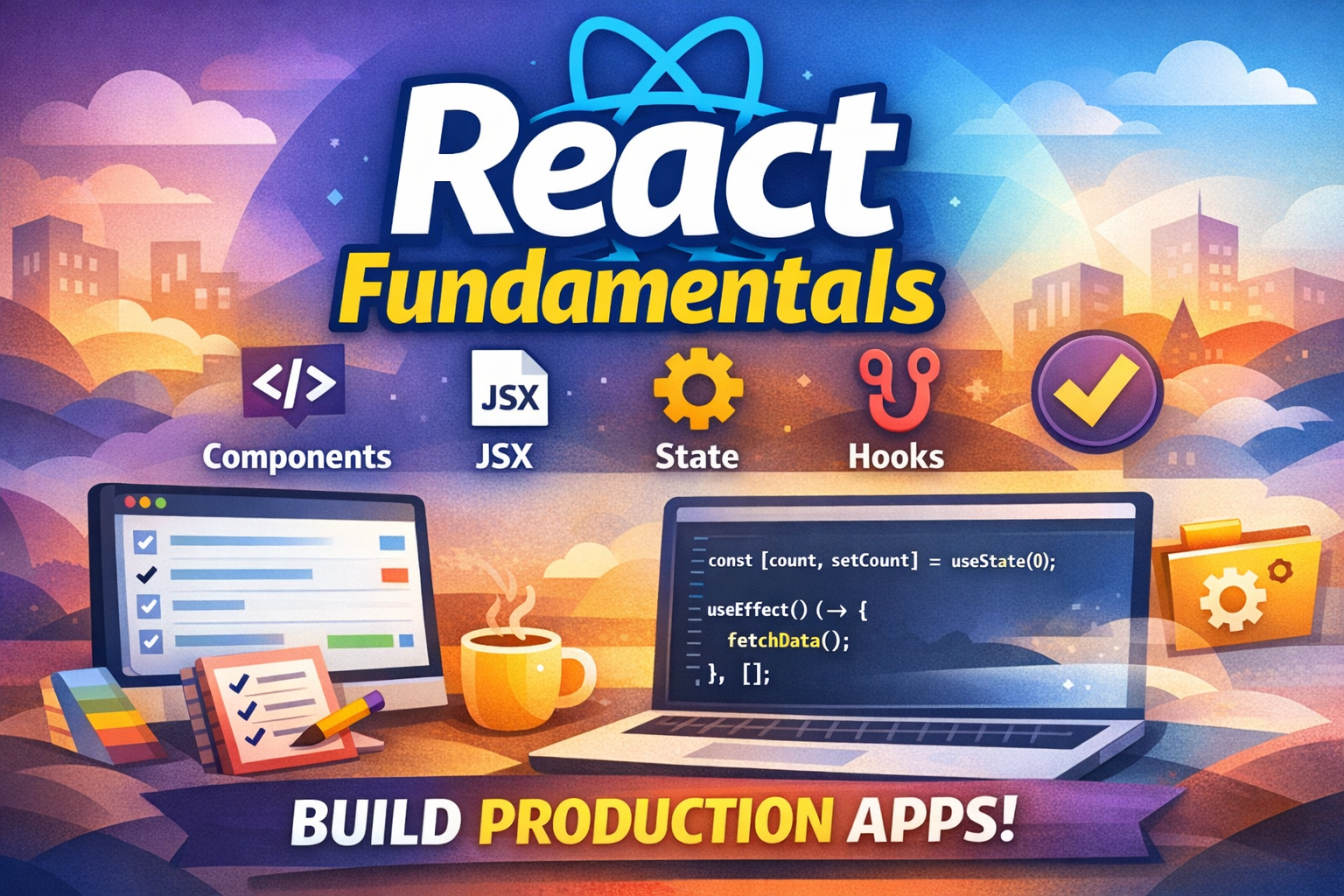
React has become the dominant frontend framework for building interactive user interfaces. But why does it exist, and what makes it so powerful? Understanding React's philosophy and core concepts is essential for building scalable, maintainable web applications.
In this article, we'll explore React's history, understand why it was created, dive deep into core concepts, and build a complete production-ready task management application that demonstrates all fundamental React patterns.
Before React, building interactive web applications was challenging:
DOM Manipulation : Developers manually updated the DOM using jQuery or vanilla JavaScriptState Management : Keeping UI in sync with application state was error-proneReusability : Components weren't easily reusable across applicationsPerformance : Updating the DOM was slow and inefficientComplexity : Large applications became difficult to maintain
Facebook created React in 2011 to solve these problems:
Declarative UI : Describe what the UI should look like, not how to update itComponent-Based : Build encapsulated components that manage their own stateVirtual DOM : Efficient rendering through a virtual representation of the DOMUnidirectional Data Flow : Predictable data flow from parent to childDeveloper Experience : Hot reloading, developer tools, and large ecosystem
Components are the building blocks of React applications. They're reusable, encapsulated pieces of UI.
// ✅ Modern approach - Function Components const Welcome = ({ name }) => { return < h1 >Hello, { name } !</ h1 >; };
// Usage < Welcome name = "Alice" /> JSX is a syntax extension that looks like HTML but is actually JavaScript.
// JSX const element = < h1 className = "greeting" >Hello World</ h1 >;
// Compiles to const element = React . createElement ( 'h1' , { className : 'greeting' }, 'Hello World' ); Props are how you pass data from parent to child components. They're immutable.
const Button = ({ label , onClick , disabled }) => { return ( < button onClick = { onClick } disabled = { disabled } > { label } </ button > ); };
// Usage < Button label = "Click me" onClick = { () => alert ( 'Clicked' ) } disabled = { false } /> State is data that changes over time. Components re-render when state changes.
import { useState } from 'react' ;
const Counter = () => { const [ count , setCount ] = useState ( 0 );
return ( < div > < p >Count: { count } </ p > < button onClick = { () => setCount ( count + 1 ) } >Increment</ button > </ div > ); }; Hooks let you use state and other React features in function components.
import { useState , useEffect , useContext , useReducer } from 'react' ;
// useState - manage state const [ state , setState ] = useState ( initialValue );
// useEffect - side effects useEffect (() => { // Run after render return () => { // Cleanup }; }, [ dependencies ]);
// useContext - access context const value = useContext ( MyContext );
// useReducer - complex state logic const [ state , dispatch ] = useReducer ( reducer , initialState ); Render different UI based on conditions.
const LoginStatus = ({ isLoggedIn }) => { // Ternary operator return isLoggedIn ? < Dashboard /> : < LoginForm />; };
const Alert = ({ type , message }) => { // Early return if ( ! message ) return null ;
return < div className = { `alert alert- ${ type } ` } > { message } </ div >; };
const List = ({ items }) => { // Logical AND return items . length > 0 && < ul > { items . map ( item => < li key = { item . id } > { item . name } </ li >) } </ ul >; }; Render lists efficiently with proper keys.
const TodoList = ({ todos }) => { return ( < ul > { todos . map (( todo ) => ( < li key = { todo . id } > { todo . title } </ li > )) } </ ul > ); };
// ❌ Wrong - using index as key { items . map (( item , index ) => < li key = { index } > { item } </ li >)}
// ✅ Correct - using unique identifier { items . map (( item ) => < li key = { item . id } > { item } </ li >)} Handle user interactions with event handlers.
const Form = () => { const handleClick = () => { console . log ( 'Button clicked' ); };
const handleChange = ( e ) => { console . log ( 'Input value:' , e . target . value ); };
const handleSubmit = ( e ) => { e . preventDefault (); console . log ( 'Form submitted' ); };
return ( < form onSubmit = { handleSubmit } > < input onChange = { handleChange } /> < button onClick = { handleClick } >Submit</ button > </ form > ); }; Manage form inputs with controlled components.
const LoginForm = () => { const [ email , setEmail ] = useState ( '' ); const [ password , setPassword ] = useState ( '' );
const handleSubmit = ( e ) => { e . preventDefault (); console . log ( 'Login:' , { email , password }); };
return ( < form onSubmit = { handleSubmit } > < input type = "email" value = { email } onChange = { ( e ) => setEmail ( e . target . value ) } placeholder = "Email" /> < input type = "password" value = { password } onChange = { ( e ) => setPassword ( e . target . value ) } placeholder = "Password" /> < button type = "submit" >Login</ button > </ form > ); }; Handle side effects like API calls, subscriptions, and timers.
import { useState , useEffect } from 'react' ;
const UserProfile = ({ userId }) => { const [ user , setUser ] = useState ( null ); const [ loading , setLoading ] = useState ( true );
useEffect (() => { // Fetch user data const fetchUser = async () => { try { const response = await fetch ( `/api/users/ ${ userId } ` ); const data = await response . json (); setUser ( data ); } catch ( error ) { console . error ( 'Error fetching user:' , error ); } finally { setLoading ( false ); } };
fetchUser ();
// Cleanup function return () => { // Cancel requests, unsubscribe, etc. }; }, [ userId ]); // Dependency array
if ( loading ) return < div >Loading...</ div >; if ( ! user ) return < div >User not found</ div >;
return < div > { user . name } </ div >; }; Let's build a complete task management application that demonstrates all React fundamentals.
task-manager/ ├── src/ │ ├── components/ │ │ ├── TaskForm.tsx │ │ ├── TaskList.tsx │ │ ├── TaskItem.tsx │ │ └── TaskFilter.tsx │ ├── hooks/ │ │ └── useTasks.ts │ ├── types/ │ │ └── task.ts │ ├── App.tsx │ └── App.css ├── package.json └── vite.config.ts export interface Task { id : string ; title : string ; description : string ; completed : boolean ; priority : 'low' | 'medium' | 'high' ; dueDate : string ; createdAt : Date ; }
export type FilterType = 'all' | 'active' | 'completed' ; import { useState , useCallback } from 'react' ; import { Task } from '../types/task' ;
export const useTasks = () => { const [ tasks , setTasks ] = useState < Task []>([]);
const addTask = useCallback (( task : Omit < Task , 'id' | 'createdAt' >) => { const newTask : Task = { ... task , id : Date . now (). toString (), createdAt : new Date (), }; setTasks (( prev ) => [ newTask , ... prev ]); return newTask ; }, []);
const updateTask = useCallback (( id : string , updates : Partial < Task >) => { setTasks (( prev ) => prev . map (( task ) => ( task . id === id ? { ... task , ... updates } : task )) ); }, []);
const deleteTask = useCallback (( id : string ) => { setTasks (( prev ) => prev . filter (( task ) => task . id !== id )); }, []);
const toggleTask = useCallback (( id : string ) => { updateTask ( id , { completed : ! tasks . find (( t ) => t . id === id )?. completed }); }, [ tasks , updateTask ]);
return { tasks , addTask , updateTask , deleteTask , toggleTask }; }; src/components/TaskForm.tsx import { useState } from 'react' ; import { Task } from '../types/task' ;
interface TaskFormProps { onSubmit : ( task : Omit < Task , 'id' | 'createdAt' >) => void ; }
export const TaskForm = ({ onSubmit } : TaskFormProps ) => { const [ title , setTitle ] = useState ( '' ); const [ description , setDescription ] = useState ( '' ); const [ priority , setPriority ] = useState < 'low' | 'medium' | 'high' >( 'medium' ); const [ dueDate , setDueDate ] = useState ( '' );
const handleSubmit = ( e : React . FormEvent ) => { e . preventDefault ();
if ( ! title . trim ()) { alert ( 'Please enter a task title' ); return ; }
onSubmit ({ title , description , priority , dueDate , completed : false , });
// Reset form setTitle ( '' ); setDescription ( '' ); setPriority ( 'medium' ); setDueDate ( '' ); };
return ( < form onSubmit = { handleSubmit } className = "task-form" > < div className = "form-group" > < label htmlFor = "title" >Task Title *</ label > < input id = "title" type = "text" value = { title } onChange = { ( e ) => setTitle ( e . target . value ) } placeholder = "Enter task title" className = "form-input" /> </ div >
< div className = "form-group" > < label htmlFor = "description" >Description</ label > < textarea id = "description" value = { description } onChange = { ( e ) => setDescription ( e . target . value ) } placeholder = "Enter task description" className = "form-input" rows = { 3 } /> </ div >
< div className = "form-row" > < div className = "form-group" > < label htmlFor = "priority" >Priority</ label > < select id = "priority" value = { priority } onChange = { ( e ) => setPriority ( e . target . value as any ) } className = "form-input" > < option value = "low" >Low</ option > < option value = "medium" >Medium</ option > < option value = "high" >High</ option > </ select > </ div >
< div className = "form-group" > < label htmlFor = "dueDate" >Due Date</ label > < input id = "dueDate" type = "date" value = { dueDate } onChange = { ( e ) => setDueDate ( e . target . value ) } className = "form-input" /> </ div > </ div >
< button type = "submit" className = "btn btn-primary" > Add Task </ button > </ form > ); }; src/components/TaskItem.tsx import { Task } from '../types/task' ;
interface TaskItemProps { task : Task ; onToggle : ( id : string ) => void ; onDelete : ( id : string ) => void ; }
export const TaskItem = ({ task , onToggle , onDelete } : TaskItemProps ) => { const priorityColor = { low : '#3b82f6' , medium : '#f59e0b' , high : '#ef4444' , };
return ( < div className = { `task-item ${ task . completed ? 'completed' : '' } ` } > < div className = "task-content" > < input type = "checkbox" checked = { task . completed } onChange = { () => onToggle ( task . id ) } className = "task-checkbox" />
< div className = "task-details" > < h3 className = "task-title" > { task . title } </ h3 > { task . description && < p className = "task-description" > { task . description } </ p > }
< div className = "task-meta" > < span className = "priority-badge" style = { { backgroundColor : priorityColor [ task . priority ] } } > { task . priority } </ span >
{ task . dueDate && ( < span className = "due-date" > Due: { new Date ( task . dueDate ). toLocaleDateString () } </ span > ) } </ div > </ div > </ div >
< button onClick = { () => onDelete ( task . id ) } className = "btn btn-danger btn-small" > Delete </ button > </ div > ); }; src/components/TaskFilter.tsx import { FilterType } from '../types/task' ;
interface TaskFilterProps { activeFilter : FilterType ; onFilterChange : ( filter : FilterType ) => void ; stats : { total : number ; active : number ; completed : number ; }; }
export const TaskFilter = ({ activeFilter , onFilterChange , stats } : TaskFilterProps ) => { const filters : FilterType [] = [ 'all' , 'active' , 'completed' ];
return ( < div className = "task-filter" > < div className = "filter-buttons" > { filters . map (( filter ) => ( < button key = { filter } onClick = { () => onFilterChange ( filter ) } className = { `filter-btn ${ activeFilter === filter ? 'active' : '' } ` } > { filter . charAt ( 0 ). toUpperCase () + filter . slice ( 1 ) } </ button > )) } </ div >
< div className = "filter-stats" > < span >Total: { stats . total } </ span > < span >Active: { stats . active } </ span > < span >Completed: { stats . completed } </ span > </ div > </ div > ); }; src/components/TaskList.tsx import { Task , FilterType } from '../types/task' ; import { TaskItem } from './TaskItem' ;
interface TaskListProps { tasks : Task []; filter : FilterType ; onToggle : ( id : string ) => void ; onDelete : ( id : string ) => void ; }
export const TaskList = ({ tasks , filter , onToggle , onDelete } : TaskListProps ) => { const filteredTasks = tasks . filter (( task ) => { if ( filter === 'active' ) return ! task . completed ; if ( filter === 'completed' ) return task . completed ; return true ; });
if ( filteredTasks . length === 0 ) { return ( < div className = "empty-state" > < p >No tasks found. { filter !== 'all' && `Try changing the filter.` } </ p > </ div > ); }
return ( < div className = "task-list" > { filteredTasks . map (( task ) => ( < TaskItem key = { task . id } task = { task } onToggle = { onToggle } onDelete = { onDelete } /> )) } </ div > ); }; import { useState , useMemo } from 'react' ; import { TaskForm } from './components/TaskForm' ; import { TaskList } from './components/TaskList' ; import { TaskFilter } from './components/TaskFilter' ; import { useTasks } from './hooks/useTasks' ; import { FilterType } from './types/task' ; import './App.css' ;
function App () { const { tasks , addTask , deleteTask , toggleTask } = useTasks (); const [ filter , setFilter ] = useState < FilterType >( 'all' );
const stats = useMemo (() => { return { total : tasks . length , active : tasks . filter (( t ) => ! t . completed ). length , completed : tasks . filter (( t ) => t . completed ). length , }; }, [ tasks ]);
return ( < div className = "app" > < header className = "app-header" > < h1 >Task Manager</ h1 > < p >Organize your tasks efficiently</ p > </ header >
< main className = "app-main" > < div className = "container" > < TaskForm onSubmit = { addTask } />
< TaskFilter activeFilter = { filter } onFilterChange = { setFilter } stats = { stats } />
< TaskList tasks = { tasks } filter = { filter } onToggle = { toggleTask } onDelete = { deleteTask } /> </ div > </ main > </ div > ); }
export default App ; * { margin: 0 ; padding: 0 ; box-sizing: border-box ; }
body { font-family: -apple-system , BlinkMacSystemFont, 'Segoe UI' , 'Roboto' , 'Oxygen' , 'Ubuntu' , 'Cantarell' , 'Fira Sans' , 'Droid Sans' , 'Helvetica Neue' , sans-serif ; background: linear-gradient ( 135 deg , # 667eea 0 % , # 764ba2 100 % ); min-height: 100 vh ; padding: 20 px ; }
.app { max-width: 800 px ; margin: 0 auto ; }
.app-header { text-align: center ; color: white ; margin-bottom: 40 px ; }
.app-header h1 { font-size: 2.5 rem ; margin-bottom: 10 px ; }
.app-header p { font-size: 1.1 rem ; opacity: 0.9 ; }
.container { background: white ; border-radius: 12 px ; padding: 30 px ; box-shadow: 0 20 px 60 px rgba ( 0 , 0 , 0 , 0.3 ); }
.task-form { margin-bottom: 30 px ; padding-bottom: 30 px ; border-bottom: 2 px solid # e5e7eb ; }
.form-group { margin-bottom: 15 px ; }
.form-group label { display: block ; margin-bottom: 5 px ; font-weight: 600 ; color: # 374151 ; }
.form-input { width: 100 % ; padding: 10 px 12 px ; border: 1 px solid # d1d5db ; border-radius: 6 px ; font-size: 1 rem ; transition: border-color 0.2 s ; }
.form-input :focus { outline: none ; border-color: # 667eea ; box-shadow: 0 0 0 3 px rgba ( 102 , 126 , 234 , 0.1 ); }
.form-row { display: grid ; grid-template-columns: 1 fr 1 fr ; gap: 15 px ; }
.btn { padding: 10 px 20 px ; border: none ; border-radius: 6 px ; font-size: 1 rem ; font-weight: 600 ; cursor: pointer ; transition: all 0.2 s ; }
.btn-primary { background: # 667eea ; color: white ; width: 100 % ; }
.btn-primary :hover { background: # 5568d3 ; transform: translateY ( -2 px ); box-shadow: 0 4 px 12 px rgba ( 102 , 126 , 234 , 0.4 ); }
.btn-danger { background: # ef4444 ; color: white ; }
.btn-danger :hover { background: # dc2626 ; }
.btn-small { padding: 6 px 12 px ; font-size: 0.875 rem ; }
.task-filter { display: flex ; justify-content: space-between ; align-items: center ; margin-bottom: 25 px ; padding: 15 px ; background: # f9fafb ; border-radius: 8 px ; }
.filter-buttons { display: flex ; gap: 10 px ; }
.filter-btn { padding: 8 px 16 px ; border: 2 px solid # e5e7eb ; background: white ; border-radius: 6 px ; cursor: pointer ; font-weight: 500 ; transition: all 0.2 s ; }
.filter-btn.active { border-color: # 667eea ; background: # 667eea ; color: white ; }
.filter-stats { display: flex ; gap: 20 px ; font-size: 0.875 rem ; color: # 6b7280 ; }
.task-list { display: flex ; flex-direction: column ; gap: 12 px ; }
.task-item { display: flex ; justify-content: space-between ; align-items: center ; padding: 15 px ; background: # f9fafb ; border-radius: 8 px ; border-left: 4 px solid # 667eea ; transition: all 0.2 s ; }
.task-item :hover { background: # f3f4f6 ; box-shadow: 0 2 px 8 px rgba ( 0 , 0 , 0 , 0.1 ); }
.task-item.completed { opacity: 0.6 ; border-left-color: # 10b981 ; }
.task-item.completed .task-title { text-decoration: line-through ; color: # 9ca3af ; }
.task-content { display: flex ; gap: 12 px ; flex: 1 ; }
.task-checkbox { width: 20 px ; height: 20 px ; cursor: pointer ; margin-top: 2 px ; }
.task-details { flex: 1 ; }
.task-title { font-size: 1 rem ; font-weight: 600 ; color: # 111827 ; margin-bottom: 4 px ; }
.task-description { font-size: 0.875 rem ; color: # 6b7280 ; margin-bottom: 8 px ; }
.task-meta { display: flex ; gap: 10 px ; align-items: center ; }
.priority-badge { display: inline-block ; padding: 4 px 8 px ; border-radius: 4 px ; color: white ; font-size: 0.75 rem ; font-weight: 600 ; }
.due-date { font-size: 0.875 rem ; color: # 6b7280 ; }
.empty-state { text-align: center ; padding: 40 px 20 px ; color: # 9ca3af ; }
@media (max-width: 640 px ) { .form-row { grid-template-columns: 1 fr ; }
.task-filter { flex-direction: column ; gap: 15 px ; align-items: flex-start ; }
.filter-stats { width: 100 % ; justify-content: space-around ; }
.task-item { flex-direction: column ; align-items: flex-start ; }
.btn-danger { width: 100 % ; } } // ✅ Keep components small and focused // ✅ Use meaningful component names // ✅ Separate container and presentational components // ✅ Lift state up when needed // ✅ Use composition over inheritance // ✅ Keep state as local as possible // ✅ Use custom hooks for shared logic // ✅ Avoid prop drilling with Context API // ✅ Use useReducer for complex state // ✅ Memoize expensive computations // ✅ Use React.memo for expensive components // ✅ Use useCallback for event handlers // ✅ Use useMemo for expensive calculations // ✅ Lazy load components with React.lazy // ✅ Use key prop correctly in lists // ✅ Group related files together // ✅ Use consistent naming conventions // ✅ Extract reusable logic into hooks // ✅ Keep components in separate files // ✅ Use TypeScript for type safety // ✅ Test component behavior, not implementation // ✅ Use React Testing Library // ✅ Test user interactions // ✅ Mock external dependencies // ✅ Aim for high coverage // ❌ Wrong - mutating state state . name = 'John' ; setState ( state );
// ✅ Correct - creating new object setState ({ ... state , name : 'John' }); // ❌ Wrong - missing dependency useEffect (() => { console . log ( count ); }, []);
// ✅ Correct - include all dependencies useEffect (() => { console . log ( count ); }, [ count ]); // ❌ Wrong - using index as key { items . map (( item , index ) => < li key = { index } > { item } </ li >)}
// ✅ Correct - using unique identifier { items . map (( item ) => < li key = { item . id } > { item } </ li >)} // ❌ Wrong - creates new function on every render < button onClick = { () => handleClick () } >Click</ button >
// ✅ Correct - use useCallback const handleClick = useCallback (() => { // handle click }, []); < button onClick = { handleClick } >Click</ button > // ❌ Wrong - memory leak useEffect (() => { const timer = setInterval (() => { console . log ( 'tick' ); }, 1000 ); }, []);
// ✅ Correct - cleanup useEffect (() => { const timer = setInterval (() => { console . log ( 'tick' ); }, 1000 ); return () => clearInterval ( timer ); }, []); React has revolutionized frontend development by introducing a declarative, component-based approach to building user interfaces. Understanding its core concepts—components, JSX, props, state, and hooks—is fundamental to becoming a proficient React developer.
The task management application we built demonstrates all these concepts in action. By mastering these fundamentals and following best practices, you'll be able to build scalable, maintainable React applications.
Key takeaways:
React solves the problem of managing complex UIs declaratively
Components are the building blocks of React applications
Props and state manage data flow and component behavior
Hooks provide a powerful way to add state and side effects
Understanding React's philosophy leads to better code
Practice building real applications to solidify your knowledge
Next steps:
Build small projects to practice fundamentals
Learn state management libraries (Redux, Zustand)
Explore advanced patterns (render props, compound components)
Master performance optimization techniques
Learn testing strategies
Explore Next.js for full-stack development
React is a journey, not a destination. Keep learning, building, and improving your skills.