Kuasai idempotency Ansible untuk menulis playbook yang aman dijalankan berkali-kali tanpa efek samping. Pelajari cara membangun otomasi tingkat produksi yang mencegah configuration drift dan chaos infrastruktur.

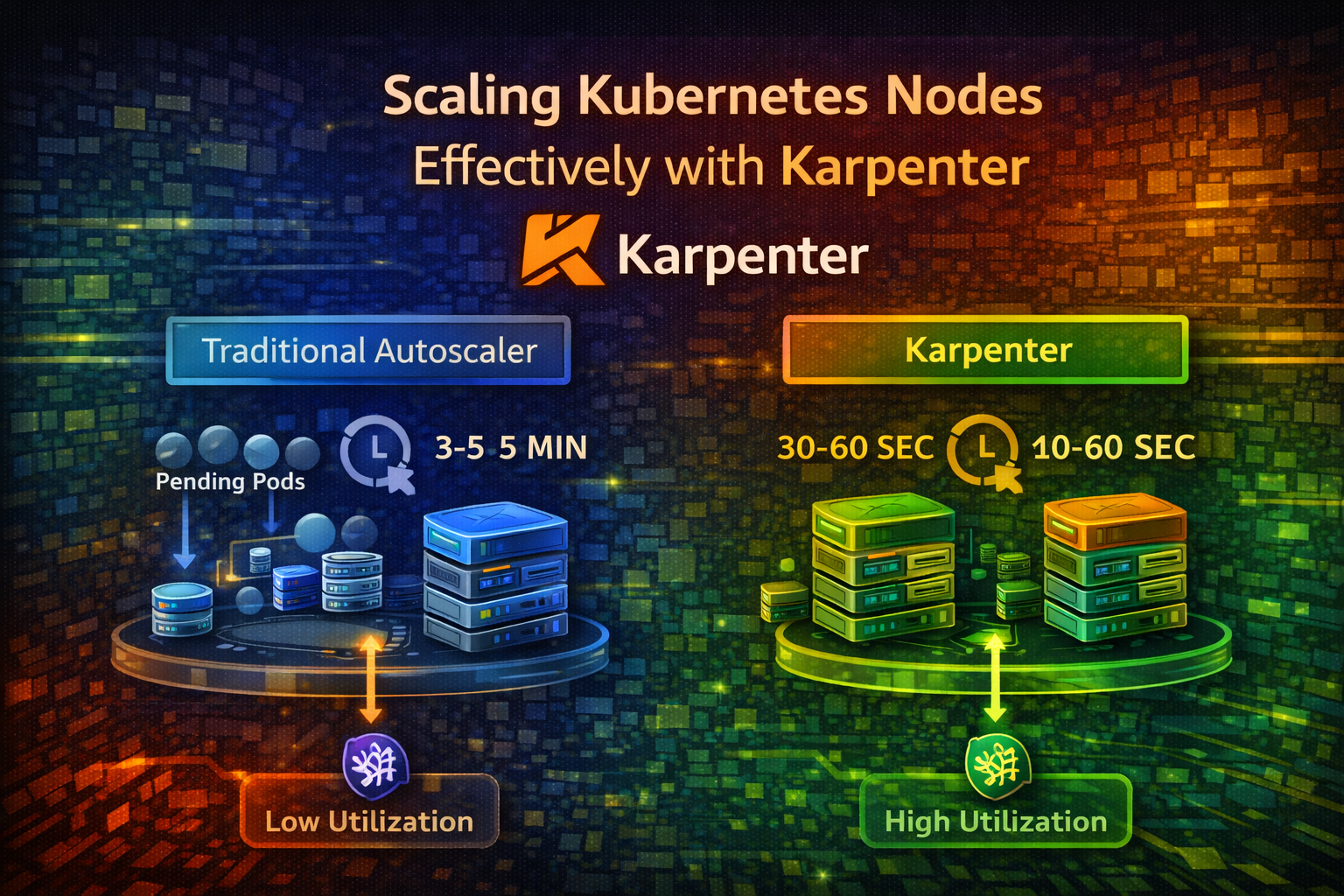
Pelajari bagaimana Karpenter mengotomatisasi node provisioning dan consolidation, mengurangi infrastructure costs dan meningkatkan resource utilization dibandingkan traditional cluster autoscalers.
Cluster Kubernetes Anda berjalan lancar sampai deployment scale up dan tiba-tiba, pods stuck di state Pending. Tidak ada cukup nodes untuk menjalankan mereka. Anda menunggu cluster autoscaler untuk notice, provision nodes baru, dan boot mereka. Ini memakan waktu 3-5 menit. Pengguna Anda menunggu.
Sementara itu, Anda memiliki nodes lain berjalan pada 10% utilization, membuang uang. Cluster autoscaler tidak consolidate mereka karena conservative—tidak ingin disrupt workloads.
Karpenter menyelesaikan kedua masalah. Ini provision nodes dalam hitungan detik alih-alih menit dan actively consolidate underutilized nodes, mengurangi costs sebesar 30-50% dibandingkan traditional autoscalers.
Dalam artikel ini, kami akan mengeksplorasi mengapa node scaling penting, cara kerja Karpenter, dan cara mengimplementasikannya untuk cluster Anda.
Kubernetes' default cluster autoscaler mengawasi pending pods dan provision nodes baru. Berikut alurnya:
Ini bekerja, tetapi lambat dan tidak efisien.
Cluster autoscaler memiliki beberapa keterbatasan:
Slow Provisioning: Nodes memakan waktu 3-5 menit untuk boot. Selama waktu ini, pods menunggu dan pengguna mengalami latency.
Poor Consolidation: Cluster autoscaler jarang menghapus nodes. Ini conservative karena menghapus node mungkin disrupt workloads. Result: underutilized nodes membuang uang.
Bin Packing Issues: Cluster autoscaler tidak optimize bagaimana pods di-pack ke nodes. Anda mungkin memiliki 10 nodes pada 40% utilization alih-alih 7 nodes pada 60% utilization.
Limited Node Types: Cluster autoscaler bekerja dengan node groups yang Anda pre-define. Jika Anda memerlukan node type berbeda, Anda harus manually membuat node group baru.
No Cost Optimization: Cluster autoscaler tidak consider node costs. Ini mungkin provision expensive nodes ketika cheaper options ada.
Pertimbangkan skenario typical:
Dengan Karpenter, Anda mungkin consolidate ke 7 nodes pada 45% utilization, menghemat $1,500/bulan. Selama setahun, itu $18,000 dalam savings.
Karpenter adalah node autoscaler yang dibangun untuk Kubernetes. Ini mengawasi pending pods dan provision nodes dalam hitungan detik. Ini juga actively consolidate underutilized nodes.
Berikut alurnya:
Karpenter fundamentally berbeda dari cluster autoscaler: ini proactive, bukan reactive.
| Aspek | Cluster Autoscaler | Karpenter |
|---|---|---|
| Provisioning Speed | 3-5 menit | 30-60 detik |
| Consolidation | Rare, conservative | Aggressive, continuous |
| Node Type Selection | Pre-defined groups | Dynamic, cost-optimized |
| Cost Optimization | Tidak | Ya |
| Bin Packing | Basic | Advanced |
| Multi-Cloud | Limited | AWS, Azure, GCP |
Karpenter dirancang untuk modern, dynamic workloads di mana speed dan cost penting.
Provisioner adalah resource Karpenter yang mendefinisikan bagaimana nodes harus di-provision. Ini menentukan:
Pikirkan Provisioner sebagai template untuk node creation.
Consolidation adalah Karpenter's killer feature. Ini continuously monitor node utilization dan remove underutilized nodes dengan:
Ini terjadi secara otomatis dan continuously, keeping cluster Anda lean.
Deprovisioning adalah proses menghapus nodes. Karpenter deprovision nodes ketika:
Drift terjadi ketika konfigurasi node tidak match Provisioner's specification. Sebagai contoh, jika Anda update Provisioner untuk menggunakan instance type berbeda, existing nodes sekarang "drifted." Karpenter bisa automatically replace drifted nodes.
Install Karpenter menggunakan Helm:
helm repo add karpenter https://charts.karpenter.sh
helm repo update
Buat namespace dan install Karpenter:
kubectl create namespace karpenter
helm install karpenter karpenter/karpenter \
  --namespace karpenter \
  --set serviceAccount.annotations."eks\.amazonaws\.com/role-arn"=arn:aws:iam::ACCOUNT_ID:role/KarpenterControllerRole \
  --set settings.aws.clusterName=my-cluster
Important
Karpenter memerlukan IAM permissions untuk provision nodes. Setup KarpenterControllerRole dengan appropriate permissions sebelum installing.
Verifikasi Karpenter berjalan:
kubectl get pods -n karpenter
kubectl logs -n karpenter -l app.kubernetes.io/name=karpenter -fProvisioner memberitahu Karpenter bagaimana provision nodes. Berikut contoh basic:

apiVersion: karpenter.sh/v1alpha5
kind: Provisioner
metadata:
  name: default
spec:
  # Requirements untuk nodes
  requirements:
    - key: karpenter.sh/capacity-type
      operator: In
      values: ["on-demand"]
    - key: kubernetes.io/arch
      operator: In
      values: ["amd64"]
    - key: node.kubernetes.io/instance-type
      operator: In
      values: ["t3.medium", "t3.large", "t3.xlarge"]
    - key: topology.kubernetes.io/zone
      operator: In
      values: ["us-east-1a", "us-east-1b"]

  # Consolidation settings
  consolidation:
    enabled: true

  # TTL untuk nodes (24 jam)
  ttlSecondsAfterEmpty: 30
  ttlSecondsUntilExpired: 86400

  # Limits
  limits:
    resources:
      cpu: 1000
      memory: 1000Gi

  # Provider (AWS)
  provider:
    subnetName: my-subnet
    securityGroupName: my-security-group
    tags:
      Environment: production
Provisioner ini:
Buat deployment untuk test Karpenter:
apiVersion: apps/v1
kind: Deployment
metadata:
  name: test-app
spec:
  replicas: 5
  selector:
    matchLabels:
      app: test-app
  template:
    metadata:
      labels:
        app: test-app
    spec:
      containers:
      - name: app
        image: nginx:latest
        resources:
          requests:
            cpu: 500m
            memory: 256Mi
          limits:
            cpu: 1000m
            memory: 512Mi
Deploy:
kubectl apply -f test-app.yamlAmati Karpenter provision nodes:
kubectl get nodes --watch
kubectl logs -n karpenter -l app.kubernetes.io/name=karpenter -f
Anda seharusnya melihat nodes baru di-provision dalam 30-60 detik. Jauh lebih cepat dari cluster autoscaler.
Gunakan cheaper spot instances untuk non-critical workloads:
apiVersion: karpenter.sh/v1alpha5
kind: Provisioner
metadata:
  name: spot
spec:
  requirements:
    - key: karpenter.sh/capacity-type
      operator: In
      values: ["spot", "on-demand"]
    - key: kubernetes.io/arch
      operator: In
      values: ["amd64"]
    - key: node.kubernetes.io/instance-type
      operator: In
      values: ["t3.medium", "t3.large", "m5.large", "m5.xlarge"]

  consolidation:
    enabled: true

  ttlSecondsAfterEmpty: 30
  ttlSecondsUntilExpired: 604800

  provider:
    subnetName: my-subnet
    securityGroupName: my-security-group
Provisioner ini prefer spot instances (cheaper) tetapi fallback ke on-demand jika spot tidak tersedia. Karpenter automatically handle spot interruptions dengan evicting pods dan rescheduling mereka.
Buat separate Provisioners untuk different workload types:
apiVersion: karpenter.sh/v1alpha5
kind: Provisioner
metadata:
  name: gpu
spec:
  requirements:
    - key: karpenter.sh/capacity-type
      operator: In
      values: ["on-demand"]
    - key: node.kubernetes.io/instance-type
      operator: In
      values: ["g4dn.xlarge", "g4dn.2xlarge"]
    - key: karpenter.k8s.aws/instance-gpu-count
      operator: In
      values: ["1", "2"]

  consolidation:
    enabled: false

  ttlSecondsAfterEmpty: 30

  provider:
    subnetName: my-subnet
    securityGroupName: my-security-group
    tags:
      WorkloadType: gpu
Provisioner ini handle GPU workloads. Pods requesting GPUs di-schedule di GPU nodes. CPU-only pods menggunakan default Provisioner.
Spread nodes across multiple zones untuk high availability:
apiVersion: karpenter.sh/v1alpha5
kind: Provisioner
metadata:
  name: multi-zone
spec:
  requirements:
    - key: topology.kubernetes.io/zone
      operator: In
      values: ["us-east-1a", "us-east-1b", "us-east-1c"]
    - key: kubernetes.io/arch
      operator: In
      values: ["amd64"]
    - key: node.kubernetes.io/instance-type
      operator: In
      values: ["t3.medium", "t3.large"]

  consolidation:
    enabled: true

  ttlSecondsAfterEmpty: 30

  provider:
    subnetName: my-subnet
    securityGroupName: my-security-group
Karpenter distribute nodes across zones, meningkatkan fault tolerance.
Kontrol seberapa agresif Karpenter consolidate nodes:
apiVersion: karpenter.sh/v1alpha5
kind: Provisioner
metadata:
  name: aggressive-consolidation
spec:
  requirements:
    - key: karpenter.sh/capacity-type
      operator: In
      values: ["on-demand"]
    - key: node.kubernetes.io/instance-type
      operator: In
      values: ["t3.medium", "t3.large", "t3.xlarge"]

  consolidation:
    enabled: true

  # Hapus empty nodes immediately
  ttlSecondsAfterEmpty: 0

  # Refresh nodes setiap 7 hari
  ttlSecondsUntilExpired: 604800

  provider:
    subnetName: my-subnet
    securityGroupName: my-security-group
Ini aggressively consolidate nodes, menghapus empty nodes immediately. Gunakan ini untuk cost-sensitive environments.
Lindungi critical workloads selama consolidation:
apiVersion: policy/v1
kind: PodDisruptionBudget
metadata:
  name: critical-app-pdb
spec:
  minAvailable: 2
  selector:
    matchLabels:
      app: critical-app
Ini memastikan at least 2 pods dari critical-app selalu berjalan. Karpenter tidak akan consolidate nodes jika ini akan violate budget ini.
Gunakan taints untuk restrict pods mana yang bisa berjalan di certain nodes:
apiVersion: karpenter.sh/v1alpha5
kind: Provisioner
metadata:
  name: batch-processing
spec:
  requirements:
    - key: node.kubernetes.io/instance-type
      operator: In
      values: ["c5.large", "c5.xlarge"]

  taints:
    - key: workload-type
      value: batch
      effect: NoSchedule

  consolidation:
    enabled: true

  provider:
    subnetName: my-subnet
    securityGroupName: my-security-group
Hanya pods dengan matching tolerations bisa berjalan di nodes ini:
apiVersion: v1
kind: Pod
metadata:
  name: batch-job
spec:
  tolerations:
  - key: workload-type
    operator: Equal
    value: batch
    effect: NoSchedule
  containers:
  - name: job
image: batch-processor:latestMonitor Karpenter's behavior dengan Prometheus metrics:
# Nodes di-provision
increase(karpenter_nodes_allocatable[5m])

# Nodes di-consolidate
increase(karpenter_nodes_consolidated[5m])

# Pending pods
karpenter_pods_pending

# Provisioning duration
histogram_quantile(0.99, rate(karpenter_provisioning_duration_seconds_bucket[5m]))
Setup dashboards untuk visualize metrics ini.
Jika pods tidak memiliki resource requests, Karpenter tidak bisa calculate node capacity. Pods mungkin di-schedule di nodes yang tidak memiliki cukup resources.
Lebih Baik: Selalu set resource requests dan limits:
resources:
  requests:
    cpu: 100m
    memory: 128Mi
  limits:
    cpu: 500m
memory: 512MiTanpa PodDisruptionBudgets, Karpenter mungkin consolidate nodes dan disrupt critical workloads.
Lebih Baik: Definisikan PodDisruptionBudgets untuk critical applications.
Jika ttlSecondsUntilExpired terlalu rendah, nodes constantly di-replace, menyebabkan unnecessary disruption.
Lebih Baik: Set TTL ke 24-48 jam. Ini balance freshness dengan stability.
Aggressive consolidation menghemat uang tetapi bisa menyebabkan latency spikes ketika pods di-evict dan di-reschedule.
Lebih Baik: Tune consolidation berdasarkan workload Anda. Untuk latency-sensitive applications, lebih conservative.
Karpenter adalah komponen lain yang bisa fail. Jika crash, node scaling berhenti.
Lebih Baik: Monitor Karpenter's health, setup alerts, dan pastikan highly available.
Jangan enable aggressive consolidation immediately. Mulai dengan:
consolidation:
  enabled: true

ttlSecondsAfterEmpty: 300
ttlSecondsUntilExpired: 604800
Monitor behavior dan adjust berdasarkan real-world results.
Buat separate Provisioners untuk different workload types:
Ini memberikan Anda fine-grained control atas node provisioning.
Lindungi critical workloads dengan PodDisruptionBudgets. Ini mencegah Karpenter dari disrupting mereka selama consolidation.
Track berapa banyak Anda menghemat dengan Karpenter:
# Sebelum Karpenter: 10 nodes × $500/bulan = $5,000
# Setelah Karpenter: 7 nodes × $500/bulan = $3,500
# Savings: $1,500/bulan = $18,000/tahunSebelum deploy ke production, test bagaimana Karpenter consolidate nodes:
Spot instances 70-90% lebih murah dari on-demand. Gunakan untuk:
Karpenter handle spot interruptions secara otomatis.
Cegah runaway provisioning dengan setting limits:
limits:
  resources:
    cpu: 1000
    memory: 1000Gi
Ini mencegah Karpenter dari provisioning lebih dari 1000 CPU cores atau 1000Gi memory.
Karpenter mentransformasi cara Anda scale Kubernetes clusters. Alih-alih menunggu 3-5 menit untuk nodes boot, Anda mendapatkan nodes dalam 30-60 detik. Alih-alih membuang uang di underutilized nodes, Karpenter actively consolidate mereka.
Insight fundamental: node scaling harus fast, efficient, dan cost-aware. Karpenter deliver ketiga-tiganya.
Mulai dengan basic Provisioner untuk general workloads. Tambahkan specialized Provisioners untuk GPU, batch processing, atau other workload types. Aktifkan consolidation dan amati costs Anda drop. Monitor semuanya dan adjust berdasarkan real-world behavior.
Cluster Anda akan lebih cepat, lebih murah, dan lebih efisien.
Mulai simple, test thoroughly, dan scale intelligently.