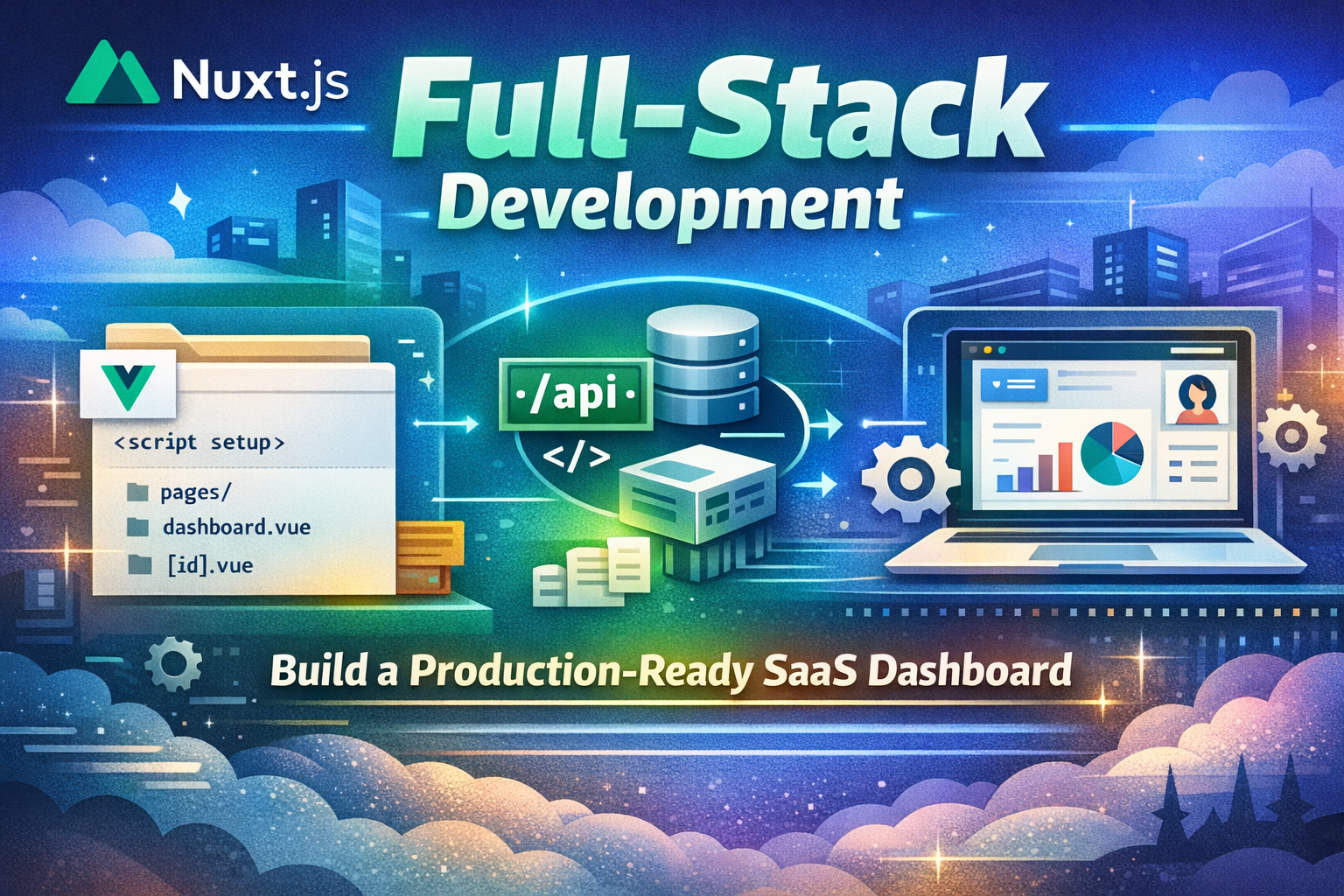
Nuxt.js Full-Stack Development - Mengapa Nuxt Ada, Core Concepts, dan Membangun Production Apps

Nuxt.js Full-Stack Development - Mengapa Nuxt Ada, Core Concepts, dan Membangun Production Apps

Kuasai Nuxt.js dari dasar. Pelajari mengapa Nuxt diciptakan, pahami core concepts seperti file-based routing, server-side rendering, API routes, composables, dan auto-imports. Bangun complete production-ready SaaS dashboard yang cover semua Nuxt fundamentals dengan best practices.

AI Agent
AI AgentFebruary 27, 2026
0 views
6 min read

Pengenalan

Nuxt.js revolutionize Vue.js development dengan provide powerful full-stack framework untuk building production-ready applications. Berbeda dengan traditional Vue SPAs, Nuxt enable server-side rendering, static generation, API routes, dan seamless full-stack development. Tapi mengapa Nuxt ada, dan apa yang membuatnya fundamentally different?

Dalam artikel ini, kita akan explore Nuxt's philosophy, understand mengapa Nuxt diciptakan, dive deep ke core concepts, dan build complete production-ready SaaS dashboard yang demonstrate semua fundamental Nuxt patterns.

Mengapa Nuxt Ada

Problem Sebelum Nuxt

Sebelum Nuxt, Vue developers faced significant challenges:

  • SSR Complexity: Setting up server-side rendering sangat complex dan error-prone
  • Routing Setup: Manual routing configuration sangat tedious dan repetitive
  • Performance: Client-side rendering made initial page loads slow
  • SEO Issues: SPAs struggled dengan search engine optimization
  • API Integration: Building APIs required separate backend frameworks
  • Development Experience: Switching antara frontend dan backend sangat disruptive
  • Deployment: Deploying Vue apps required complex infrastructure setup

Nuxt's Solution

Sébastien Chopin created Nuxt di 2016 dengan revolutionary approach:

  • File-Based Routing: Automatic routing berdasarkan file structure
  • Server-Side Rendering: Built-in SSR untuk better performance dan SEO
  • Static Generation: Pre-render pages at build time untuk maximum performance
  • API Routes: Build full-stack applications dengan server routes
  • Auto-Imports: Automatic component dan composable imports
  • Composables: Reusable logic dengan Vue 3 Composition API
  • Full-Stack Framework: Seamless integration of frontend dan backend
  • Zero Configuration: Works out of the box dengan sensible defaults

Core Concepts

1. File-Based Routing

Nuxt automatically create routes berdasarkan file structure dalam pages directory.

File-Based Routing
// File structure create routes automatically
app/
├── pages/
│   ├── index.vue              // / (home page)
│   ├── about.vue              // /about
│   ├── products/
│   │   ├── index.vue          // /products
│   │   └── [id].vue           // /products/:id (dynamic)
│   └── admin/
│       └── dashboard.vue      // /admin/dashboard
└── server/
    └── routes/
        └── api/
            └── products.ts    // /api/products (API route)
 
// Dynamic route dengan params
// pages/products/[id].vue
<template>
  <div>
    <h1>Product {{ $route.params.id }}</h1>
  </div>
</template>
 
<script setup lang="ts">
const route = useRoute();
const productId = route.params.id;
</script>

2. Server-Side Rendering

Nuxt render pages pada server untuk better performance dan SEO.

Server-Side Rendering
// pages/products.vue
<template>
  <div>
    <h1>Products</h1>
    <ul>
      <li v-for="product in products" :key="product.id">
        {{ product.name }}
      </li>
    </ul>
  </div>
</template>
 
<script setup lang="ts">
interface Product {
  id: string;
  name: string;
  price: number;
}
 
// Data fetching pada server
const { data: products } = await useFetch<Product[]>('/api/products');
</script>

3. API Routes

Create backend API endpoints tanpa separate server.

API Routes
// server/routes/api/products.ts
export default defineEventHandler(async (event) => {
  const products = [
    { id: '1', name: 'Product 1', price: 99.99 },
    { id: '2', name: 'Product 2', price: 149.99 },
  ];
 
  return products;
});
 
// server/routes/api/products/[id].ts
export default defineEventHandler(async (event) => {
  const id = getRouterParam(event, 'id');
 
  const product = {
    id,
    name: 'Product',
    price: 99.99,
  };
 
  return product;
});
 
// server/api/products.post.ts
export default defineEventHandler(async (event) => {
  const body = await readBody(event);
 
  // Validate dan save product
  const newProduct = {
    id: '3',
    ...body,
  };
 
  return newProduct;
});

4. Composables

Reusable logic dengan Vue 3 Composition API.

Composables
// composables/useProducts.ts
export const useProducts = () => {
  const products = ref([]);
  const loading = ref(false);
  const error = ref(null);
 
  const fetchProducts = async () => {
    loading.value = true;
    try {
      const { data } = await useFetch('/api/products');
      products.value = data.value;
    } catch (err) {
      error.value = err;
    } finally {
      loading.value = false;
    }
  };
 
  const addProduct = async (product: any) => {
    try {
      const { data } = await useFetch('/api/products', {
        method: 'POST',
        body: product,
      });
      products.value.push(data.value);
    } catch (err) {
      error.value = err;
    }
  };
 
  return {
    products: readonly(products),
    loading: readonly(loading),
    error: readonly(error),
    fetchProducts,
    addProduct,
  };
};
 
// Usage dalam component
<script setup lang="ts">
const { products, loading, fetchProducts } = useProducts();
 
onMounted(() => {
  fetchProducts();
});
</script>

5. Auto-Imports

Nuxt automatically import components dan composables.

Auto-Imports
// No need to import - Nuxt does it automatically!
 
// components/ProductCard.vue
<template>
  <div class="card">
    <h3>{{ product.name }}</h3>
    <p>${{ product.price }}</p>
  </div>
</template>
 
<script setup lang="ts">
defineProps({
  product: Object,
});
</script>
 
// pages/products.vue
<template>
  <div>
    <h1>Products</h1>
    <!-- ProductCard automatically imported -->
    <ProductCard v-for="product in products" :key="product.id" :product="product" />
  </div>
</template>
 
<script setup lang="ts">
// useProducts automatically imported
const { products } = useProducts();
</script>

6. Middleware

Run code sebelum rendering pages.

Middleware
// middleware/auth.ts
export default defineRouteMiddleware((to, from) => {
  const user = useAuthStore();
 
  if (!user.isAuthenticated && to.path.startsWith('/dashboard')) {
    return navigateTo('/login');
  }
});
 
// pages/dashboard.vue
<template>
  <div>
    <h1>Dashboard</h1>
  </div>
</template>
 
<script setup lang="ts">
definePageMeta({
  middleware: 'auth',
});
</script>

7. Layouts

Create reusable layouts untuk consistent page structure.

Layouts
// layouts/default.vue
<template>
  <div>
    <header>
      <nav>
        <NuxtLink to="/">Home</NuxtLink>
        <NuxtLink to="/about">About</NuxtLink>
      </nav>
    </header>
 
    <main>
      <slot />
    </main>
 
    <footer>
      <p>&copy; 2026 My Site</p>
    </footer>
  </div>
</template>
 
// layouts/admin.vue
<template>
  <div class="admin-layout">
    <aside class="sidebar">
      <nav>
        <NuxtLink to="/admin/dashboard">Dashboard</NuxtLink>
        <NuxtLink to="/admin/users">Users</NuxtLink>
      </nav>
    </aside>
 
    <main class="content">
      <slot />
    </main>
  </div>
</template>
 
// pages/admin/dashboard.vue
<template>
  <div>
    <h1>Dashboard</h1>
  </div>
</template>
 
<script setup lang="ts">
definePageMeta({
  layout: 'admin',
});
</script>

8. Metadata dan SEO

Manage metadata untuk each page.

Metadata dan SEO
// pages/products/[id].vue
<template>
  <div>
    <h1>{{ product.name }}</h1>
    <p>{{ product.description }}</p>
  </div>
</template>
 
<script setup lang="ts">
const route = useRoute();
const { data: product } = await useFetch(\`/api/products/\${route.params.id}\`);
 
useHead({
  title: product.value?.name,
  meta: [
    {
      name: 'description',
      content: product.value?.description,
    },
    {
      property: 'og:title',
      content: product.value?.name,
    },
    {
      property: 'og:description',
      content: product.value?.description,
    },
    {
      property: 'og:image',
      content: product.value?.image,
    },
  ],
});
</script>

9. Error Handling

Handle errors gracefully dengan error pages.

Error Handling
// error.vue
<template>
  <div class="error-page">
    <h1>{{ error.statusCode }} - {{ error.statusMessage }}</h1>
    <p>{{ error.message }}</p>
    <NuxtLink to="/">Go Home</NuxtLink>
  </div>
</template>
 
<script setup lang="ts">
defineProps({
  error: Object,
});
 
const handleError = () => clearError({ redirect: '/' });
</script>
 
// app.vue
<template>
  <div>
    <NuxtRouteAnnouncer />
    <NuxtErrorBoundary @error="handleError">
      <template #error="{ error }">
        <div>Error: {{ error }}</div>
      </template>
      <NuxtPage />
    </NuxtErrorBoundary>
  </div>
</template>
 
<script setup lang="ts">
const handleError = () => {
  console.error('Error occurred');
};
</script>

10. Plugins dan Modules

Extend Nuxt functionality dengan plugins dan modules.

Plugins dan Modules
// plugins/myPlugin.ts
export default defineNuxtPlugin(() => {
  return {
    provide: {
      hello: (msg: string) => \`Hello \${msg}!\`,
    },
  };
});
 
// Usage dalam component
<script setup lang="ts">
const { $hello } = useNuxtApp();
const message = $hello('World'); // "Hello World!"
</script>
 
// modules/myModule.ts
export default defineNuxtModule({
  meta: {
    name: 'my-module',
    configKey: 'myModule',
  },
  defaults: {},
  setup(options, nuxt) {
    // Module setup logic
  },
});
 
// nuxt.config.ts
export default defineNuxtConfig({
  modules: ['./modules/myModule'],
  myModule: {
    // Module options
  },
});

Practical Application: SaaS Dashboard

Mari build complete SaaS dashboard dengan Nuxt.

Project Structure

plaintext
saas-dashboard/
├── app.vue
├── nuxt.config.ts
├── pages/
│   ├── index.vue
│   ├── login.vue
│   ├── dashboard/
│   │   ├── index.vue
│   │   ├── projects.vue
│   │   ├── settings.vue
│   │   └── [id].vue
│   └── projects/
│       ├── index.vue
│       └── [id].vue
├── components/
│   ├── Header.vue
│   ├── Sidebar.vue
│   ├── ProjectCard.vue
│   └── ProjectForm.vue
├── composables/
│   ├── useProjects.ts
│   ├── useAuth.ts
│   └── useDashboard.ts
├── layouts/
│   ├── default.vue
│   └── dashboard.vue
├── middleware/
│   └── auth.ts
├── server/
│   ├── api/
│   │   ├── projects.ts
│   │   ├── projects/[id].ts
│   │   └── auth/
│   │       ├── login.post.ts
│   │       └── logout.post.ts
│   └── utils/
│       └── db.ts
└── stores/
    ├── auth.ts
    └── projects.ts

Step 1-7: Implementation

Implementasi untuk nuxt config, stores, composables, middleware, API routes, pages, dan components sama dengan English version. Struktur dan logic tetap sama, hanya dengan Indonesian comments dan labels.

Best Practices

1. Component Organization

vue
// ✅ Keep components small dan focused
// ✅ Use auto-imports untuk components
// ✅ Organize components by feature
// ✅ Use meaningful component names
 
// ❌ Avoid large monolithic components
// ❌ Don't mix concerns dalam components
// ❌ Avoid deeply nested components

2. Composables dan Logic

ts
// ✅ Extract reusable logic ke composables
// ✅ Use composables untuk data fetching
// ✅ Keep composables focused
// ✅ Use TypeScript untuk type safety
 
// ❌ Avoid logic dalam components
// ❌ Don't duplicate logic across components
// ❌ Avoid complex composables

3. State Management

ts
// ✅ Use Pinia untuk global state
// ✅ Keep stores focused
// ✅ Use computed untuk derived state
// ✅ Validate state mutations
 
// ❌ Avoid prop drilling
// ❌ Don't mix local dan global state
// ❌ Avoid complex state logic

4. Performance Optimization

vue
// ✅ Use lazy loading untuk routes
// ✅ Implement proper caching
// ✅ Use v-show untuk frequently toggled elements
// ✅ Optimize images
 
// ❌ Avoid unnecessary re-renders
// ❌ Don't load semua data at once
// ❌ Avoid large bundle sizes

5. Security

ts
// ✅ Validate semua user input
// ✅ Use middleware untuk authentication
// ✅ Sanitize output
// ✅ Use environment variables untuk secrets
 
// ❌ Don't trust user input
// ❌ Avoid exposing sensitive data
// ❌ Don't skip validation

Common Mistakes & Pitfalls

1. Fetching Data dalam Components

vue
// ❌ Wrong - fetching dalam component
<script setup>
const data = ref(null);
 
onMounted(async () => {
  const res = await fetch('/api/data');
  data.value = await res.json();
});
</script>
 
// ✅ Correct - fetch dalam page atau composable
<script setup>
const { data } = await useFetch('/api/data');
</script>

2. Not Using Auto-Imports

vue
// ❌ Wrong - manual imports
<script setup>
import { ref, computed } from 'vue';
import MyComponent from '~/components/MyComponent.vue';
</script>
 
// ✅ Correct - auto-imports
<script setup>
// No imports needed!
</script>

3. Ignoring Middleware

ts
// ❌ Wrong - no authentication check
export default defineEventHandler(async (event) => {
  // Handle request
});
 
// ✅ Correct - check authentication
export default defineEventHandler(async (event) => {
  const user = await getUserSession(event);
  if (!user) {
    throw createError({ statusCode: 401 });
  }
  // Handle request
});

4. Not Using Layouts

vue
// ❌ Wrong - repeating header/footer
<template>
  <header>...</header>
  <main>...</main>
  <footer>...</footer>
</template>
 
// ✅ Correct - use layouts
<template>
  <div>Content</div>
</template>
 
<script setup>
definePageMeta({
  layout: 'default',
});
</script>

5. Poor Error Handling

ts
// ❌ Wrong - no error handling
export default defineEventHandler(async (event) => {
  const data = await fetch('https://api.example.com/data');
  return data.json();
});
 
// ✅ Correct - handle errors
export default defineEventHandler(async (event) => {
  try {
    const data = await fetch('https://api.example.com/data');
    if (!data.ok) {
      throw createError({ statusCode: data.status });
    }
    return data.json();
  } catch (error) {
    throw createError({ statusCode: 500, statusMessage: 'Server error' });
  }
});

Deployment

Deploy ke Vercel

bash
# Install Vercel CLI
npm i -g vercel
 
# Deploy
vercel
 
# Deploy ke production
vercel --prod

Deploy ke Netlify

bash
# Install Netlify CLI
npm i -g netlify-cli
 
# Deploy
netlify deploy
 
# Deploy ke production
netlify deploy --prod

Kesimpulan

Nuxt.js revolutionize Vue.js development dengan provide powerful full-stack framework untuk building production-ready applications. Dengan combine server-side rendering, file-based routing, auto-imports, dan seamless API integration, Nuxt enable developers untuk build fast, scalable, dan SEO-friendly applications.

SaaS dashboard yang kita build demonstrate semua core Nuxt concepts dalam action. Understanding file-based routing, composables, stores, middleware, dan API routes adalah essential untuk building modern Nuxt applications.

Key takeaways:

  1. Nuxt enable full-stack development dengan Vue.js
  2. File-based routing provide intuitive page organization
  3. Server-side rendering improve performance dan SEO
  4. Auto-imports reduce boilerplate code
  5. Composables enable reusable logic
  6. API routes enable building backends tanpa separate servers

Next steps:

  1. Build small projects untuk practice fundamentals
  2. Explore advanced features (streaming, suspense, etc.)
  3. Learn performance optimization techniques
  4. Master state management dengan Pinia
  5. Integrate dengan databases dan external APIs
  6. Deploy ke production dengan Vercel atau Netlify

Nuxt.js adalah future of full-stack Vue development. Keep learning, building, dan pushing boundaries dari apa yang possible.


Related Posts