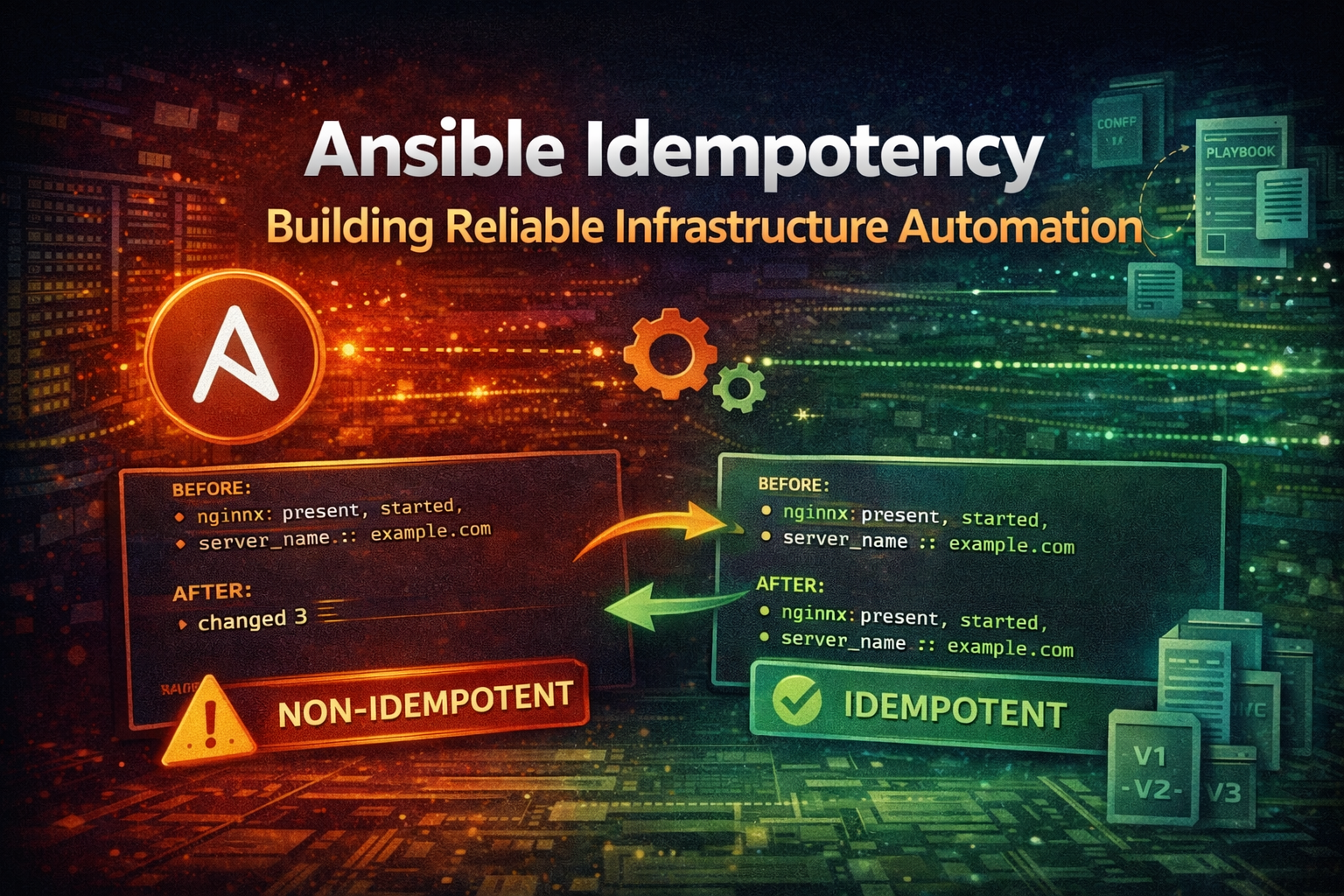
Master Ansible idempotency to write playbooks that safely run multiple times without side effects. Learn how to build production-grade automation that prevents configuration drift and infrastructure chaos.

How I scaled a Next.js blog from 1,000 to 12,000+ MDX files by solving Vercel serverless function size limits and building a parallel content compilation pipeline with sharding on GitHub Actions

Your Next.js blog works great at 500 MDX files. At 5,000 it starts groaning. At 12,000 it breaks completely.
Vercel hits its 250 MB serverless function limit. GitHub Actions runners OOM kill at 7 GB RAM. A single next build takes over an hour. The MDX pipeline that worked beautifully for a portfolio site becomes the single biggest bottleneck for a content platform.
This is the story of how I scaled from 1,000 to 12,583 MDX files on a Next.js + Velite stack -- hitting two distinct walls and solving each one differently. If you are running a content-heavy Next.js site and watching your build times climb, this article covers the exact techniques that got me back to under 5-minute deploys.
My site started as a standard Next.js blog with a handful of MDX posts. Over time, it grew into a bilingual learning platform with 472 series spanning two locales (English and Indonesian). Here is what the content directory looks like today:
| Content Type | Files |
|---|---|
| Series episodes | 11,750 |
| Series metadata | 472 |
| Blog posts | 285 |
| Projects | 43 |
| Legal pages | 4 |
| Guide pages | 29 |
| Total MDX files | 12,583 |
Total content on disk: ~120 MB of MDX source, ~185 MB of thumbnail assets.
The scaling happened in two phases, each hitting a different infrastructure limit:
Understanding which phase you are in determines which fix you need.
Vercel deploys Next.js as serverless functions. Each route becomes a function bundle. Vercel uses @vercel/nft (Node File Traces) to determine which files each function needs, then bundles them together.
The problem is that nft is conservative. When it sees a dynamic import or a filesystem access it cannot resolve statically, it errings on the side of including more rather than less. At small scale this is fine. At 12,000 MDX files, it becomes catastrophic.
Velite compiles all MDX files into a single combined JSON file. For my site, seriesEpisodes.json weighed in at 152 MB -- 124 MB of compiled MDX body content plus 28 MB of metadata.
Since this file is imported by the application, nft traces it into every serverless function that transitively depends on it. Each function bundle suddenly carries 152 MB of content data, even if that function only needs a handful of series.
public/ Tree ProblemWorse still, I had thumbnail resolution logic that ran at request time:
// This runtime check is a disaster for serverless bundling
const hasThumb = fs.existsSync(
  `${process.cwd()}/public/series/${slug}.jpg`
)
Vercel's nft cannot resolve dynamic paths built from runtime variables. When it encounters fs.existsSync() with a computed path, it gives up trying to figure out which files are actually needed and bundles the entire public/ directory -- all 906 MB of it -- into every function.
Combined with the 152 MB JSON, individual function bundles exceeded Vercel's 250 MB serverless function size limit. Deploys started failing.
1. Split monolithic JSON into per-series files
Instead of one 152 MB seriesEpisodes.json, I wrote a post-compile script that splits it into ~472 individual files:
public/static/series-episodes/en/learn-docker.json      (50-300 KB each)
public/static/series-episodes/en/learn-kubernetes.json
public/static/series-episodes/id/learn-docker.json
...
The combined file gets deleted after splitting. Since nft only traces files that are actually imported, and the individual JSON files are loaded on-demand per series page, each function bundle only carries the content it actually needs.
2. Strip bodies from collection JSON
Posts and projects collections were split into two tiers:
public/static/ -- loaded only on individual post/project detail pagesThis reduced the traced collection data from 152 MB to 2 MB.
3. Resolve thumbnails at build time
// Before: runtime fs.existsSync() makes nft bundle public/ tree
const hasThumb = fs.existsSync(`${process.cwd()}/public/series/${slug}.jpg`)

// After: resolved during Velite computedFields, result baked into JSON
// nft never touches the filesystem at runtime
By resolving thumbnail existence during the Velite compilation step (in computedFields), the resolved path is written directly into the JSON output. The serverless function never needs to check the filesystem.
Serverless function bundles dropped from 250+ MB to under 15 MB. Vercel deploys succeeded again.
But this only solved half the problem. The content was deployable, but compiling it was getting slower and more unreliable every week.
After solving the bundle size issue, next build started crashing with a different error: JavaScript heap out of memory during the "Collecting page data" phase.
The root cause was the same 152 MB seriesEpisodes.json -- now at 173 MB as content grew. Every episode detail page statically imported the full collection at module scope, and generateStaticParams() returned all 3,400+ episodes. During build, V8 workers parsed the entire JSON for every route, exhausting heap memory.
The fix was a three-part architecture:
1. Lightweight meta collection
A separate seriesEpisodesMeta collection compiled the same MDX files but without the body field -- no MDX compilation, no Shiki highlighting. Output: ~4 MB instead of 173 MB. List pages, generateStaticParams, and generateMetadata all read from the meta collection.
2. Per-series CDN assets
Instead of one monolithic JSON, the post-compile script splits episodes into one file per series (public/static/series-episodes/{lang}/{series}.json, ~2.5 MB each). The episode detail page fetches only its own series file via fetch() with 24-hour ISR caching. The combined file is deleted after splitting -- it never enters the Next.js module graph.
3. Dynamic rendering for detail routes
Detail pages (blog, projects, episodes) use force-dynamic instead of static pre-rendering. This eliminates the OOM-prone "Collecting page data" phase for 3,400+ routes, reduces pre-rendered routes from ~3,500 to ~540, and keeps episode page bundles at ~96 KB with zero episode data traced into any serverless function.
With the bundle size issue resolved, the next problem became impossible to ignore: compiling 12,000 MDX files through Velite's pipeline is slow and memory-hungry.
Each MDX file passes through a heavy processing pipeline:
one-light + one-dark-pro)Measured impact on a 7 GB GitHub Actions runner:
| Metric | Value |
|---|---|
| Single compile (all 12,583 files) | 30-60 minutes |
| Peak RAM per 2,000 MDX files | ~3.5 GB RSS |
| OOM kill threshold | ~5.5 GB V8 heap |
| Vercel build cap | 45 minutes |
At 12,000+ files in a single Velite process, the V8 heap grows beyond available RAM and the process gets OOM killed. Even on a machine with enough RAM, the compile time exceeds Vercel's 45-minute build cap.
Velite (and most MDX compilers) lack true incremental compilation. Every build processes all files from scratch. There is no cached intermediate state, no differential output, no partial rebuild. A single typo fix in one MDX file triggers a full recompile of all 12,000 files.
This is a fundamental limitation of the MDX compilation model. The rehype and remark plugin chains operate on the full document tree, and Shiki needs to load grammar definitions and themes regardless of how many files actually changed.
The answer was horizontal scaling. Instead of compiling all 12,000 files in one process, split them into smaller groups (shards), compile each shard independently, run them in parallel on separate CI runners, then merge the outputs.
A custom script (generate-shards.ts) analyzes the content directory and produces a shard plan:
The algorithm is straightforward:
en-1, en-2, id-1, etc.Key design decisions:
Series-level granularity -- A single series is never split across shards. If learn-graphql has 51 episodes, all 51 stay in the same shard. This keeps the merge simple and avoids cross-shard dependencies.
Locale boundary enforcement -- Shards never mix English and Indonesian content. This is enforced by the locale change detection in the planner. It means en-1 contains only English series, and id-1 contains only Indonesian series.
Shared content assignment -- Blog posts, projects, guide, and legal pages are assigned to the first shard of each locale only. Blog and projects have per-locale subdirectories (en/, id/), so they split naturally. English-only content (guide/, legal/) goes to en-1.
Dynamic shard count -- The number of shards is not hardcoded. The algorithm produces as many shards as needed. Today it is 7; if content grows to 20,000 files, it automatically becomes ~10.
| Shard | Series | Files | Content |
|---|---|---|---|
en-1 | 82 | ~2,000 | English series + EN blog + EN projects + guide + legal |
en-2 | 82 | ~2,000 | English series |
en-3 | 15 | ~400 | English series |
id-1 | 78 | ~2,000 | Indonesian series + ID blog + ID projects |
id-2 | 78 | ~2,000 | Indonesian series |
id-3 | 80 | ~2,000 | Indonesian series |
id-4 | 57 | ~1,400 | Indonesian series |
Each shard is a self-contained npm package under packages/content-{locale}-{N}/. It uses symlinks to reference the canonical content directory, avoiding duplication on disk:
packages/content-en-1/
  content/
    blog/posts/en -> symlink to content/blog/posts/en
    projects/en   -> symlink to content/projects/en
    guide         -> symlink to content/guide
    legal         -> symlink to content/legal
    series/en/
      learn-docker      -> symlink to content/series/en/learn-docker
      learn-docker.mdx  -> symlink to content/series/en/learn-docker.mdx
  velite.config.ts    # one-liner importing shared config
  package.json
  shard.ts
The Velite config for each shard is a single line:
import { createShardConfig } from "../shared/velite/config"
export default createShardConfig("content")
All Velite configuration -- collections, MDX plugins, Shiki themes, rehype plugins -- is centralized in packages/shared/. Changing the MDX pipeline updates all shards simultaneously.
Before any compilation starts, the setup job validates shard integrity:
bun script/generate-shards.ts --checkThis catches three categories of problems:
content/ but is not assigned to any shardIf the check fails, the entire pipeline aborts. No runners are wasted on a broken layout. This is a critical safeguard -- without it, you might compile 7 shards only to discover during merge that 300 items are duplicated.
The matrix is computed from the shard plan at runtime, not hardcoded in the workflow:
- name: Compute shard matrix
  id: matrix
  run: |
    MATRIX=$(bun script/generate-shards.ts --json | jq -c '[.[].name]')
    echo "matrix=${MATRIX}" >> "$GITHUB_OUTPUT"
When content grows and the algorithm produces an 8th shard, the matrix automatically includes it. No workflow file edits needed. This eliminates an entire category of maintenance errors.
Each matrix runner compiles one shard. The process:
Each shard is assigned a V8 heap limit of 5 GB on the 7 GB runner, leaving room for the OS and other processes:
env:
  NODE_OPTIONS: "--max-old-space-size=5120"
Per-shard compile times:
| Shard | Files | Time |
|---|---|---|
| en-1 | 2,000 | ~8 min |
| en-2 | 2,000 | ~8.5 min |
| en-3 | 400 | ~1.5 min |
| id-1 | 2,000 | ~8.5 min |
| id-2 | 2,000 | ~9.5 min |
| id-3 | 2,000 | ~8 min |
| id-4 | 1,400 | ~4 min |
Wall-clock time with 7 parallel runners: ~10 minutes (bottlenecked by the slowest shard). Compare that to 30-60 minutes for a monolithic compile on a single runner.
Vercel never runs Velite. The build script downloads pre-compiled shards from R2 and runs next build:
// vercel-build.ts (simplified)
async function main() {
  // 1. Download pre-compiled shards from R2
  execSync("bun script/download-shards.ts")

  // 2. next build (content data already compiled)
  execSync("bun run build:next")

  // 3. Sync static assets to R2
  execSync("bun run assets:sync:static")
}
The download script merges all shard outputs into a single .velite/ directory with strict deduplication. Each item is keyed by a combination of locale, series slug, and episode slug. Duplicate items across shards cause a hard error to prevent data corruption:
The entire Vercel build (download + merge + next build) completes in under 5 minutes.
I chose Cloudflare R2 for shard artifact storage for three reasons:
No egress fees -- Unlike AWS S3, R2 charges zero egress. This matters when Vercel downloads 7 shard archives on every deploy. At scale, egress costs on S3 would add up quickly.
S3-compatible API -- R2 works with rclone out of the box using the S3 protocol. No vendor lock-in, no proprietary SDK. The same rclone commands work with S3, MinIO, or any S3-compatible storage.
Edge network -- Cloudflare's edge network provides low-latency downloads from any Vercel region. Shard archives are typically 50-200 MB each, and they download in seconds.
devvnull-content-shards/
  content-shards/
    en-1/
      a1b2c3d4e5f6.tar.gz    # compiled shard archive
    en-2/
      f6e5d4c3b2a1.tar.gz
    ...
  content-builds/
    {hash}.tar.gz              # monolithic builds (release workflow)
  static/
    production/                # per-environment static assets
preview/Each shard archive is named by its content hash -- a SHA-256 of all MDX source files and the Velite config within that shard. If content has not changed, the hash is identical, and the CI runner skips compilation entirely.
// build-shard.ts
const hash = computeContentHash(shardDir)
const cacheKey = `${SHARD_NAME}-${hash}.tar.gz`

// Check local cache first, then R2
if (existsSync(`.cache/shards/${cacheKey}`)) {
  console.log("cache hit, skipping compile")
  return
}
With 7 shards, editing a blog post in en-1 only recompiles that one shard (~8 minutes). The other 6 shards are cache hits and skip compilation entirely.
The content directory uses a locale-based structure that maps naturally to sharding:
content/
  series/
    en/                          # 179 English series
      learn-docker/
        episode-0.mdx
        episode-1.mdx
        ...
      learn-docker.mdx           # Series metadata
    id/                          # 293 Indonesian series
      learn-docker/
        ...
  blog/
    posts/
      en/                        # 120 English blog posts
      id/                        # 165 Indonesian blog posts
  projects/
    en/                          # 24 English projects
    id/                          # 19 Indonesian projects
  legal/                         # 4 English-only legal pages
  guide/                         # 29 English-only documentation pages
The shard planner uses this locale structure to enforce boundaries. Series are sorted by locale first, then alphabetically. When the planner encounters a locale change, it finalizes the current shard and starts a new one. This ensures no shard ever mixes English and Indonesian content.
Each shard symlinks only its assigned content back to the canonical content/ directory. This avoids duplicating 120 MB of MDX files across 7 shard packages on disk.
fs.existsSync() in Serverless FunctionsThis was the most painful mistake. A single line of code that checked thumbnail existence at request time made Vercel's file tracer bundle 906 MB into every function.
The lesson: in a serverless environment, never access the filesystem at runtime with dynamic paths. Resolve everything at build time and bake the results into your data files.
Letting Velite produce a single 152 MB seriesEpisodes.json seemed convenient. It was a disaster for serverless deployment. Every function got the full 152 MB bundled in.
The fix was straightforward: split into small per-series files and delete the combined file. The tradeoff is more HTTP requests at runtime (one per series), but each request is small and cacheable.
When I first implemented sharding, I symlinked the entire content/blog/ directory into both en-1 and id-1 shards. This produced 332 duplicate items across shards. The merge step detected the duplicates and failed fatally, which caused the Vercel build to retry in an infinite loop.
The fix: split shared content by locale. en-1 gets blog/posts/en/ and projects/en/. id-1 gets blog/posts/id/ and projects/id/. English-only content (guide/, legal/) goes to en-1 only.
I initially maintained shard assignments manually. When new series were added to content/, they were not always assigned to a shard. Content was silently missing from the deployed site.
The fix: generate-shards.ts --check as a CI gate. It exits non-zero on orphan series, duplicates, or broken symlinks. This runs before any compilation starts, so broken layouts are caught immediately.
I originally listed shard names manually in the workflow matrix. Every time the shard count changed, I had to edit the workflow file. This is error-prone and defeats the purpose of automation.
The fix: compute the matrix dynamically from --json output. The workflow never needs manual updates when content grows.
Content hash-based caching means unchanged shards skip compilation entirely. With 7 shards, most pushes only recompile 1-2 shards. The others are cache hits. This is the single biggest win for day-to-day development velocity.
fail-fast: falsestrategy:
fail-fast: falseIf one shard fails, let the others finish. This gives you partial results and makes debugging easier. You know exactly which shard broke and can inspect its output without re-running the entire pipeline.
env:
  NODE_OPTIONS: "--max-old-space-size=5120"
GitHub Actions ubuntu-latest runners have 7 GB RAM. Setting a 5 GB V8 heap limit leaves room for the OS and other processes. Without this, Node.js may allocate more memory than the runner can handle, leading to OOM kills.
All shard packages import from packages/shared/velite/config. A single source of truth for collections, plugins, and output configuration. When you upgrade Shiki or add a new rehype plugin, you change one file and all shards pick it up.
Velite compilation (content processing) and next build (app compilation) are separate steps. This separation is what enables the entire architecture. Compile content on powerful CI runners with 7 GB RAM and no build time limits. Build the app on Vercel's constrained environment where next build finishes in minutes because the content data is already compiled.
Even with sharding, a full Velite compile of 12,000+ files takes 30-60 minutes. A content-aware cache eliminates unnecessary recompilation entirely.
A build script computes a SHA-256 hash over all content/** files, velite.config.ts, velite/** plugins, and bun.lock. On cache hit, the pre-compiled .velite/ and public/static/ directories are restored and Velite is never invoked. On cache miss, Velite runs and the output is snapshotted for next time.
In practice: cold build 859 seconds (14:21) drops to cache hit 0.2 seconds. Editing a blog post in en-1 only recompiles that shard; the other 6 shards are cache hits and skip compilation entirely. On Vercel, Turborepo with remote caching provides the same benefit -- unchanged content restores from cache in under a second.
Local development with the full Shiki + twoslash pipeline is slow because Velite tokenizes ~13,000 code blocks on every cold start. A dev-only config replaces rehype-pretty-code with a lightweight passthrough plugin that preserves code structure (layout, data attributes, code groups) but skips syntax highlighting entirely.
With this config, a single-file edit in watch mode rebuilds in ~5 seconds instead of re-running the full pipeline. Production builds keep the complete Shiki highlighting. The trade-off is that local preview shows code without colored tokens, but the layout and structure are identical.
Before settling on sharding, I tested a self-hosted GitHub Actions runner using Multipass on a ThinkPad T14 Gen 2i (Intel i7-1185G7, 32 GB RAM). The VM ran Ubuntu 24.04 with 4 vCPU and 23 GB RAM -- enough headroom for Velite's full tree compilation.
The results confirmed the scaling curve:
| Runner | RAM | Compile (11k files) | Result |
|---|---|---|---|
| GitHub-hosted (ubuntu-latest) | 7 GB | OOM kill | Cannot compile full tree |
| Self-hosted VM (Multipass) | 23 GB | ~65 minutes | Succeeds, but slow |
| Self-hosted VM (8 vCPU) | 23 GB | ~40 minutes | Faster, still viable |
| Shard parallel (7 runners) | 7 GB each | ~10 min wall-clock | Chosen solution |
The self-hosted approach works for smaller content sets or dedicated build servers, but requires the machine to be running during CI. The RAM requirement scales linearly: Velite holds the entire MDX AST + Shiki tokens in memory before writing output, at roughly 1 MB RSS per file. Full tree compilation peaked at 18.7 GB RSS.
The key lesson: NODE_OPTIONS helps for V8 heap but not total RSS. Setting --max-old-space-size=5120 limits the JavaScript heap, but native memory (Shiki grammars, AST, tokenization) pushes RSS much higher. Swap is available but kills performance -- 3-5x slower compile when RSS exceeds physical RAM.
Sharding was the pragmatic choice: it uses the same 7 GB GitHub-hosted runners that are already available, compiles in parallel, and the R2 cache means unchanged content skips compilation entirely.
Vercel's 250 MB serverless limit is real. Monolithic content JSON and runtime filesystem access will blow it. Split content into small files and resolve everything at build time.
MDX compilation does not scale vertically. At ~2,000 files per process, V8 heap pressure becomes the bottleneck. Horizontal scaling via sharding is the pragmatic solution.
The episode OOM problem is separate from the bundle size problem. Even after splitting the monolithic JSON, a 173 MB collection can still OOM the build when imported at module scope. Use meta-only collections for list/params, CDN-served per-series files for bodies, and dynamic rendering for detail routes.
Content-aware caching eliminates unnecessary recompilation. A content-hash cache means unchanged shards skip Velite entirely -- cold build drops from 14 minutes to 0.2 seconds on cache hit.
A cheap dev pipeline keeps iteration fast. Replacing Shiki with a passthrough plugin during development means single-file edits rebuild in ~5 seconds instead of re-running the full pipeline.
The architecture: Content in git, shard planner, parallel CI compile, R2 artifact storage, Vercel download and merge, fast deploy.
Automation prevents drift. The --check CI gate and dynamic matrix mean shard maintenance is zero-touch. Add content, push, it works.
If you are hitting Vercel build limits, start with the body-splitting and thumbnail resolution fixes before jumping to sharding. If you need the full sharding pipeline, the techniques in this article are battle-tested at 12,000+ MDX files. Start with the smallest fix that addresses your current bottleneck and add complexity only when you need it.