#Project Overview
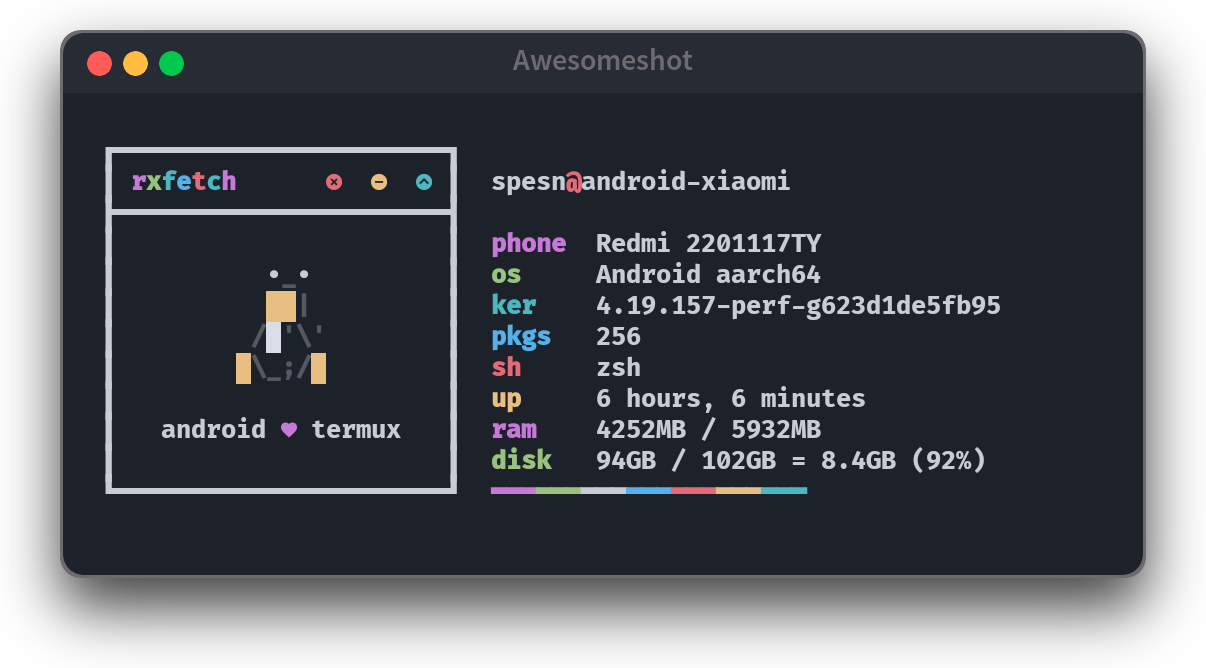
Awesomeshot is an open-source command-line screenshot tool written in Bash (5.1.16+). The project leverages ImageMagick to automatically process and enhance screenshots directly from the CLI.
The main goal of Awesomeshot is to produce clean, aesthetic, and consistent screenshots, inspired by macOS visual design, especially the three-dot window title bar (traffic lights), as well as modern tools like Carbon.
#Background & Motivation
Awesomeshot is my second open-source project, following myTermux. It was born from a combination of:
- My interest in CLI-based tooling
- My appreciation for macOS design aesthetics
- A personal need to create more visually appealing screenshots for documentation and sharing
Around that time, I also discovered tools like Carbon, which transform code snippets into beautiful visuals. That discovery sparked a simple question:
What if terminal or application screenshots could be made cleaner and more aesthetic directly from the CLI?
#Initial Inspiration
Awesomeshot initially started as an improvement inspired by an article written by a member of the Dotfiles Indonesia community, Bandithijo:
bandithijo.github.io/blog/memodifikasi-screenshot-dari-flameshot-dengan-imagemagick
The article explains how to modify screenshots taken with Flameshot using ImageMagick. From there, I saw an opportunity to:
- Package the process into a reusable CLI tool
- Create a more streamlined and repeatable workflow
- Extend it with additional visual features
#Project Evolution & Community Contributions
Over time, Awesomeshot started gaining attention, and community contributions began to appear.
Some notable improvements during its evolution include:
- The addition of a macOS-style title bar
- This feature was not present in the initial version
- It was introduced through community contributions
- Script refactoring to improve modularity and maintainability
- Adjustments to support multiple environments
Eventually, the project evolved from a personal script into a cross-platform open-source tool.
#Platform & Environment Support
To broaden its usability, I experimented with and adapted Awesomeshot for different environments, including:
- A dedicated branch for Termux (Android)
- Support for:
- Proot-distro (Linux environments on Android)
- Ubuntu
- Arch Linux
With this approach, Awesomeshot can be used in both mobile Linux environments and desktop Linux systems.
#Key Features
Some of the key features provided by Awesomeshot include:
- CLI-based screenshot processing
- Image manipulation using ImageMagick
- Screenshots with macOS-style title bars
- Lightweight workflow with no GUI dependency
- Support for multiple Linux and Android (Termux) environments
- Easy to extend and customize due to its Bash-based implementation
#What I Learned
Through the development of Awesomeshot, I gained several important lessons, including:
- Writing reusable CLI tools using Bash
- Leveraging ImageMagick for advanced image manipulation
- Managing an open-source project with community contributions
- The importance of clear documentation for CLI tools
- Evolving a simple script into a more polished and usable tool
#Why This Project Matters
Although Awesomeshot is relatively simple, it holds an important place in my development journey.
This project matters because it:
- Is my second open-source project
- Represents a progression after myTermux in tooling exploration
- Taught me how to accept and manage community contributions
- Strengthened my interest in CLI tools, Linux, and developer experience
#Conclusion
Awesomeshot is an open-source project born from personal experimentation, community inspiration, and a passion for design aesthetics combined with CLI tooling.
It represents a stage in my growth after myTermux, where I began focusing more on functionality, visual quality, and usability, while also learning to collaborate within the open-source ecosystem.
For more details, the latest features, and complete documentation, please refer directly to the Awesomeshot repository on GitHub.